LG/B4 Feeder Kit (B474)
D062/D063/D065/D066 2-32 SM
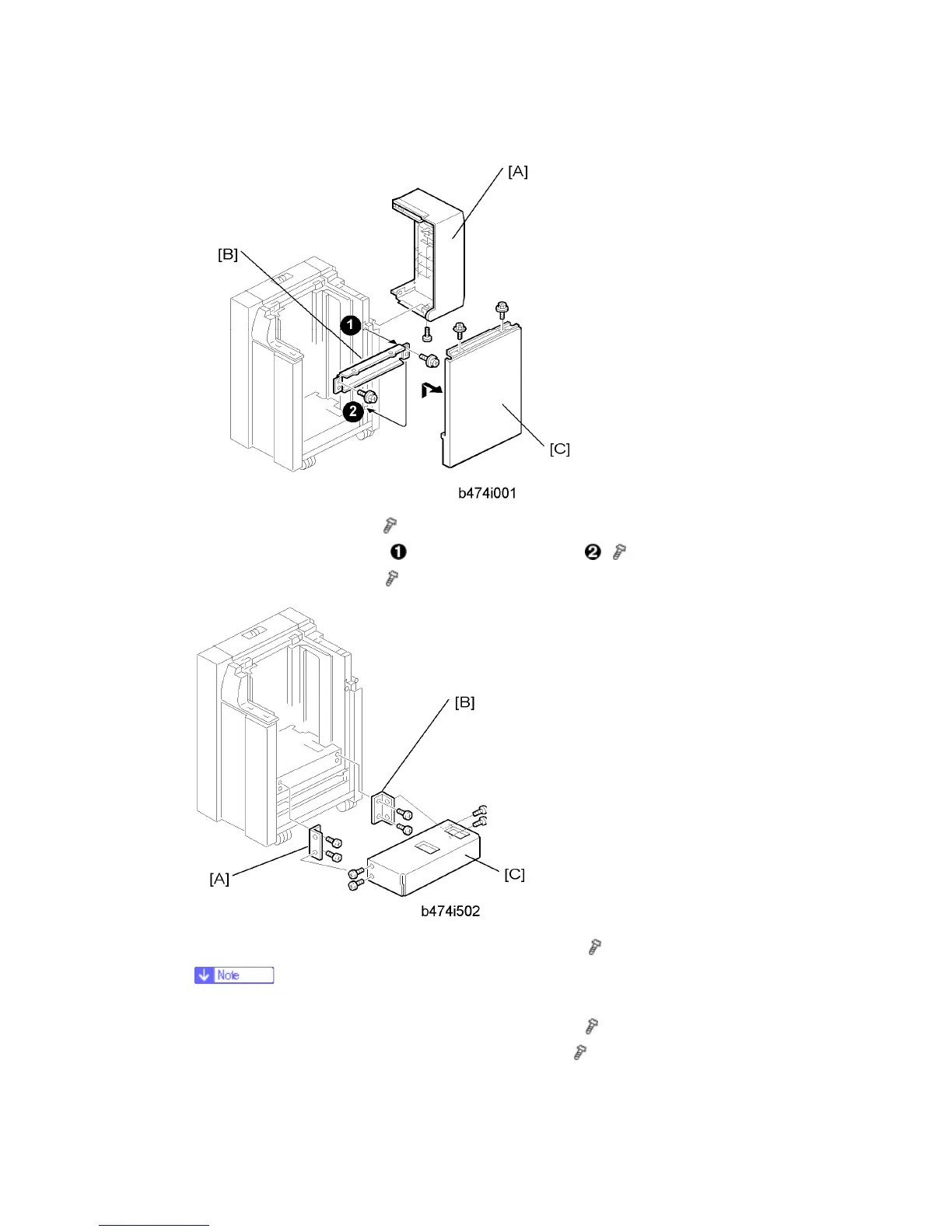
5. Remove the LCT cover [A] (
x 1).
6. Remove the right stay [B] at
and re-attach it below at ( x 2).
7. Remove the right cover [C] (
x 2).
8. Attach the front bracket [A] with the beveled corner down (
x 2).
If the brackets are difficult to install, raise the bottom plate with your hand.
9. Attach the rear bracket [B] with the beveled corner down (
x 2).
10. Attach the bottom plate extension [C] with the hex nuts (
x 4).



 To Next Page