LG/B4 Feeder Kit (B474)
D062/D063/D065/D066 2-34 SM
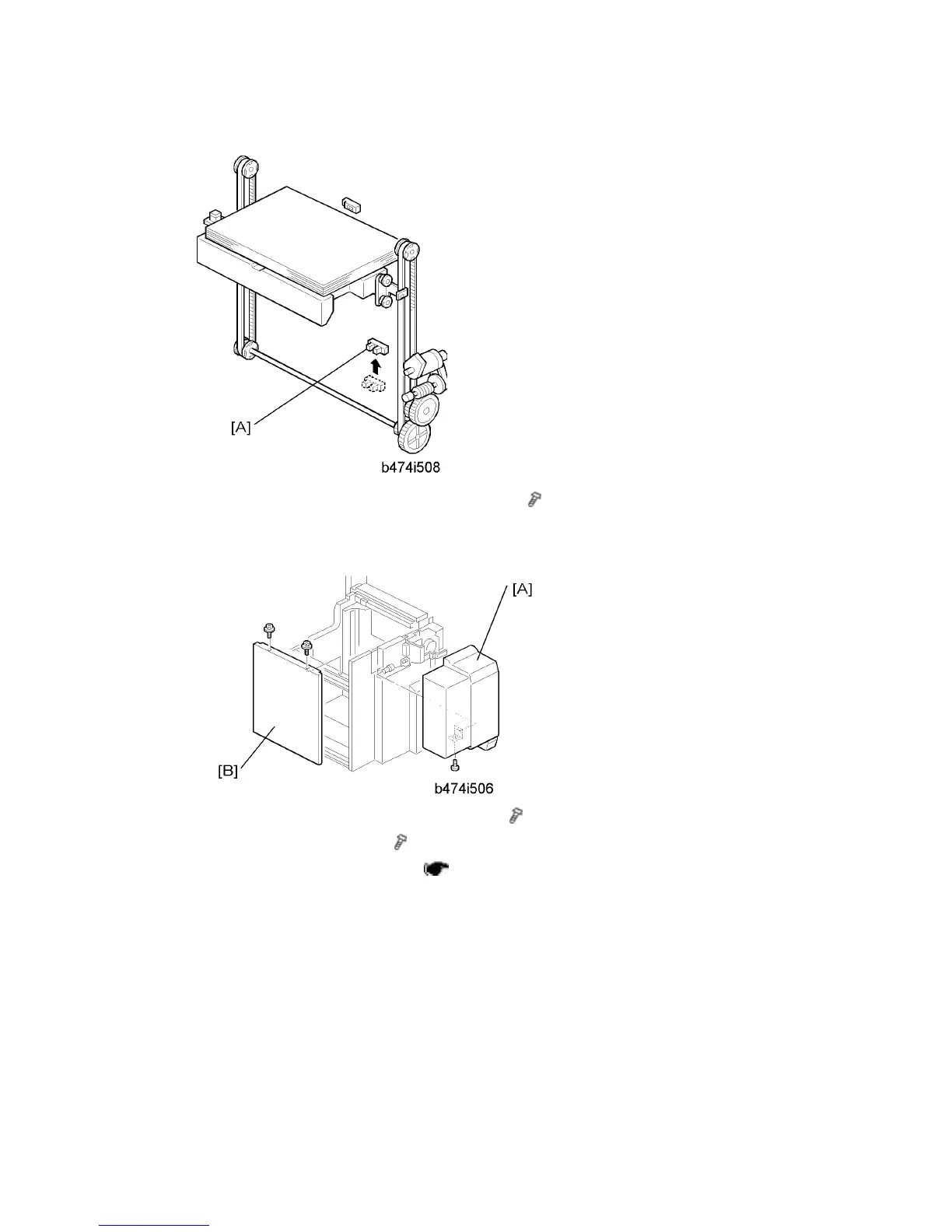
15. Change the position of the lower limit sensor [A] (
x 1).
16. Attach the harness (not shown) to the back of the plate and secure the sensor
connector wire.
17. Attach the LCT cover [A] provided with the kit (
x 1).
18. Re-attach the right cover [B] (
x 2).
19. Connect the LCT to the machine (
p.2-26 "LCT (B473)")
20. Switch the machine on, enter the SP mode, then use SP5959 005 (Paper Size – Tray 4
(LCT) to select the new paper size. For details, see SP5959 in "Service Tables".



 To Next Page