Main SP Tables-1
System Maintenance Section 2-81 D146/D147/D148/D149/D150
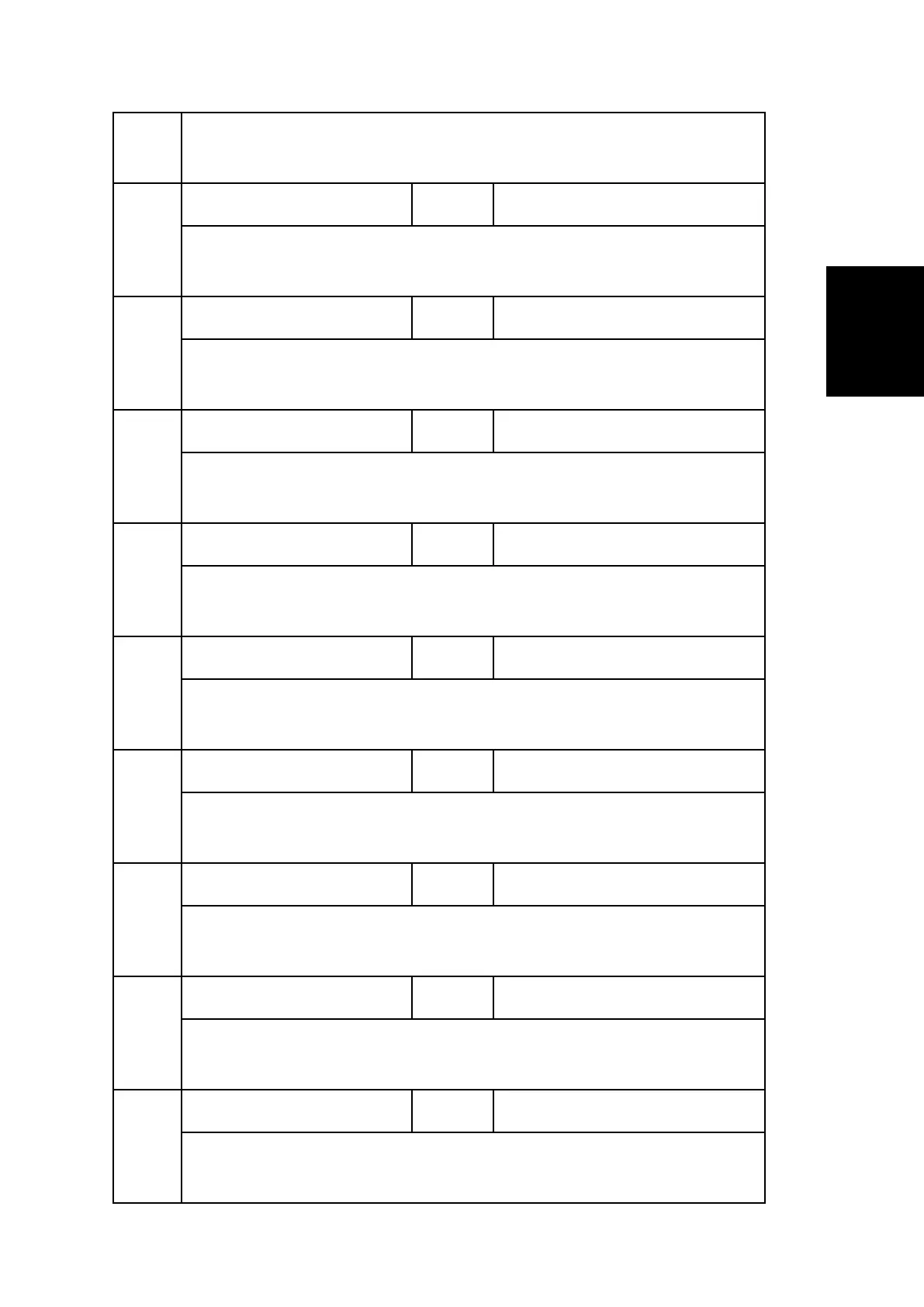
Display detailed conditions when SC occur. Displayed content is ambiance
temp.: center: occurred time.
104
Press Roller:End Det1 *ENG [-5 to 300 / 0 / 1deg/step]
Display detailed conditions when SC occur. Displayed content is calculate
temp.: edge: occurred time.
151
Htg Roller:Ctr Det2 *ENG [-5 to 300 / 0 / 1deg/step]
Display detailed conditions when SC occur. Displayed content is calculate
temp.: center: 1 cycle a head of occurred time.
152
Htg Roller:End Det2 *ENG [-5 to 300 / 0 / 1deg/step]
Display detailed conditions when SC occur. Displayed content is detect temp.:
center: 1 cycle a head of occurred time.
153
Press Roller:Ctr Det2 *ENG [-5 to 300 / 0 / 1deg/step]
Display detailed conditions when SC occur. Displayed content is ambiance
temp.: center: 1 cycle a head of occurred time.
154
Press Roller:End Det2 *ENG [-5 to 300 / 0 / 1deg/step]
Display detailed conditions when SC occur. Displayed content is calculate
temp.: edge: 1 cycle a head of occurred time.
201
Htg Roller:Ctr Det3 *ENG [-5 to 300 / 0 / 1deg/step]
Display detailed conditions when SC occur. Displayed content is calculate
temp.: center: 2 cycle a head of occurred time.
202
Htg Roller:End Det3 *ENG [-5 to 300 / 0 / 1deg/step]
Display detailed conditions when SC occur. Displayed content is detect temp.:
center: 2 cycle a head of occurred time.
203
Press Roller:Ctr Det3 *ENG [-5 to 300 / 0 / 1deg/step]
Display detailed conditions when SC occur. Displayed content is ambiance
temp.: center: 2 cycle a head of occurred time.
204
Press Roller:End Det3 *ENG [-5 to 300 / 0 / 1deg/step]
Display detailed conditions when SC occur. Displayed content is calculate
temp.: edge: 2 cycle a head of occurred time.


 To Next Page
 Loading...