11
2017 Page 31 5IN2413 B
To install the Voice Module:
1. Ensure the main panel is powered off.
2. Install the Voice module inside the main panel box / enclosure. Install and
configure it according to the installation instructions packaged with the module.
Also see the Main Panel Wiring Diagram, page 25 for the module’s connection
location on the main panel PCB.
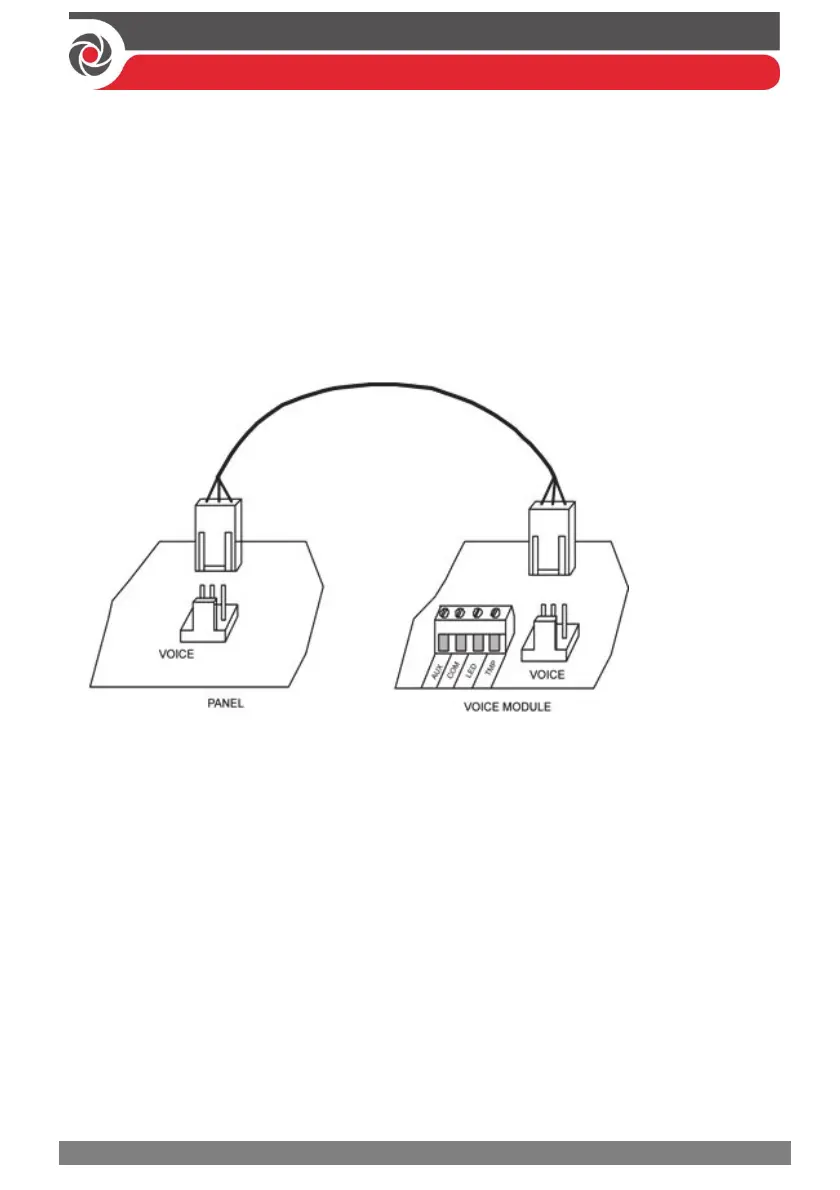
3. Connect the Voice module to the main panel using the supplied cable (connect
from the Voice connector on the Voice module to the Voice connector on the
main panel):
Installing the Listen-In & Speak Unit
Wired directly onto the Voice module, the Listen-In & Speak unit is a remote,
external audio accessory that provides 2-way “listen-in-and-talk” communication
between users at the premises and the monitoring station – for times of emergency.
Multiple Listen-In & Speak units can be used in the system.
To install the Listen-In & Speak unit:
1. Ensure the main panel is powered off.
2. Install the Listen-In & Speak unit according to its packaged installation
instructions, and also the Voice module’s packaged installation instructions.
Install Listen-In & Speak unit(s) where best utilized at the premises.



 To Next Page