Chapter 15 — Maintaining the Drives Updating Drive Firmware
December 2019 User Guide—Spectra T200, T380, and T680 Libraries
487
Discontinue Background Operations
You cannot update drive firmware if the library is actively running any
background operations, including
Media Auto Discovery,
PreScan, and
PostScan.
If you do not want to wait for a Media Auto Discovery, PreScan, or
PostScan operation to complete, you can stop the Media Auto Discovery or
PreScan operation or pause the PostScan operation. For other background
operations, wait for the process to complete.
Click Stop Discovery on the Media Lifecycle Management Tools screen
to stop a Media Auto Discovery or PreScan operation (see Stop the
Discovery Process on page 288).
Click Pause PostScan on the Media Lifecycle Management Tools screen
to pause the PostScan operation for one hour (see Pause the PostScan
Process on page 297).
Discontinue Backups and Empty the Drives
Before applying the drive firmware update, discontinue all backup
operations and remove any cartridges from the drives.
If possible, use your storage management software to move any
cartridges that are currently in drives back to their storage locations.
If you cannot use your storage management software, then move the
cartridges as described in Moving Cartridges Within a Partition on
page 254.
Apply the Update
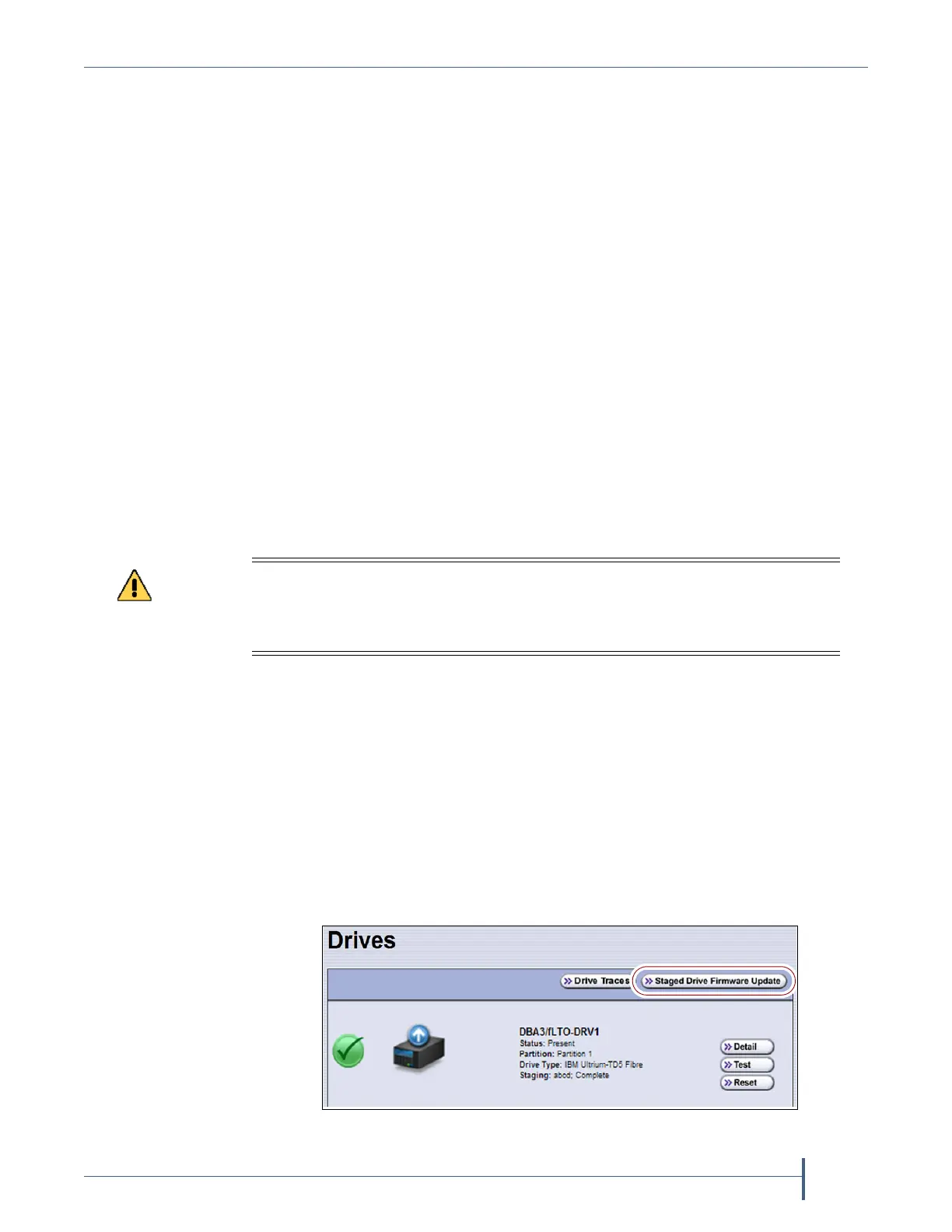
1. On the Drives screen, click Staged Drive Firmware Update. The Staged
Drive Firmware Update screen displays.
Attempting to update the firmware while the library is busy or when the drives
contain tapes may result in the update failing, failed backup jobs, or permanent
damage to the drives. If you did not already do so, stop all backup operations and
remove all tapes from the drives you are updating.
Figure 302 Click Staged Drive Firmware Update.



 To Next Page