9-8 Sysmex XP-300
Quality Control
Revised October 2012
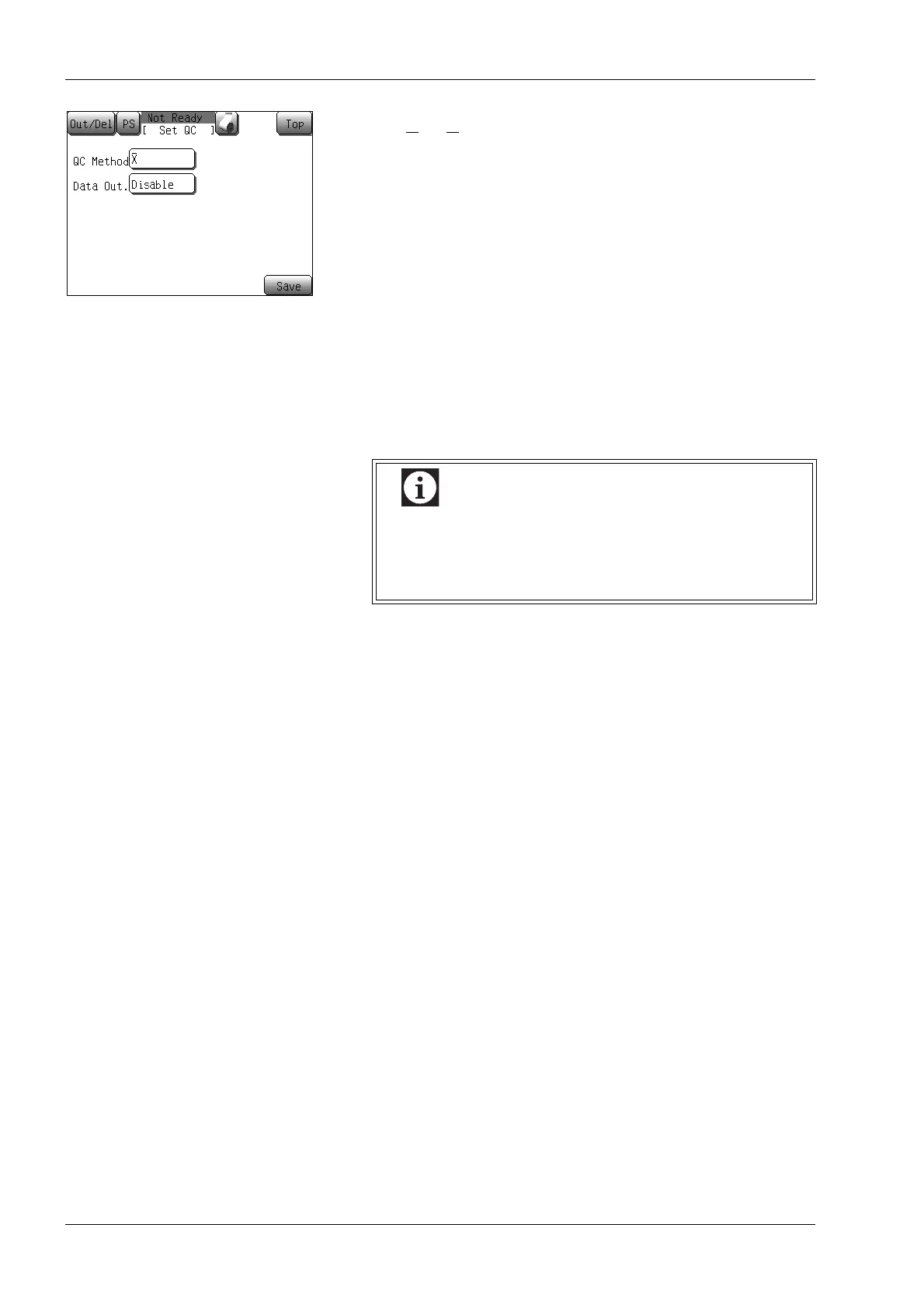
(4) Select the control method.
• [X
]:X control
• [L-J]: L-J control
(5) Select a data output method.
This setting allows automatic output of results when quality
control analysis is completed.
• [Disable]: No output.
• [IP]: Print on internal printer.
• [GP]: Print on graphic printer.
• [HC]: Output to host computer.
• [IP+HC]: Print on internal printer and output to host
computer.
• [GP+HC]: Print on graphic printer and output to host
computer.
(6) Press the [Save] button.
The save confirmation dialog appears.
• Press the [OK] button to update quality control settings and
return to the Main screen.
• Press the [Cancel] button to close the dialog.
* In the quality control setting storing confirmation dialog,
pressing the [Top] button will display the quit confirmation
dialog. Press the [OK] button to return to the Main screen
without changing the settings. Press the [Cancel] button to
close the dialog to continue the settings.
When outputting to the host computer, the instrument
outputs to the serial port (RS-232C) or LAN
(Ethernet), depending on the connection settings for
host computer. (See “11. Instrument Setup”.)



 To Next Page