12-6 Sysmex XP-300
Cleaning and Maintenance
Revised May 2012
12.5 Clean SRV tray
Clean the SRV tray once a week in the following procedure:
(1) Turn off the power of the main unit and wait approximately 30
seconds.
(2) Open the front cover of the main unit.
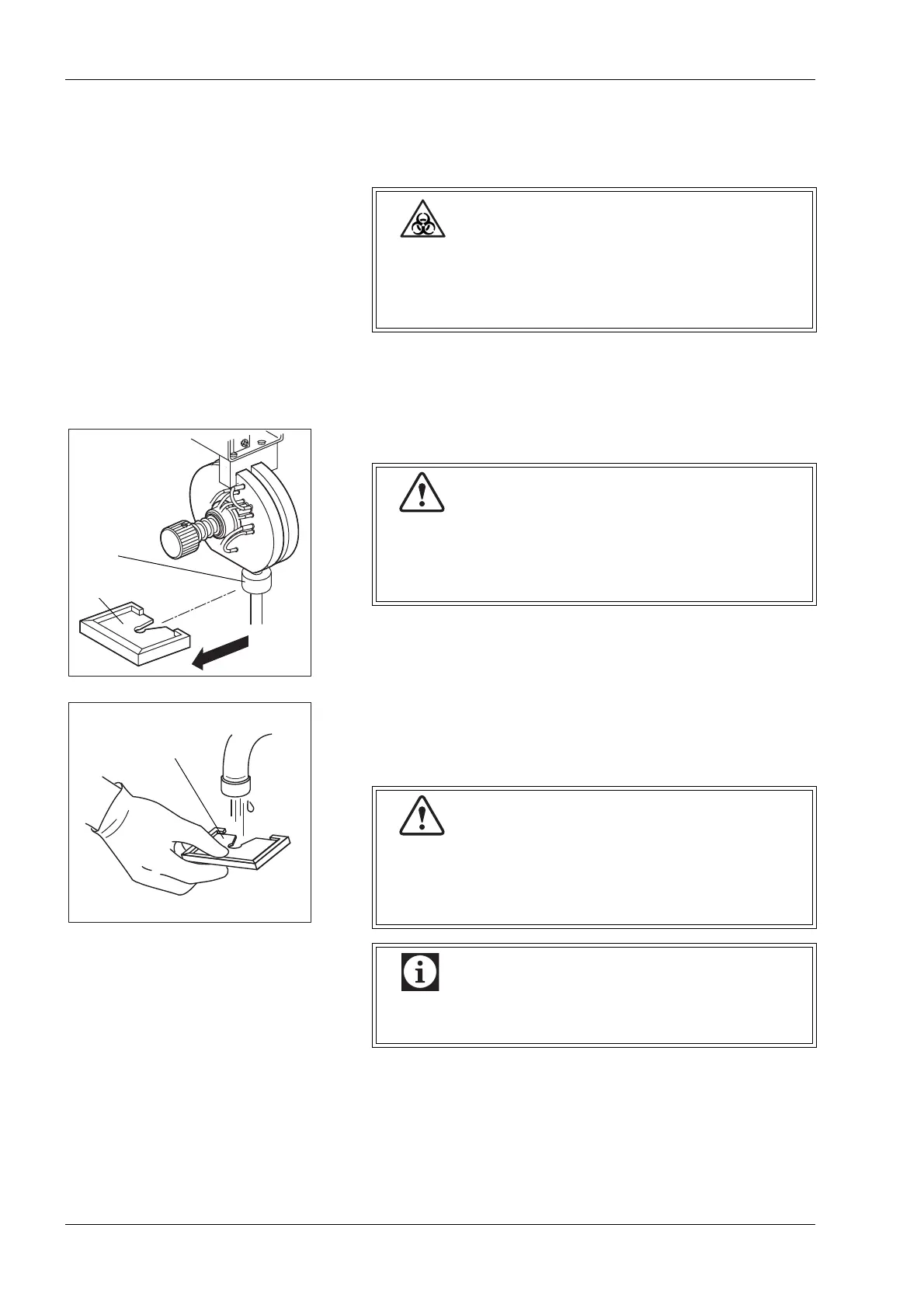
(3) Remove the SRV tray.
(4) Wash the SRV tray using tap water.
(5) Make sure no contaminants remain, then wipe off water.
(6) Re-mount the SRV tray to the original state.
(7) Close the front cover of the main unit.
When cleaning the SRV tray, always wear rubber
gloves. After completion of work, wash hands with
disinfectant. If your hands are contaminated by blood,
etc., infection of bacteria can occur.
SRV tray
Probe fixing
screw
When removing the SRV tray, take care not to loosen
the probe fixing screw. If analysis is made with the
screw loosened, air can enter the system and affect
the data.
After mounting the SRV tray, make sure the probe
fixing screw is not loose. If analysis is made with the
screw loosened, air can enter the system and affect
the data.
Mount the SRV tray properly as to the face/bottom
and the direction.



 To Next Page