12-20 Sysmex XP-300
Cleaning and Maintenance
January 2012
12.12 Clean aperture of TD chamber (drain TD chamber)
If clogging of the aperture cannot be removed by cleaning the TD
(cleaning sequence), the aperture must be cleaned manually with a
transducer brush. Follow the procedures below.
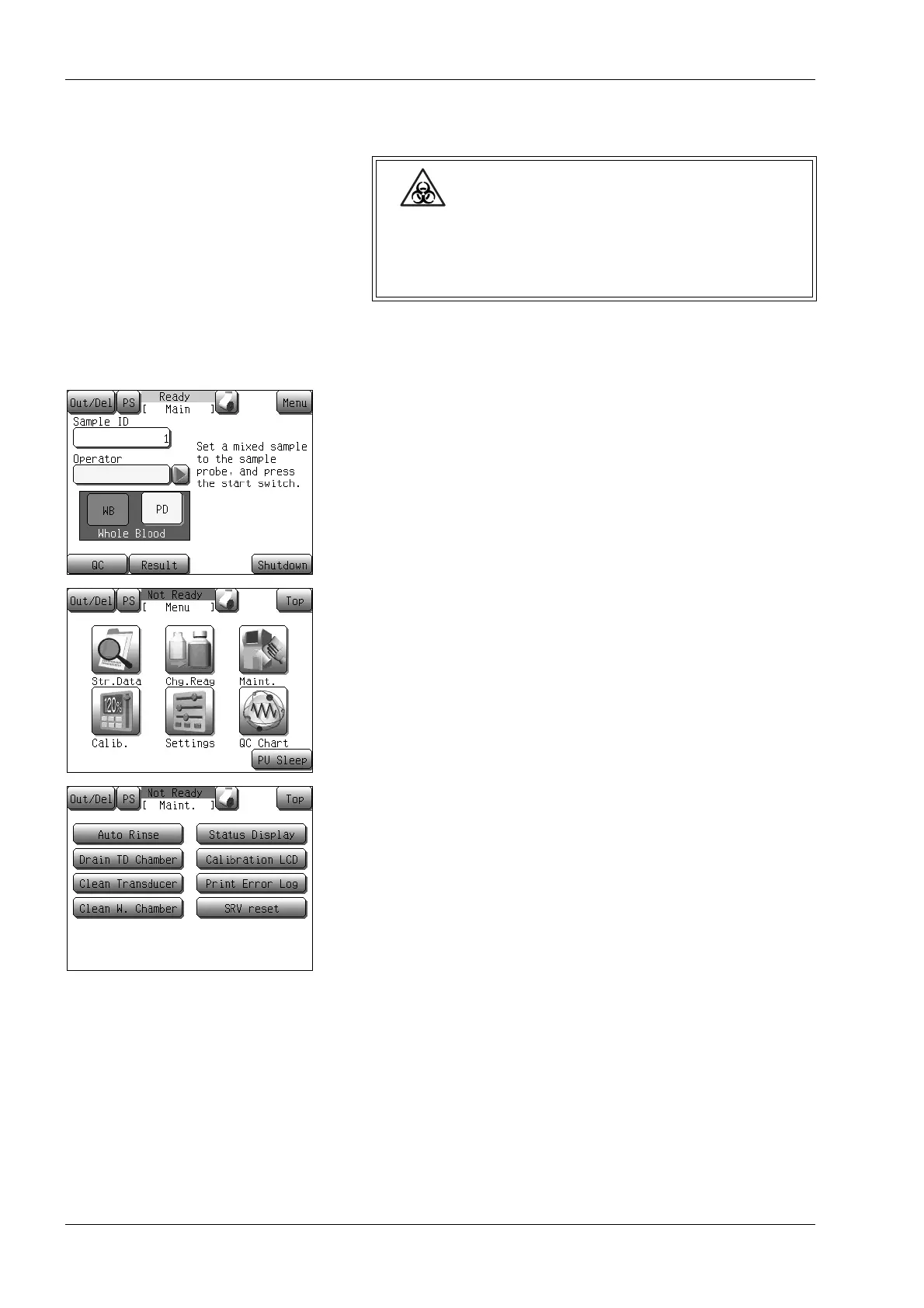
(1) Press the [Menu] button at the Ready status.
The Menu screen will appear.
(2) Press the [Maint.] button.
The maintenance menu screen will appear.
(3) Press the [Drain TD Chamber] button.
The drain TD chamber screen will appear.
Wear protective garments and gloves when cleaning
TD aperture of (draining TD chamber). After
completion of work, wash hands with disinfectant.
Otherwise, there is a risk of infection by pathogens.



 To Next Page