Sysmex XP-300 3-1
Design and Function
Revised July 2012
3. Design and Function
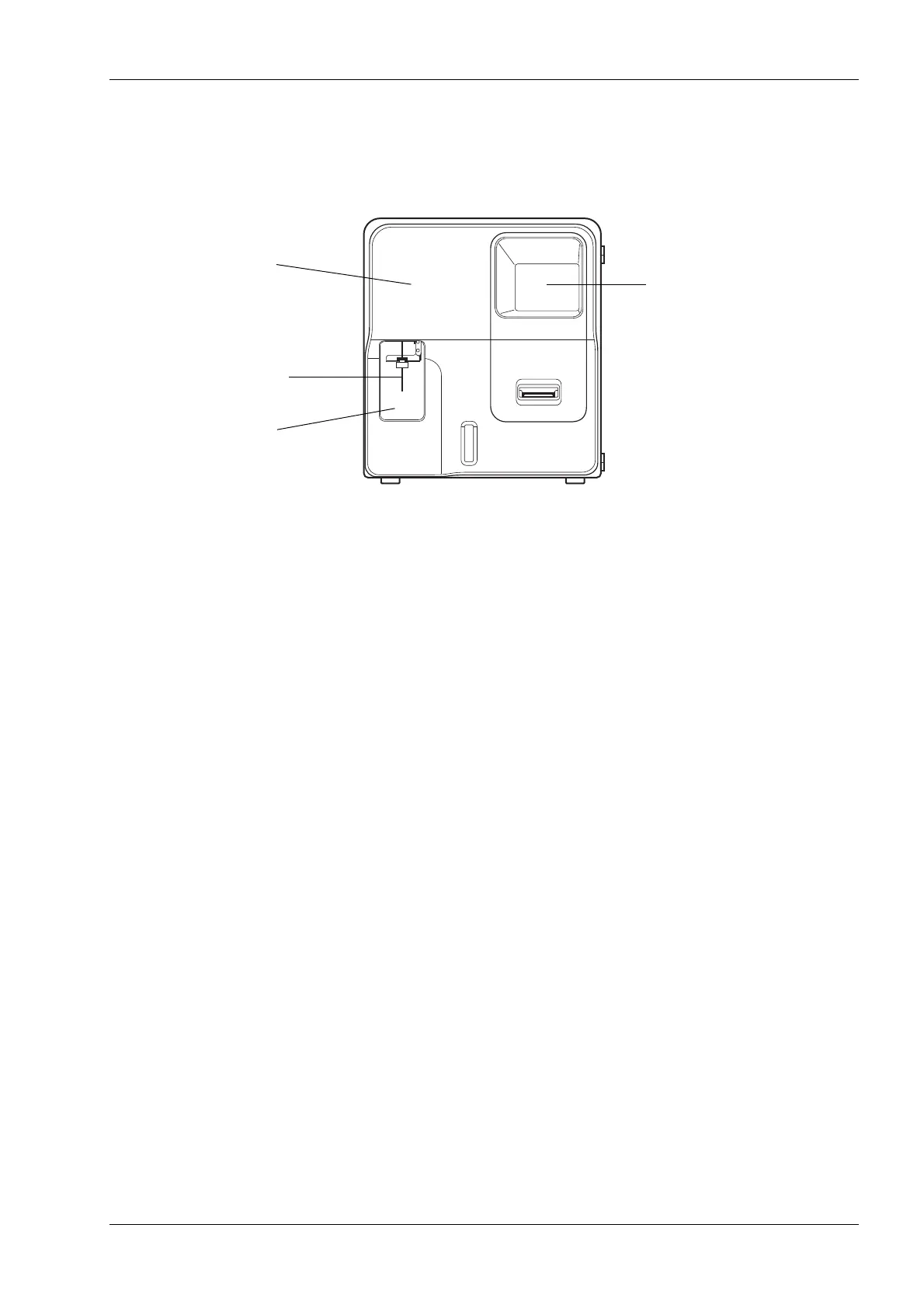
3.1 Front view
(1) Front cover
The front cover can be opened to the right by hand. It is opened to replace lyse bottles, check or clean the
interior of measuring unit.
(2) Sample probe
The sample probe is used to aspirate sample in the whole blood and pre-diluted modes.
(3) Start switch
This switch starts whole blood mode analysis and pre-diluted mode analysis.
(4) Color LCD screen
Displays the sample ID number, analysis results, instrument status, error messages, and menus.
(1) Front cover
(4) Color LCD screen
(2) Sample probe
(3) Start switch



 To Next Page