Sysmex XP-300 12-9
Cleaning and Maintenance
Revised July 2012
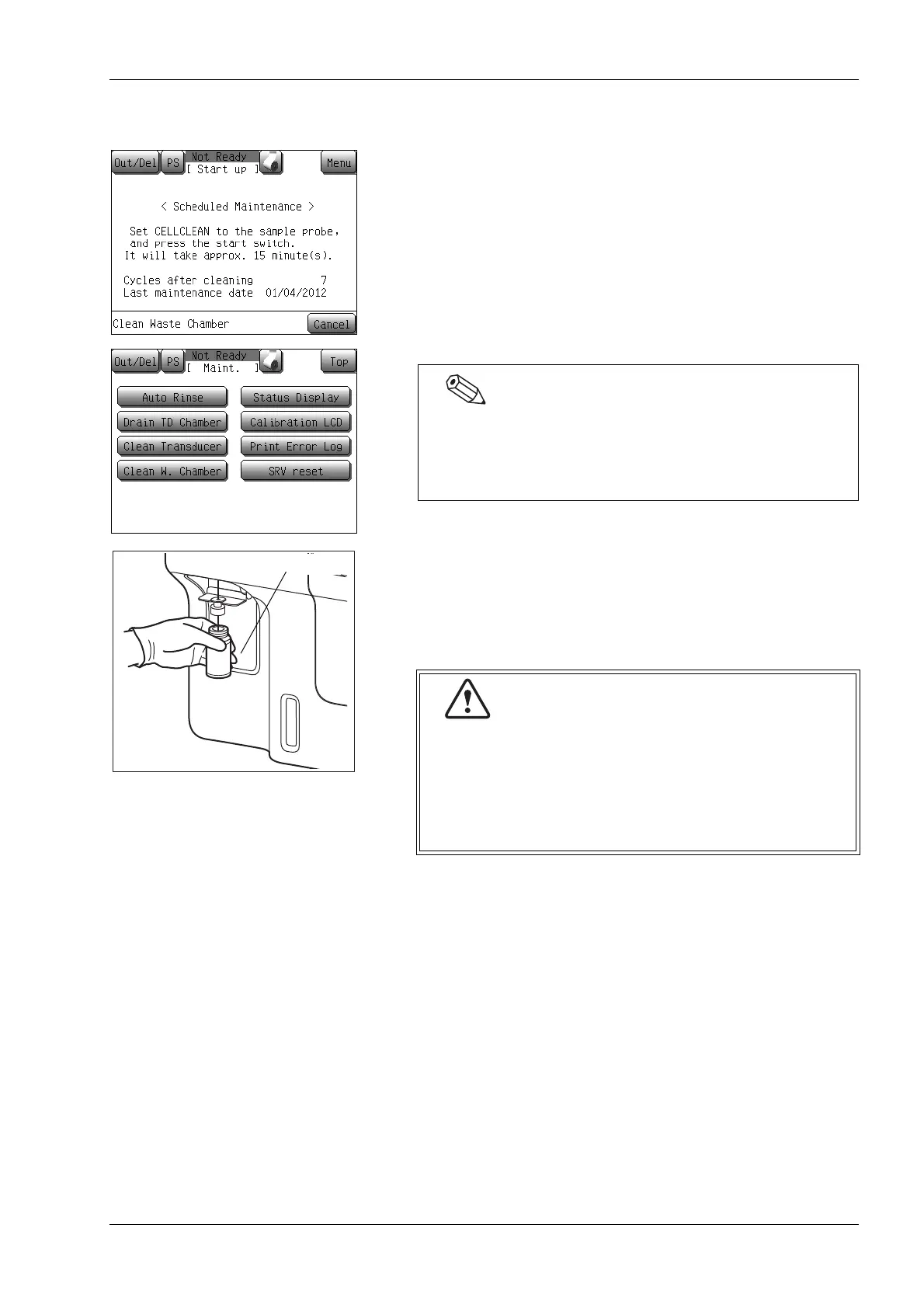
12.7 Clean waste chamber
When the main power switch is turned ON, and if either the counter
value exceeds 1,500, or if 1 month has passed since the last
maintenance, a message will appear prompting the operator to
perform periodic maintenance (waste chamber cleaning).
• Press the [Cancel] button to continue start up without executing
waste chamber cleaning operation. Until the waste chamber is
cleaned, the message is displayed at start-up.
• When this message is displayed, perform the waste chamber
cleaning as shown in the following procedures.
(1) Set CELLCLEAN to the sample probe, and in that condition,
press the start switch.
While [Aspirating] is being displayed on the screen, keep
holding CELLCLEAN in the same status, as long as the “beep”
is present.
Even when the above-mentioned message is not displayed,
waste chamber cleaning can be executed by pressing the
[Maint.] button of the menu screen, then pressing the
[Clean W. Chamber] button of the maintenance screen.
CELLCLEAN is a strong alkaline cleaning solution. Do
not mix it with any acidic substances. Also, it should
not come in contact with skin or clothing. If the skin or
clothes should come in touch with it, flush it away
using plenty of water to avoid injury or damage.
Otherwise, it can damage the skin or clothes.



 To Next Page