Sysmex XP-300 11-1
Instrument Setup
Revised March 2012
11. Instrument Setup
By changing individual settings, you can adapt the instrument to
your needs or existing laboratory conditions.
11.1 Introduction
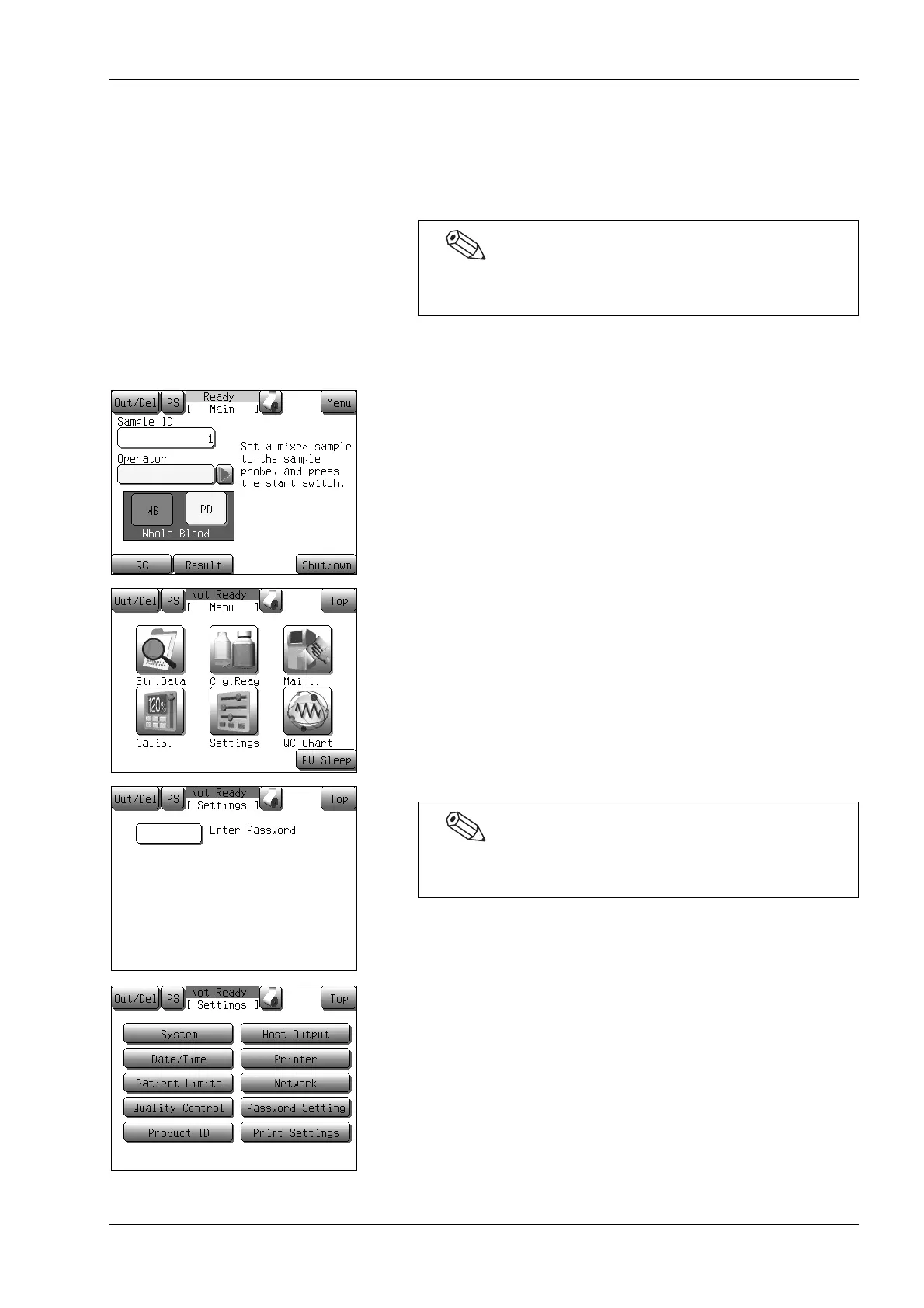
(1) Press the [Menu] button at the Ready status.
The Menu screen will appear.
(2) Press the [Settings] button.
The Settings menu screen will appear.
(3) Select the button to be changed from the Settings menu.
The screen for the selected parameter will appear.
When the [←] and [→] buttons are displayed on the bottom of
the screen, the setting contents are divided into 2 or more pages.
Pages can be switched by pressing the [←] or [→] button.
Upon initial operation, some settings need to be updated.
Example: Current date and time
If a password has been set, the password input screen will
appear. Enter the password.



 To Next Page