Sysmex XP-300 11-9
Instrument Setup
January 2012
11.3 Password setting
To prevent unauthorized change of the important settings of the
instrument, a password may be activated. The following functions
are password-protected:
• Calibration functions
• Setting functions
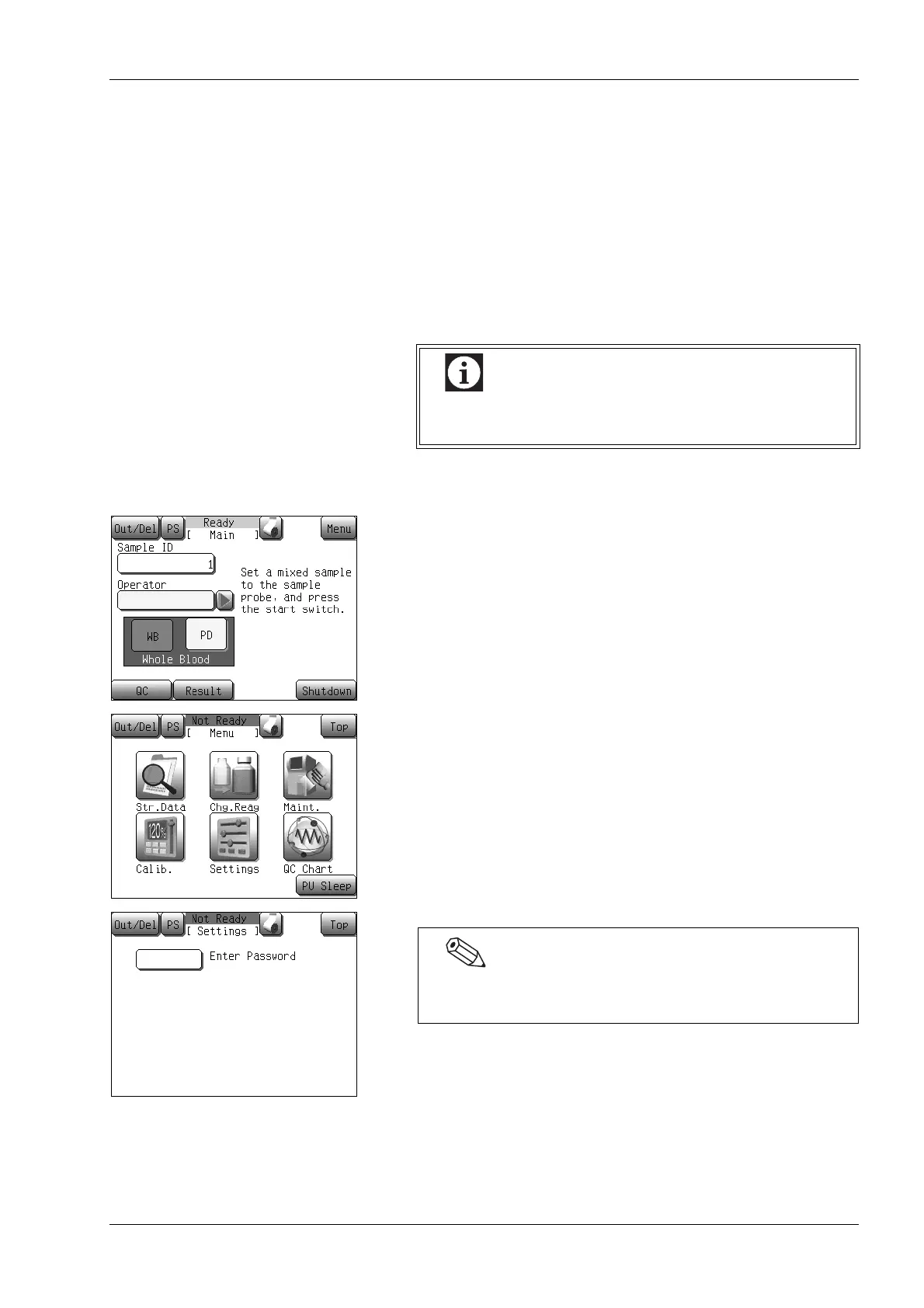
When any of the above functions is selected, you will be prompted
with the password entry screen. Key in the password and confirm
with the [Ent.] button.
Password setting procedure
(1) Press the [Menu] button on the Main screen.
The Menu screen will appear.
(2) Press the [Settings] button.
The Settings menu screen will appear.
In case the password has been forgotten, contact your
local Sysmex service representative.
If a password has been set, the password input screen will
appear. Enter the password.



 To Next Page