Sysmex XP-300 7-5
Sample Analysis
Revised October 2012
7.5 Switching ON
After completion of all checks, the main power switch can be turned
ON.
• Turn the main power switch ON.
The LCD screen will be illuminated. The program version will
be briefly displayed.
After the self-check, auto rinse, and background check are
completed, the Main screen will appear.
Self-check
After the main power switch is turned ON, the instrument performs a
self-check. This process takes approximately 2 minutes.
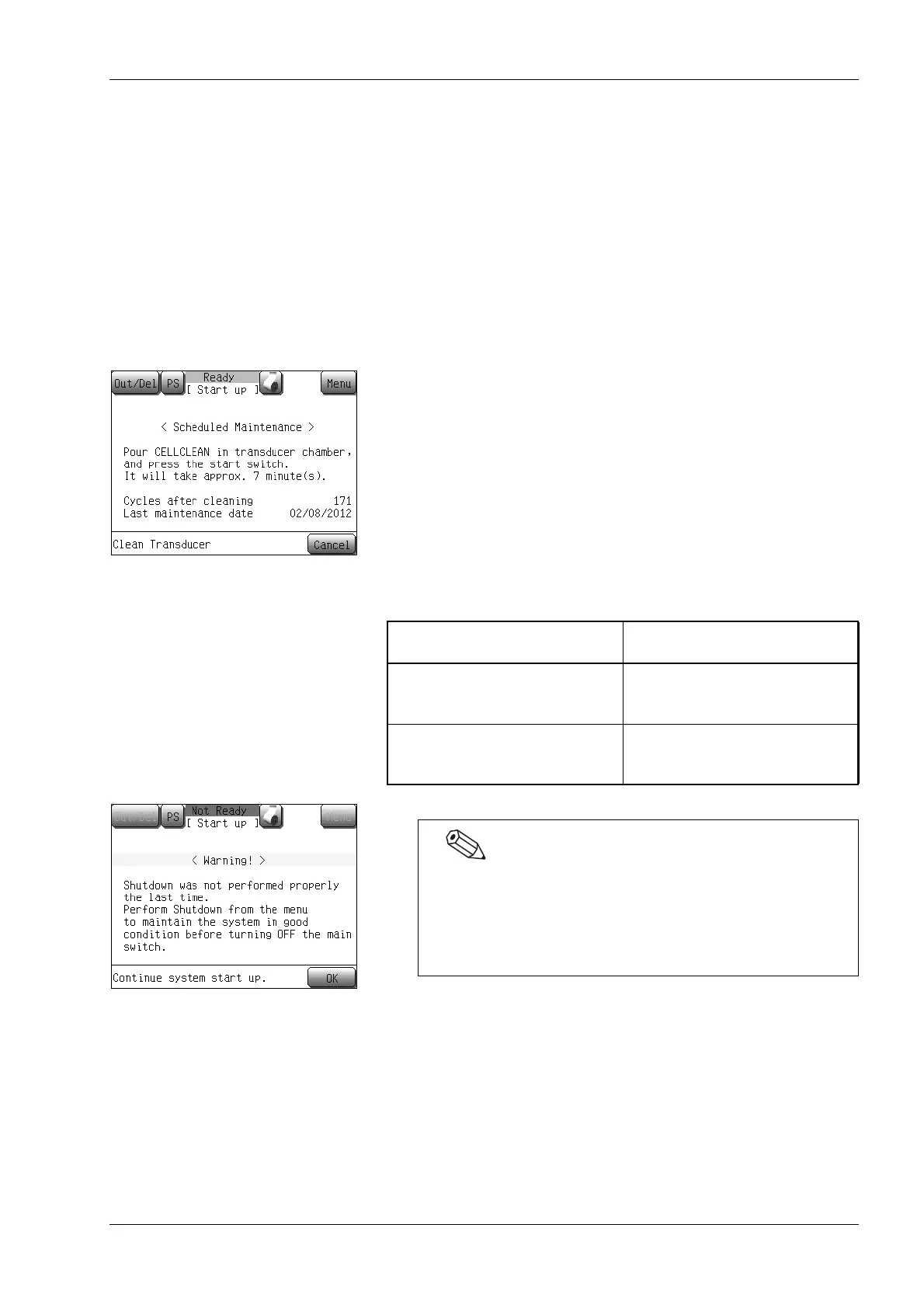
In order to ensure optimal instrument conditions for use at all times,
certain parts require periodic maintenance. This instrument includes
counters which record the number of times that each of these parts
are used. When the main power switch is turned ON, and if either the
counter value exceeds the specified number (see the table below) or
if a certain period of time has passed since the last maintenance, a
message will appear prompting the operator to perform periodic
maintenance. Follow the instructions on the screen and perform the
required maintenance.
Cycles/elapsed time after
cleaning
Screen display
The counter value exceeds 1,500
or 1 month has passed since the
last maintenance.
Messages will appear prompting
for waste chamber cleaning and
TD cleaning.
The counter value exceeds 4,500
or 3 months have passed since the
last maintenance.
A message will appear prompting
for SRV cleaning.
If an error is detected during the self-check, an error
message appears on the LCD screen. Turn the instrument
main power switch OFF.
If the error persists, contact your Sysmex service
representative.



 To Next Page