12-36 Sysmex XP-300
Cleaning and Maintenance
Revised March 2012
12.18 Replace internal printer paper (Printing Paper No. 3)
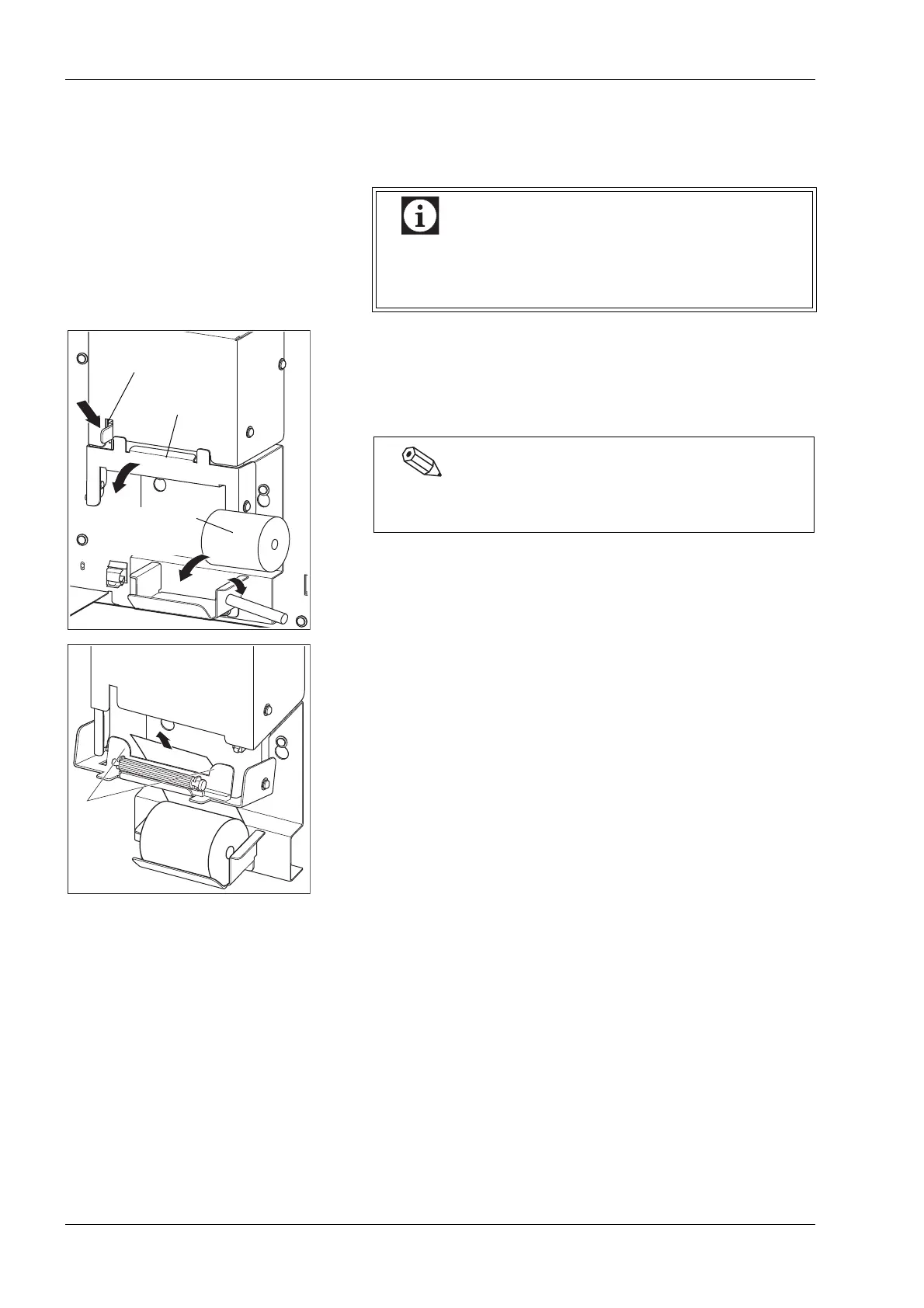
(1) Open the front cover of the main unit.
(2) Push down the lock lever.
Lock is released and the printer cover is pulled open toward the
front.
(3) Remove the bare paper core and mount the new printer paper.
(4) Pass the printer paper through along the paper guides.
When the tip of printer paper extends from the upper
part of the internal printer, cut off the paper and then
open the front cover.
Lock lever
Printer cover
New printer paper
(Printing Paper
No. 3)
When any printer paper remains, remove it together with
the paper core.



 To Next Page