8-20 Sysmex XP-300
Display and Output of Analysis Results
Revised April 2012
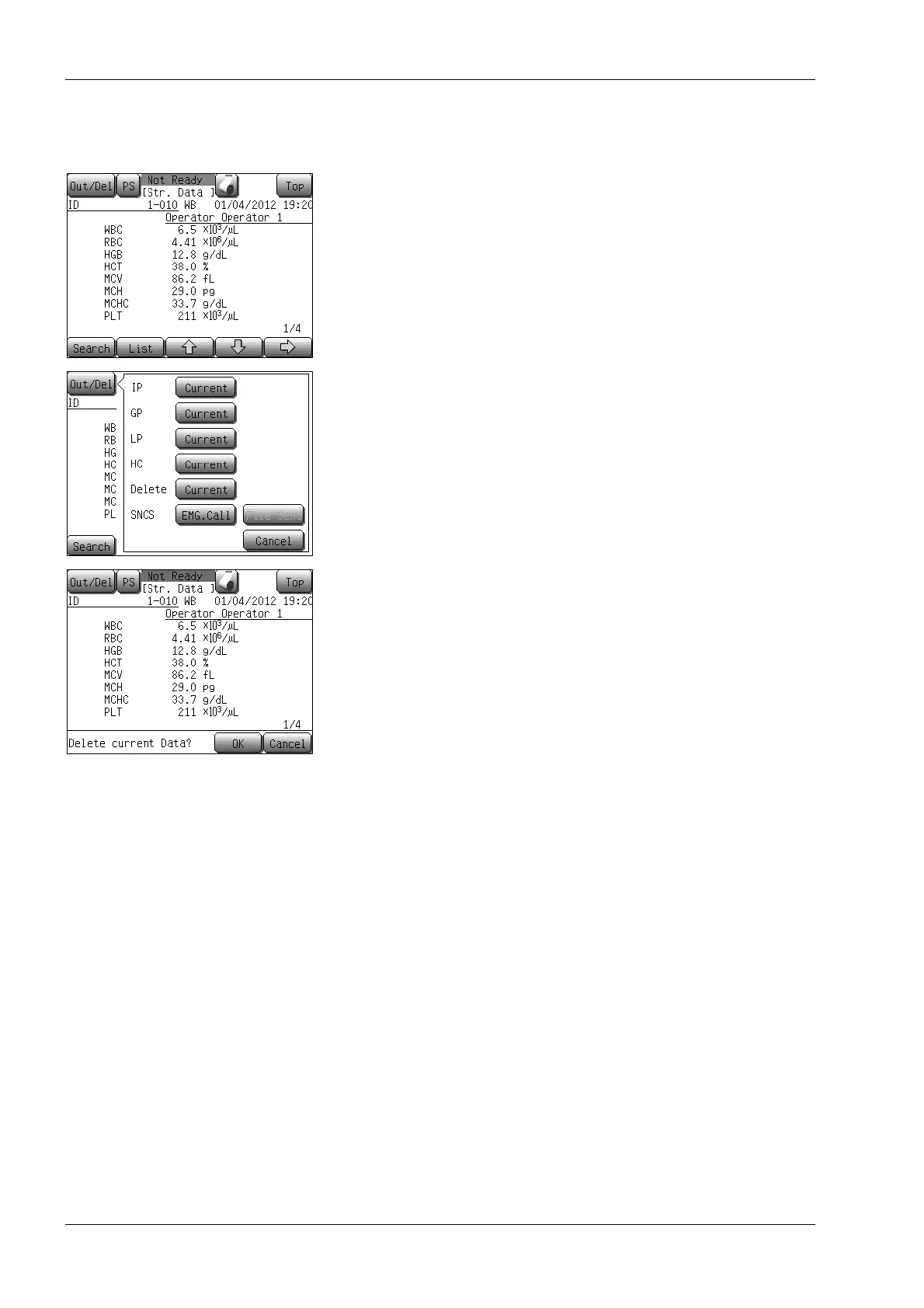
Deleting stored data
You can delete analysis data displayed on the stored data screen.
(1) Select the data you want to delete on the list screen of the stored
data screen or display the data you want to delete on the detail
screen, then press the [Out/Del] button.
The output/delete menu dialog is displayed.
(2) Press the [Current] button next to “Delete”.
The deletion confirmation dialog will appear.
• Pressing the [OK] button deletes the analysis data selected
or displayed.
• Pressing the [Cancel] button in the output/delete dialog/
deletion confirmation dialog cancels the deletion and returns
to the previous screen.



 To Next Page