Sysmex XP-300 6-9
Operation
Revised July 2012
File transmission
Quality control data, shutdown report, error report and saved screens
using the [PS] button (up to 5 screens) can also be transmitted to the
SNCS server manually.
For details about the screen saving method, see “Screen saving
method (Print screen)” in “6.7 SNCS functions”.
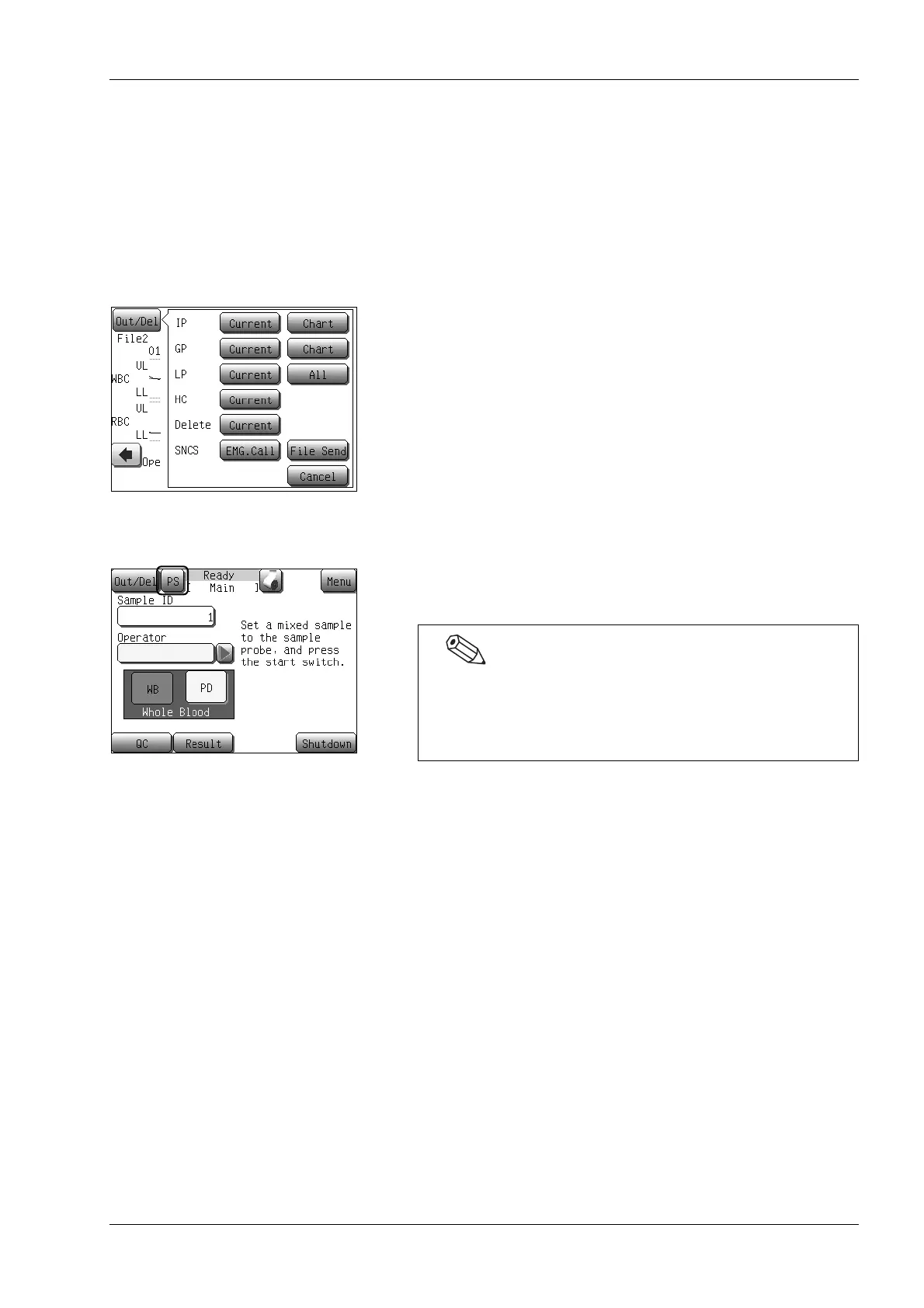
(1) Press the [Out/Del] button on the screen where it is displayed.
The output/delete menu dialog appears.
(2) Press the [File Send] button.
• When transmitting a QC chart:
QC data at the cursor position is transmitted to the SNCS
server.
• When transmitting any data other than QC chart:
The day’s shutdown report, error report and screens saved
using the [PS] button are transmitted to the SNCS server.
Screen saving method (Print screen)
Press and hold the [PS] button (for approximately 1 second) to save
the screen in bmp format (up to 5 screens).
Press the [File Send] button to transmit the saved screens to the
SNCS server. This is convenient when explaining the displayed
content to your Sysmex service representative.
You cannot use this function when the [PS] button is not displayed
on the screen.
When there are already 5 screens saved, pressing and
holding the [PS] button (for approximately 1 second) in a
dialog which appears when the [Out/Del] button is pressed
deletes the screen that was first saved.



 To Next Page