Sysmex XP-300 11-11
Instrument Setup
Revised May 2012
11.4 Print settings
All the set values can be printed on the internal/external (graphic
only) printer.
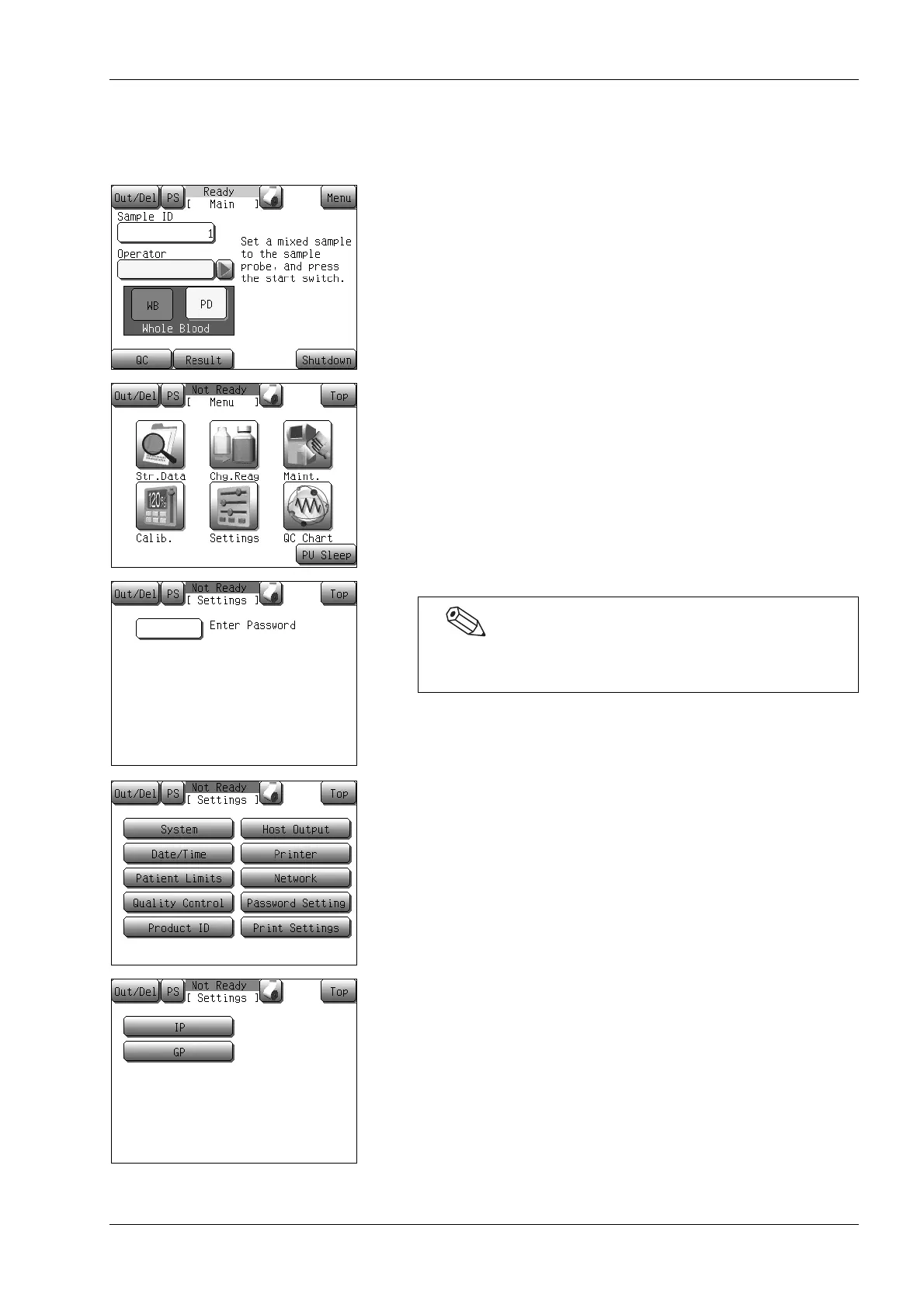
(1) Press the [Menu] button on the Main screen.
The Menu screen will appear.
(2) Press the [Settings] button.
The Settings menu screen will appear.
(3) Press the [Print Settings] button.
The print set value dialog will appear.
(4) Press the desired output destination button.
• [IP]: Prints the set values on the internal printer.
• [GP]: Prints the set values on the graphic printer.
* Press the [Top] button to close the print set value dialog.
If a password has been set, the password input screen will
appear. Enter the password.



 To Next Page