9-16 Sysmex XP-300
Quality Control
Revised October 2012
9.6 Performing a quality control
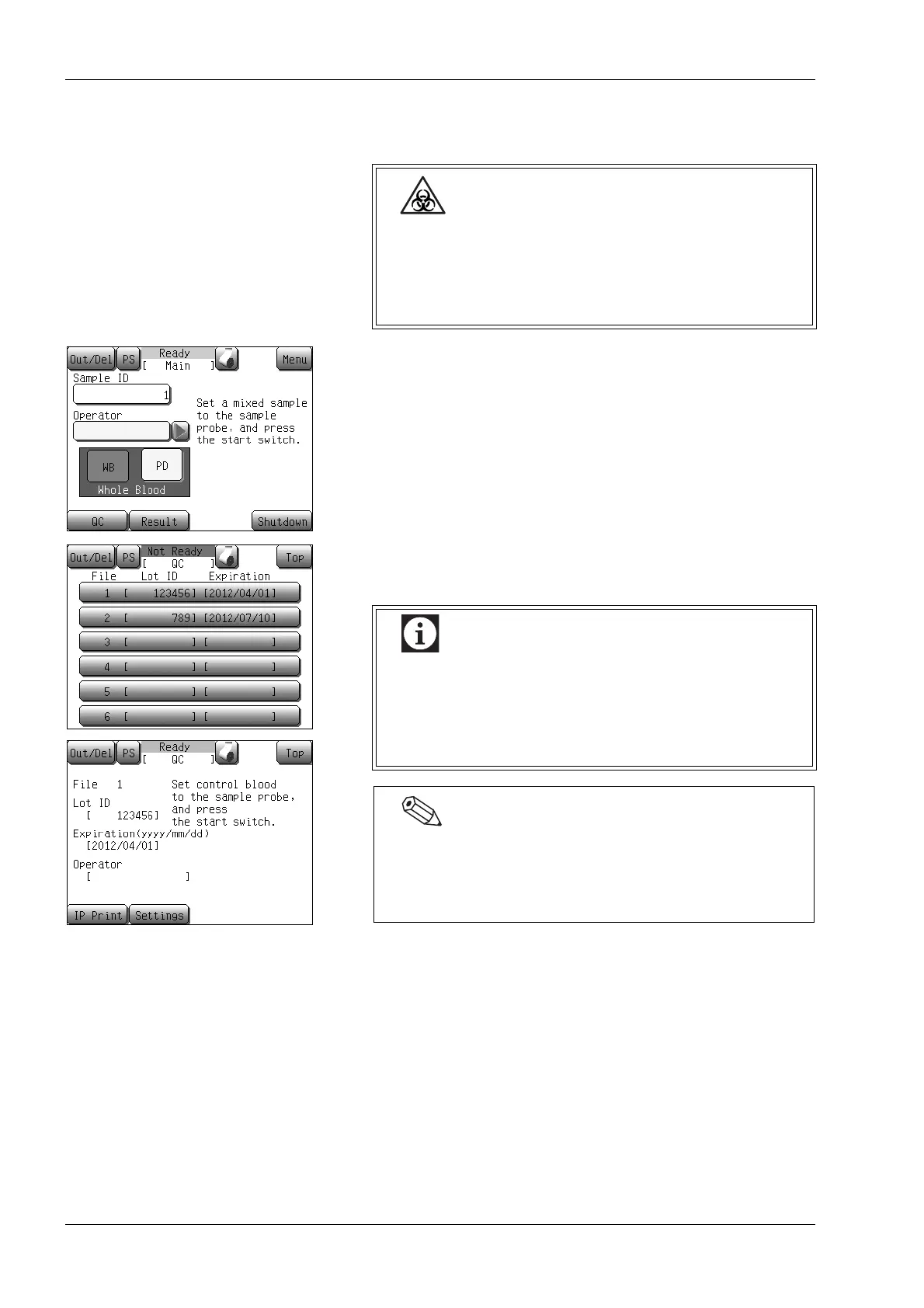
(1) Press the [QC] button on the Main screen.
The analysis control file selection screen will appear.
(2) Press the display column of the analyzing file.
The analysis starting screen will appear.
Wear protective garments and gloves when you
analyze the control blood. After completion of work,
wash hands with disinfectant. If your hands are
contaminated by blood, etc., infection of bacteria can
occur.
Before performing analysis, it is necessary to select a
control method and enter the control blood
information.
(See “9.4 Control method selection” and “9.5 Settings
for control blood information (QC files)”.)
Pressing the [IP Print] button on the analysis starting
screen prints out the current file’s lot ID, expiration date,
TARGET value and LIMIT width of each parameter in the
quality control printing format.



 To Next Page