Sysmex XP-300 6-7
Operation
Revised July 2012
6.5 Timer functions
This instrument includes 2 types of timers.
(1) LCD backlight dimmer timer
Purpose: Reduces power consumption and extends backlight
lifetime.
Operation: Dims the backlight.
Timing: Activates when instrument is left for approx. 10
minutes with no screen operations.
Cancel: Touch any part of the LCD screen.
(2) Shutdown warning timer
Purpose: Suggests that the operator initiate the shutdown
sequence.
Operation: Displays the shutdown warning message.
Timing: Activates after 24 hours.
Cancel: Perform shutdown, then turn the main power switch
OFF-ON.
6.6 Emergency stop procedure
When there arises the need to stop the instrument urgently because of
power outage, etc., in the laboratory, turn off the instrument power
switch.
6.7 SNCS functions
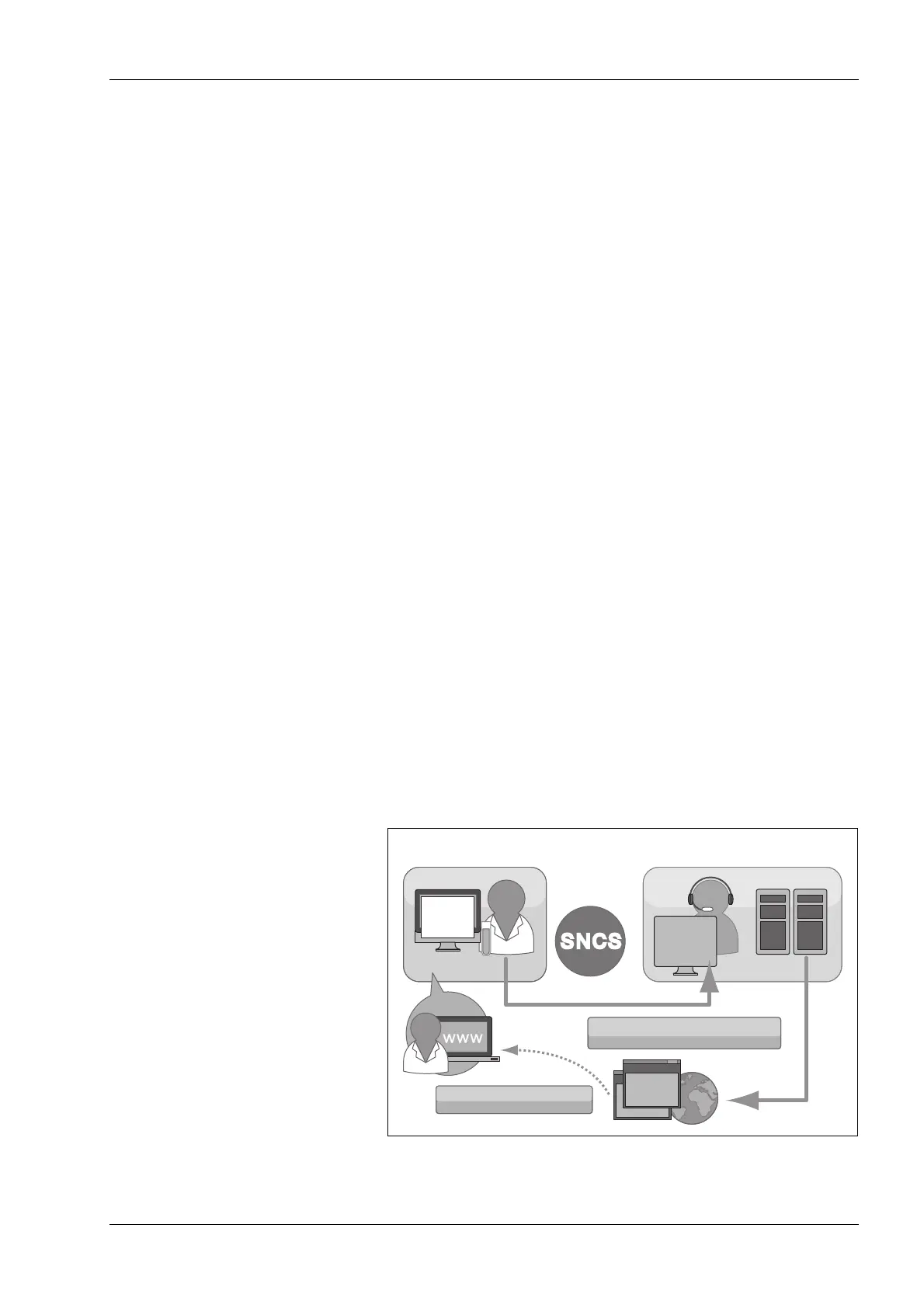
The Sysmex Network Communication Systems (SNCS) is a support
service that connects the Customer Support Center and customers’
products via the web for the online provision of remote instrument
maintenance and quality control.
The following pages describe its functions and operation procedures.
SNCS overview (image)
Analyzer Customer Support Center
Screen
image
Web information service
Data transmission
(QC result, operation log, etc.)



 To Next Page