13-22 Sysmex XP-300
Troubleshooting
Revised July 2012
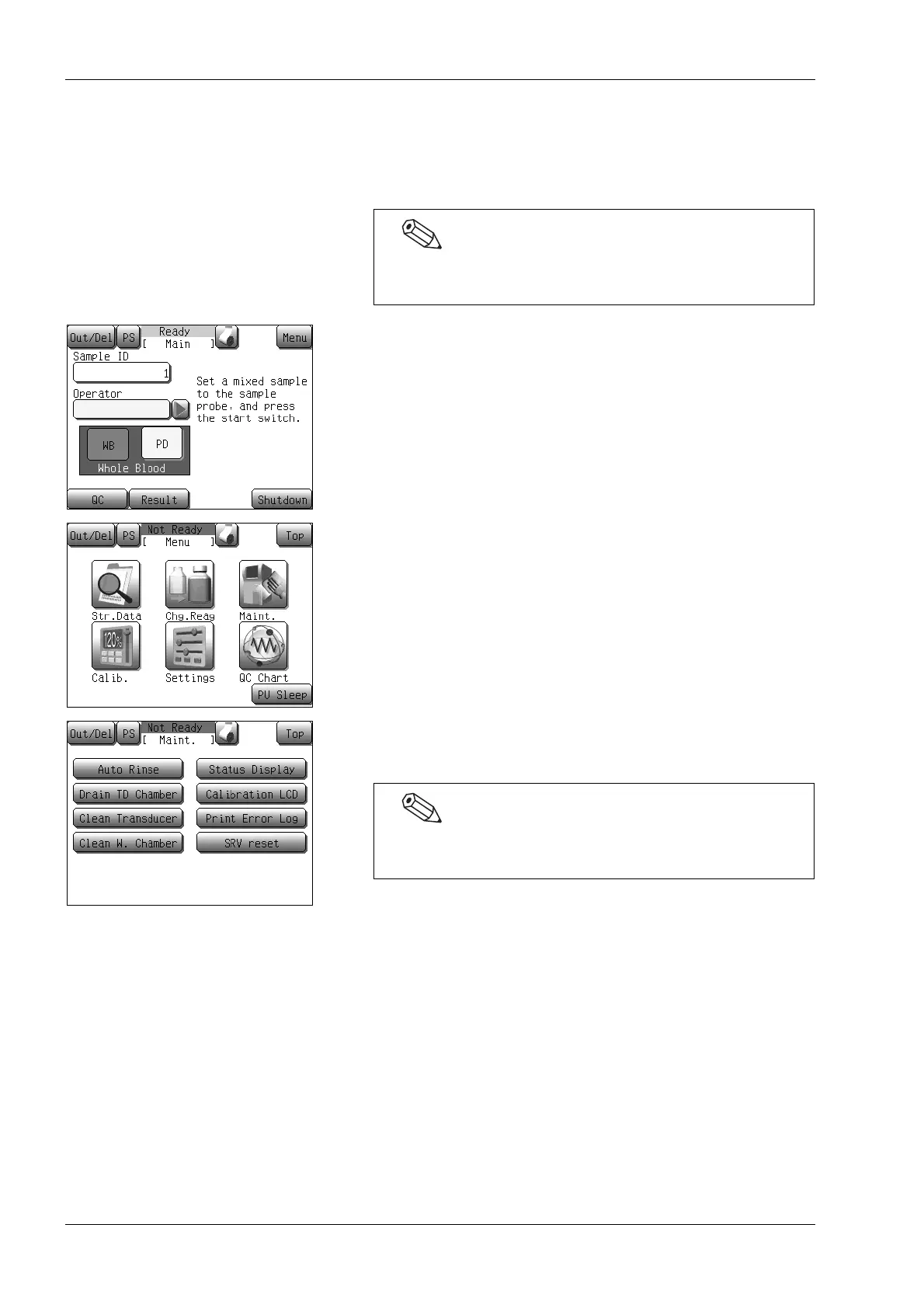
13.4 Print error log
An overview of the latest 10 error messages can be printed out on the
internal printer.
(1) Press the [Menu] button on the Main screen.
The Menu screen will appear.
(2) Press the [Maint.] button.
The maintenance menu screen will appear.
(3) Select the [Print Error Log] button.
The internal printer will print out the error history.
Have the error messages printed out before contacting your
Sysmex service representative.
An error subcode may be printed after the error code.
The subcode is for Sysmex service representative use only.



 To Next Page