Sysmex XP-300 12-15
Cleaning and Maintenance
Revised July 2012
12.9 Perform Auto Rinse
With the “Auto Rinse” function, all lines are cleaned and the waste is
drained.
Execute Auto Rinse to perform a background check, or when the unit
has been left idle without performing Shutdown.
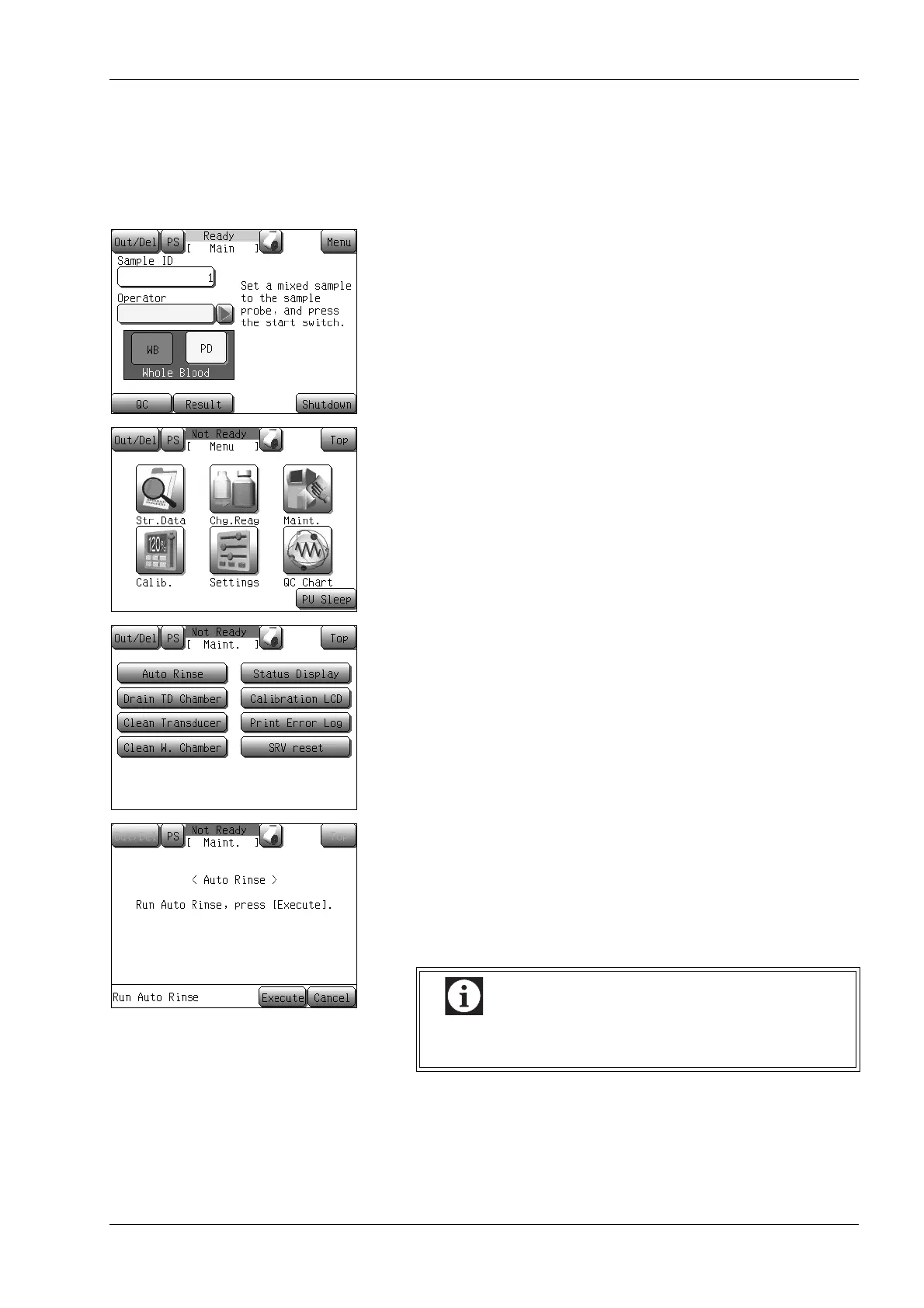
(1) Press the [Menu] button at the Ready status.
The Menu screen will appear.
(2) Press the [Maint.] button.
The maintenance menu screen will appear.
(3) Press the [Auto Rinse] button.
The Auto Rinse starting confirmation dialog will appear.
(4) Press the [Execute] button.
The Auto Rinse and the Background check will be executed.
The background check is performed up to 3 times and, if in all
three background checks one parameter exceeds the limits, the
message [Blank Error] is displayed on the screen and an alarm
is sounded.
See “Blank Error” in “13. Troubleshooting” to deal with
Blank error.



 To Next Page