Sysmex XP-300 8-11
Display and Output of Analysis Results
Revised April 2012
8.2 Stored data
This instrument can store the analysis results of up to 40,000
samples. Data is preserved, even after the instrument is switched
OFF, and can be called anytime as long as it is not deleted.
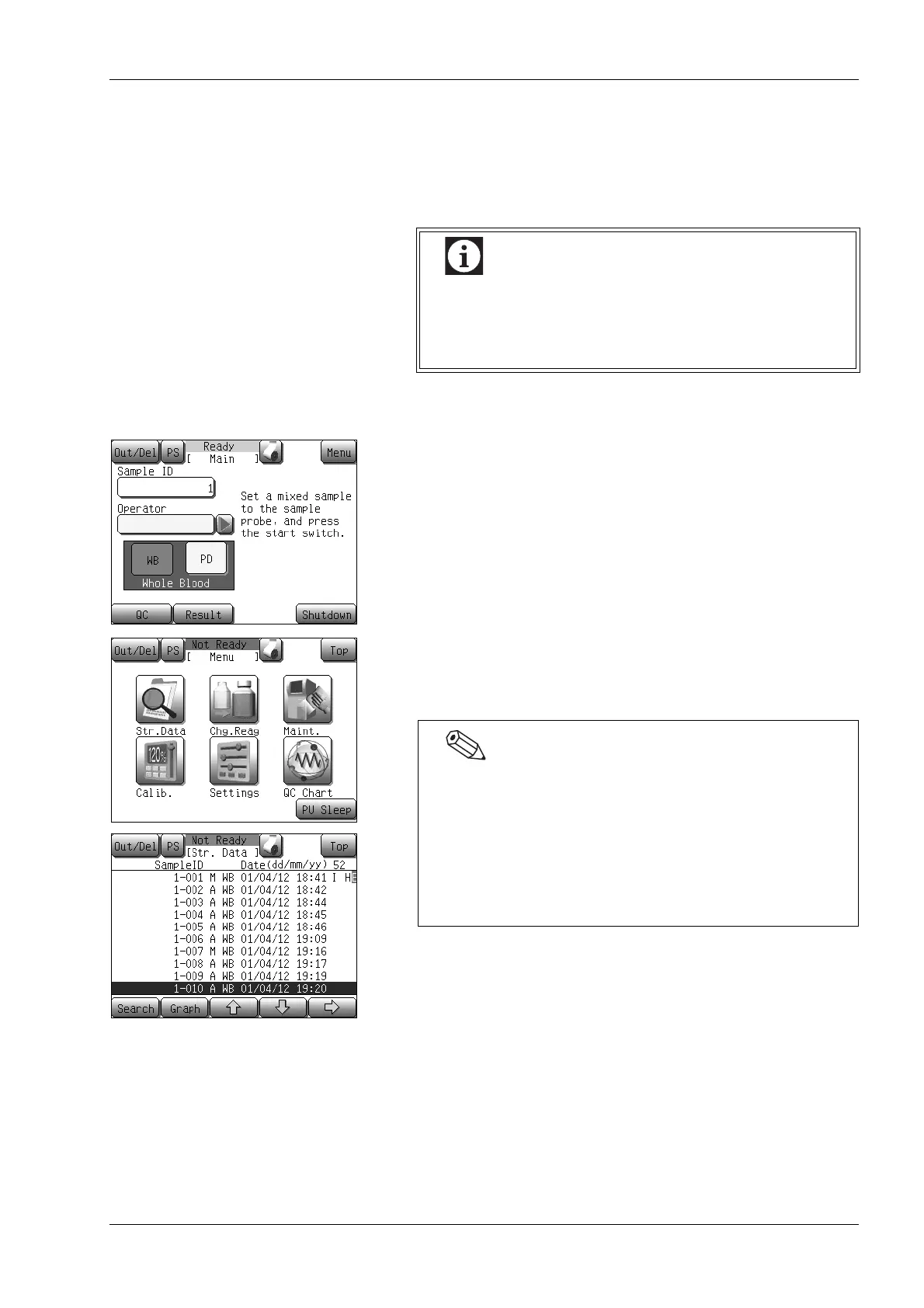
Executing the stored data processing program
(1) Press the [Menu] button on the Main screen.
The Menu screen will appear.
(2) Press the [Str. Data] button.
The stored data screen (first screen [1/4]) is displayed and the
cursor appears on the latest sample.
If the number of samples that can be stored in
memory is exceeded and a new analysis is
performed, the oldest data is deleted (first in, first out).
Data stored in memory includes QC analysis results.
• In the stored data screen, the data can be displayed in the
order of analysis date.
• When the stored data screen is displayed, the cursor appears
on the sample most recently viewed.
• If the [Str. Data] button is pressed when no stored data are
present, a dialog to the effect that no data are available is
displayed instead of the list screen.



 To Next Page