Sysmex XP-300 12-21
Cleaning and Maintenance
January 2012
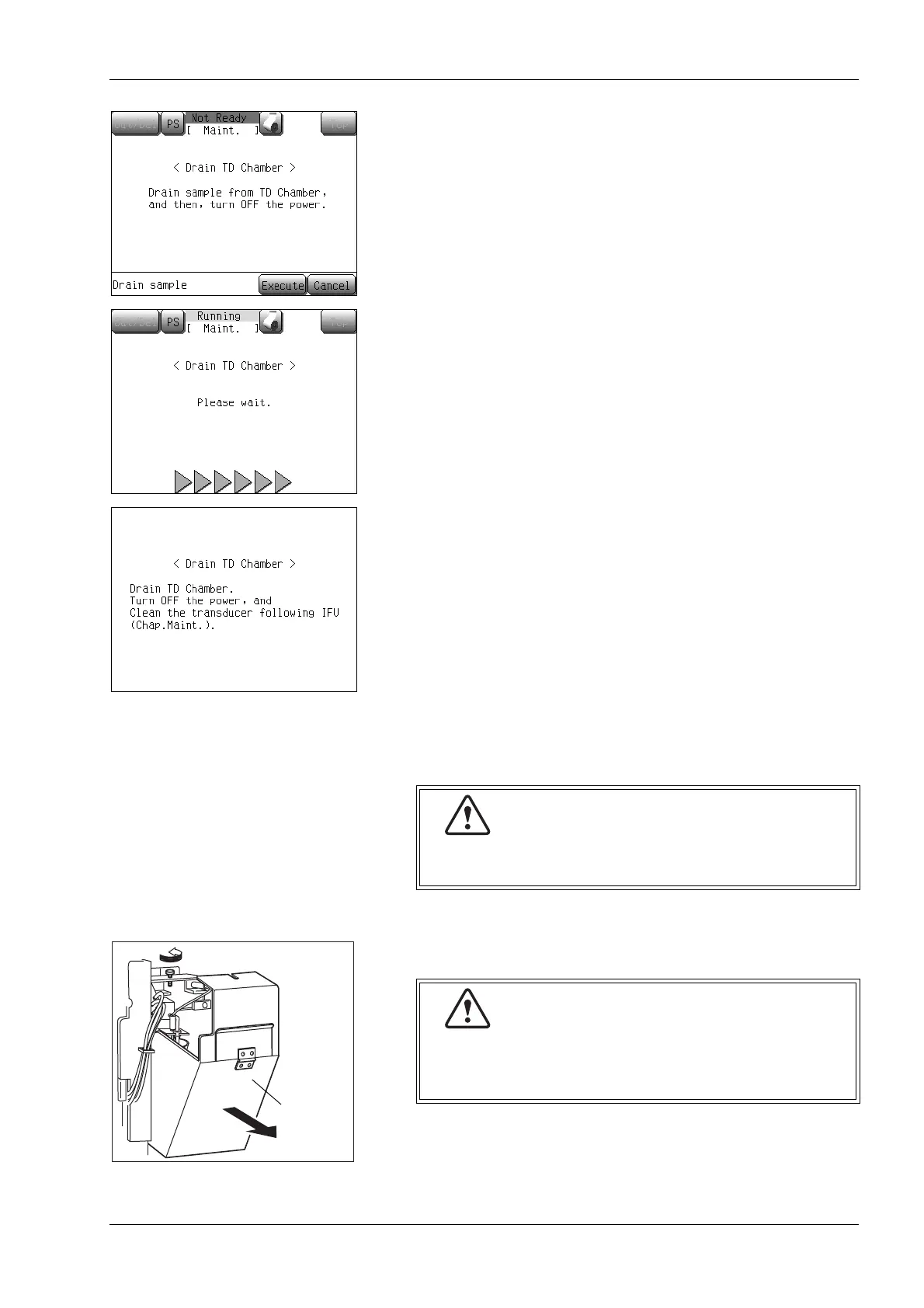
(4) Press the [Execute] button.
The sample fluid is drained from the TD chamber and a
message appears prompting the operator to turn the main power
switch OFF. Preparation for draining the TD chamber is
completed.
• When the [Cancel] button is pressed, the cleaning will be
discontinued, and the display returns to the Main screen.
(5) Turn the main power switch OFF, and wait for approx. 30
seconds.
Then disconnect the power cord.
(6) Open the front cover of the main unit.
(7) Open the transducer cover.
To avoid electrical shock, disconnect the power cord
before servicing.
When the power is on, never open the transducer
cover.
This is to prevent possible electric shocks.



 To Next Page