12-4 Sysmex XP-300
Cleaning and Maintenance
Revised July 2012
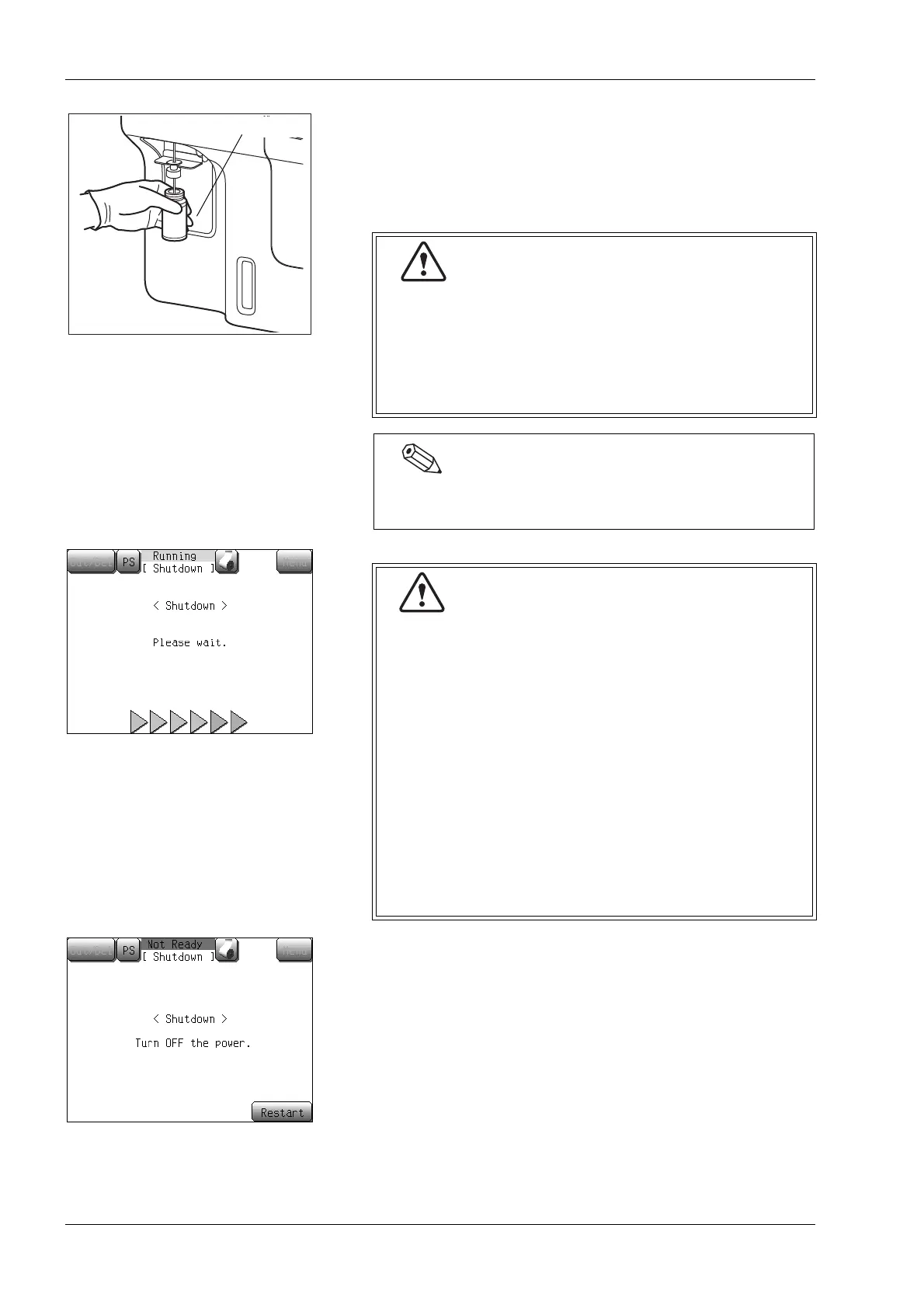
(2) Set CELLCLEAN to the sample probe, and in that condition,
press the start switch.
While [Aspirating] is being displayed on the screen, keep
holding CELLCLEAN in the same status, as long as the “beep”
is present.
(3) Check that the Shutdown completion screen appears.
Turn OFF the main power switch on the right side of the
instrument.
CELLCLEAN is a strong alkaline cleaning solution. Do
not mix it with any acidic substances. Also, it should
not come in contact with skin or clothing. If the skin or
clothes should come in touch with it, flush it away
using plenty of water. Otherwise, it can damage the
skin or clothes.
Once the Shutdown sequence is started, it cannot be
canceled anymore.
• When analysis starts, the status reads [Aspirating].
When the status display [Aspirating] changes to
[Running], the CELLCLEAN container can be
removed safely.
Do not remove the CELLCLEAN container from the
sample probe while [Aspirating] is displayed.
Otherwise, there is a possibility that proper aspiration
cannot be performed.
• Several seconds after the buzzer sounds “beep,
beep” and [Running] appears on the screen, the
rinse cup lowers. Remove the CELLCLEAN
container by that time.
• To remove the CELLCLEAN container, lower it straight
down. Take care not to bend the sample probe.



 To Next Page