12-28 Sysmex XP-300
Cleaning and Maintenance
January 2012
Adjusting pressure to 0.05 MPa
(1) Display the status display screen and check the current pressure
in the [Pressure] column.
For details about methods to display the status display screen,
see “12.2 Check instrument status”.
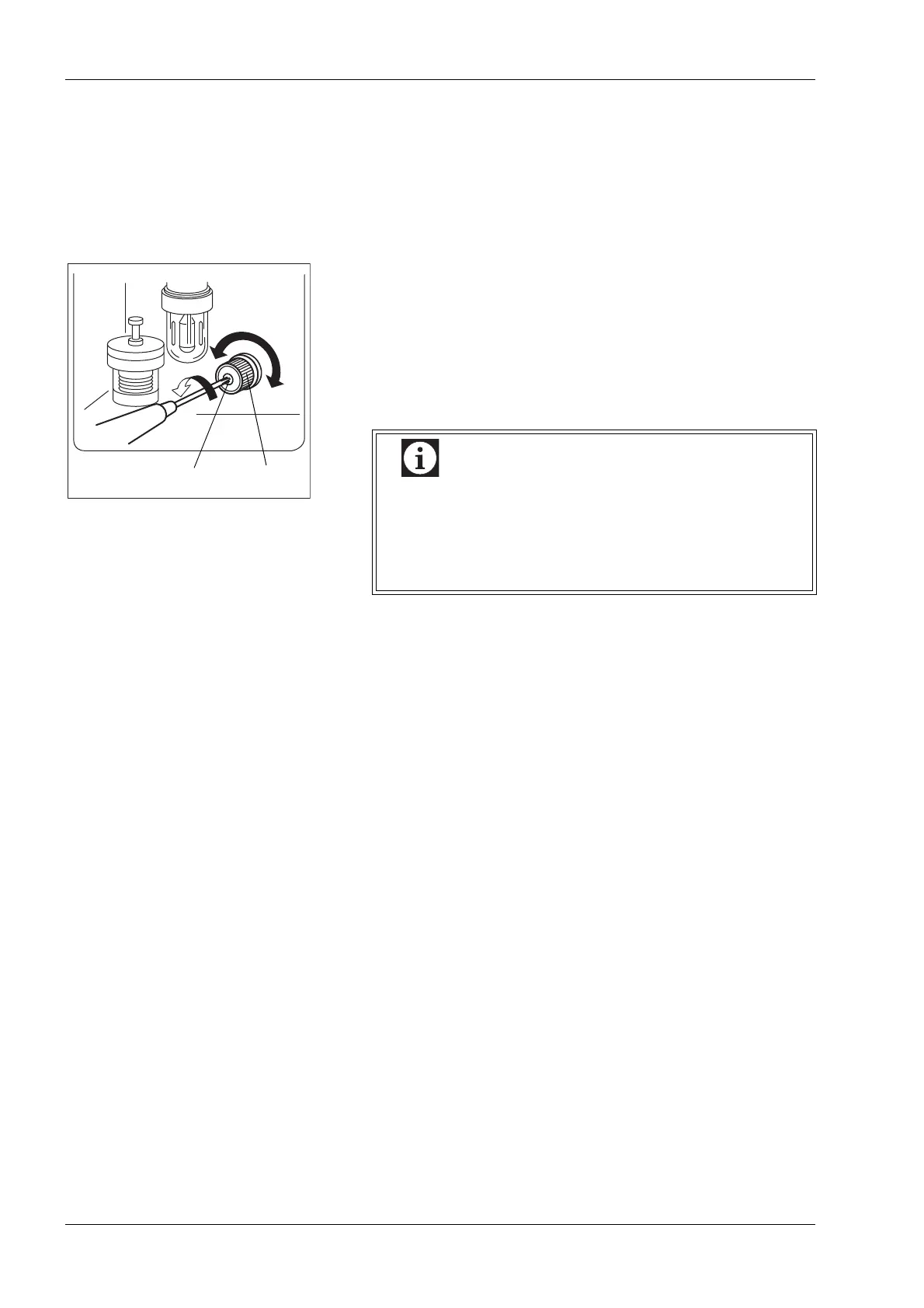
(2) Loosen the regulator locking nut on the left side of the unit.
(3) While watching the pressure and vacuum indication on the
status display screen, turn the adjusting knob to regulate
pressure and vacuum.
Turn the adjusting knob clockwise to increase pressure and
vacuum.
Adjustment range: 0.039-0.059 MPa
(4) When adjustment is finished, tighten the locking nut while
taking care not to allow the adjusting knob to rotate.
(5) Press the [Top] button to close the status display screen.
Adjusting knob
Low
High
Locking nut
Loosen
Always adjust pressure and vacuum so as to increase
to the predetermined levels. Should any of them be
too high, lower it to below that level once, then raise it
to the set level. Unless adjustment is properly
conducted, accurate adjustment may not be possible.



 To Next Page