www.trilithic.com
Page II-79
180 DSP Operation Manual
Signal Level Meter
File Management
Chapter 4
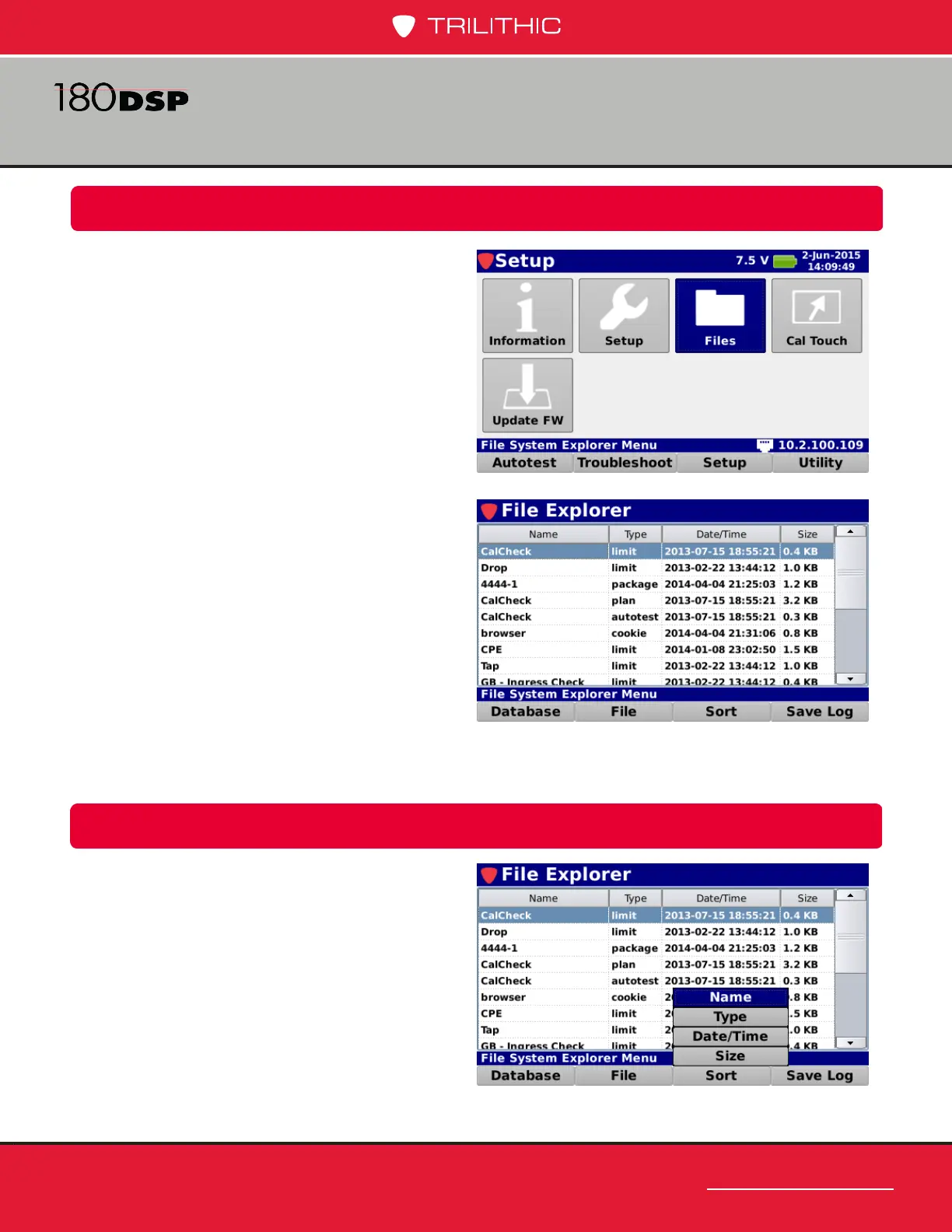
The File Explorer screen will be displayed as
shown in the image to the right. This screen
allows you to perform the following actions:
• View and sort les by; name, type, size
and date/time saved
• Import les from a USB ash drive
• Export les to a USB falsh drive
• Delete les
• Database backup & restore
• Save system logs
View & Sort
From within the File Explorer screen, use
the arrow buttons on the keypad to navigate
through the list of les.
Select the Sort softkey to sort the le list.
Select from Name, Type, Date/Time, or Size
sort types as shown in the image to the right.
Overview
Select the Files icon as shown in the image
to the right to view the les that are stored in
the internal memory of the 180 DSP.



 To Next Page
 Loading...
