www.trilithic.com
Page IV-26
180 DSP Operation Manual
Signal Level Meter
QAM Constellation
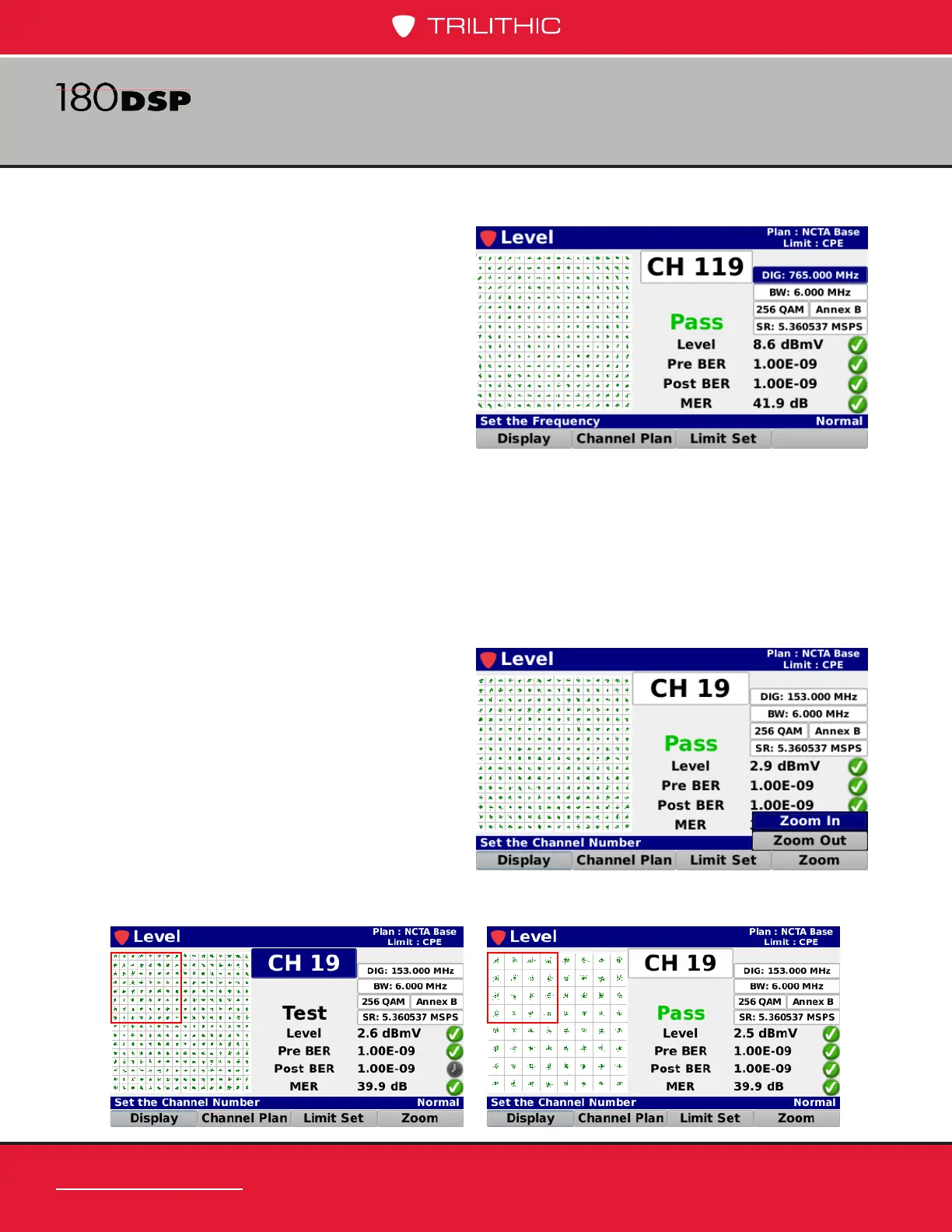
Select the Constellation button from
the Display pop-up menu to display
the constellation diagram of the
specied QAM channel.
The following measurement results
are displayed with a pass/fail status for
each measurement that is included in
the open limit set:
• Digital channel level value with
constellation diagram
• Pre BER
• Post BER
• MER
Zoom
Select the Zoom softkey in the
QAM Constellation screen to bring
up the Zoom pop-menu.
Select the Zoom In button and
use the arrow buttons to choose
the quadrant you want to zoom
to, indicated by the red square, as
shown in the image below. You can
zoom in several levels.
To return to the top level, select the
Zoom Out button.



 To Next Page