www.trilithic.com
Page IV-63
180 DSP Operation Manual
Signal Level Meter
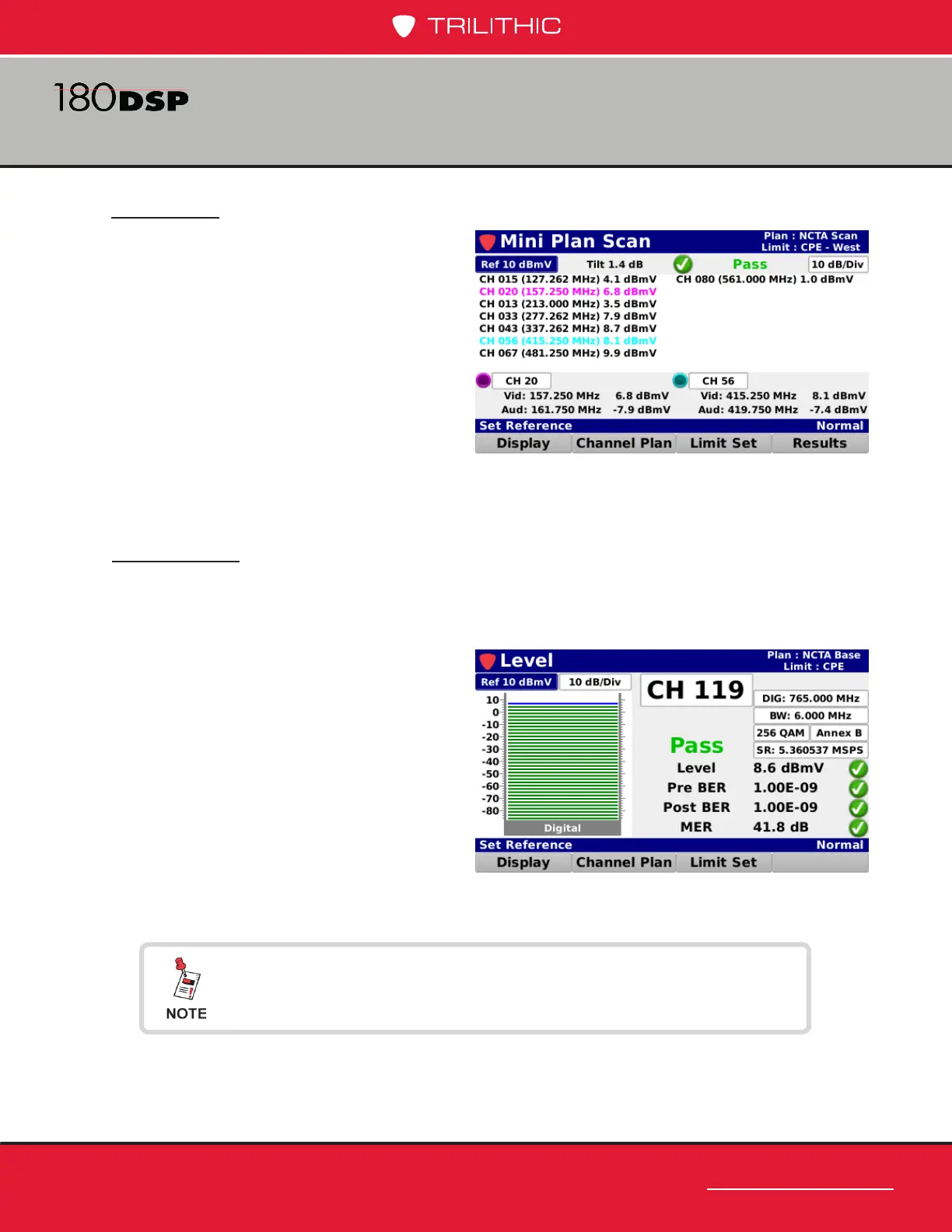
Text View
Select the Text View button from the
Display pop-up menu to display a text list
of your favorites channels in the channel
plan scan.
Go to Level
The Go to Level feature provides the ability to go to the Level measurement display
directly from the Channel Plan Scan screen.
Select the Goto Level button from the
Display pop-up menu to display the
Level screen. The Level screen allows
you to perform various types of channel
measurements.
For more information on Level measurement, see Chapter 2:
Level Measurement, earlier in this section.



 To Next Page