www.trilithic.com
Page I-30
180 DSP Operation Manual
Signal Level Meter
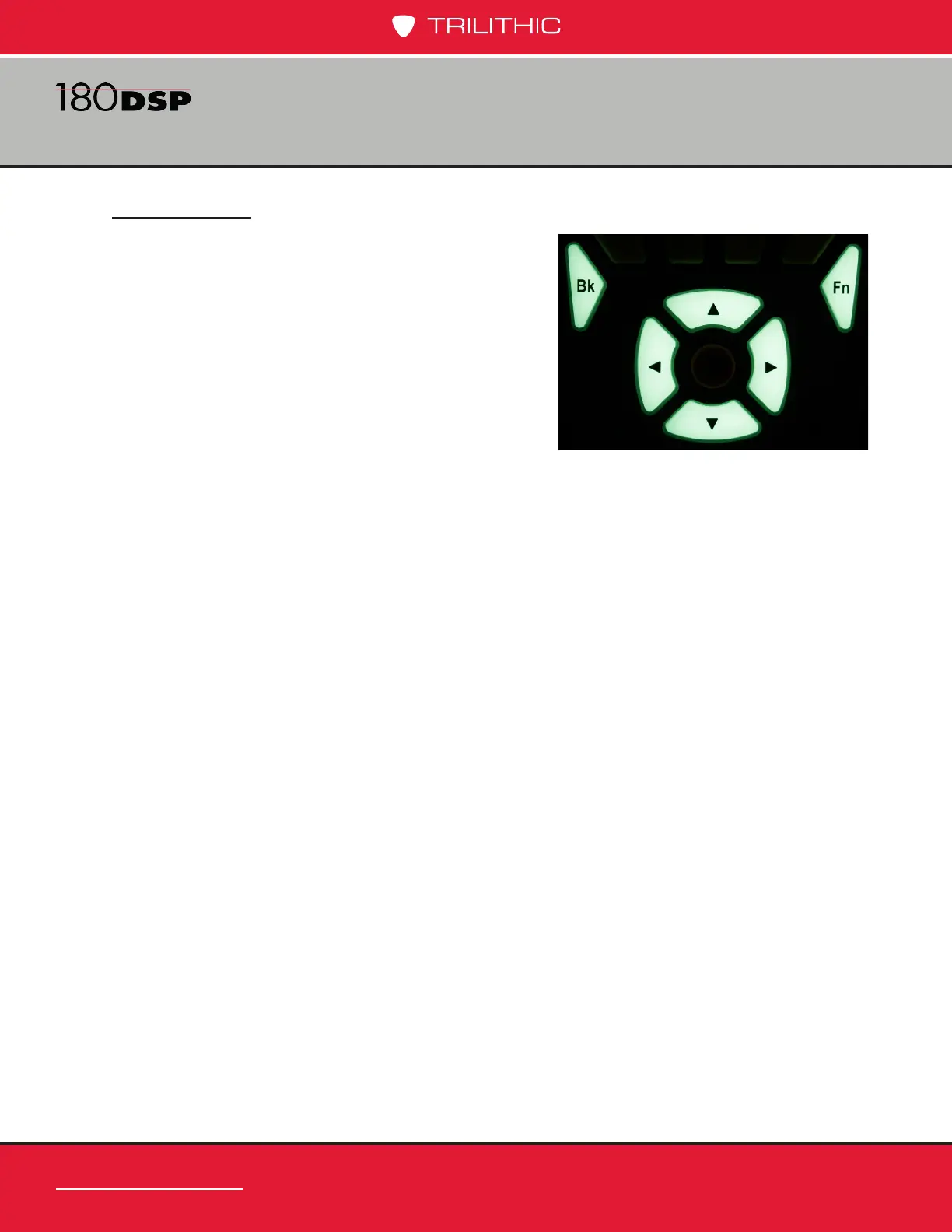
Main Keypad
The main keypad is the set of buttons that are shown
in the image to the right. These glow-in-the-dark
buttons provide illumination in low light situations.
Enter Button
The Enter button is used to select the highlighted
items in order to:
• Select icons from the navigation menus
• Select custom setting elds to open the
Virtual Keyboard and enter custom values.
• Select functions from the Function menu
• Select menu options from pop-up menus
• Select channel plans and limit sets from le lists
Arrow Buttons
The arrow buttons are used to navigate, highlight items, scroll lists, or change values on
the display screen.
Back Button
The Back button is used to take you back to a previous screen or to close a menu. It
can also be used to exit a pop-up entry window without accepting entry information.
If you hold down the Back button, this will cause the instrument to go back multiple
screens.
Function Button
The Function button can be selected at any time to display a pop-up menu with
additional functions. These functions vary from capturing screens for future reference to
saving conguration les.



 To Next Page