www.trilithic.com
Page II-98
180 DSP Operation Manual
Signal Level Meter
Save Log File
This function is used when experiencing unexpected operation of the 180 DSP.
Save to Internal Memory
This function is used primarily for hands-on factory and repair center troubleshooting.
Perform the following steps to save the 180 DSP log le to the internal memory of the 180
DSP:
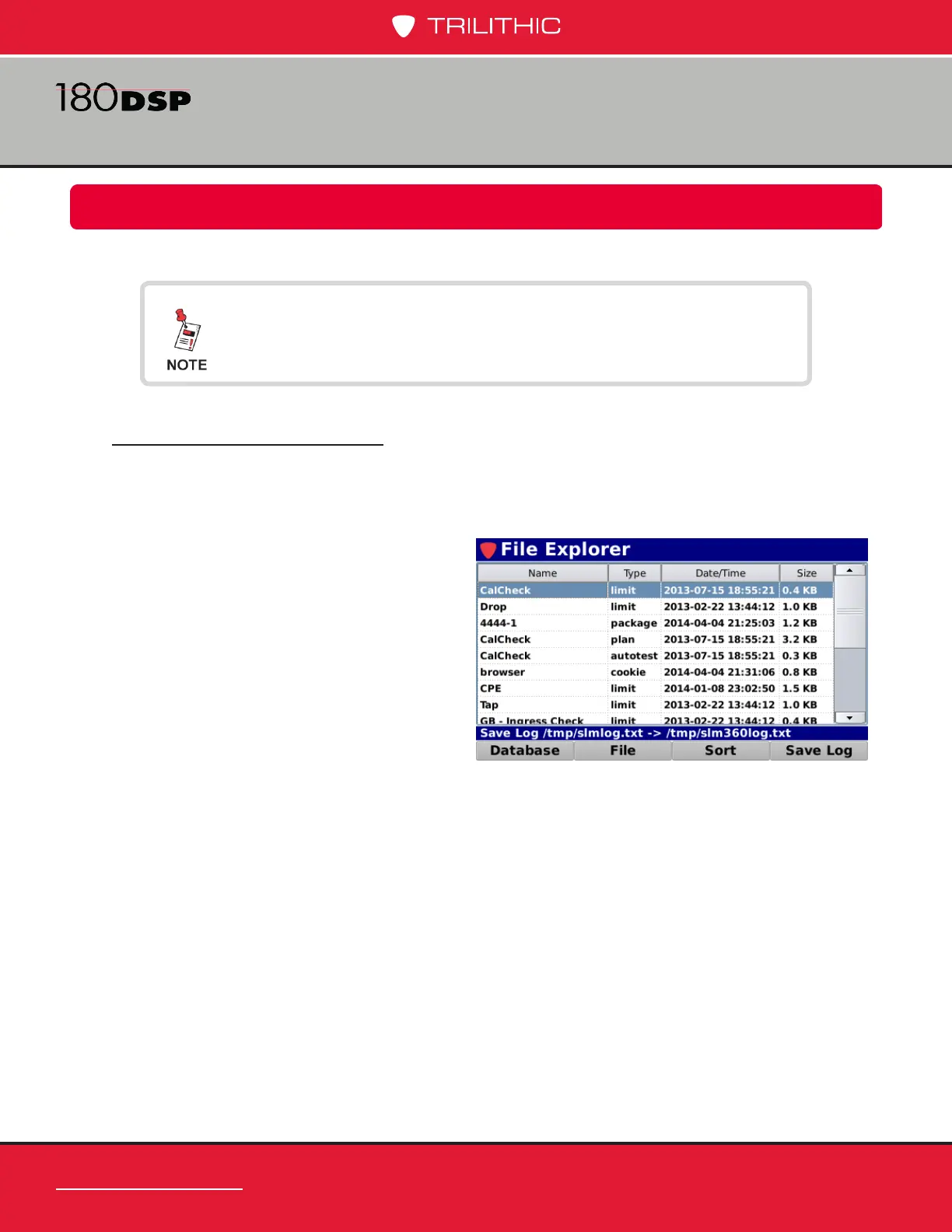
1. Select the Save Log softkey.
2. The Message Bar will indicate
a successful save to the internal
memory of the 180 DSP by
displaying the text
“-> /tmp/slm360log.txt” as shown
in the image to the right.
To save a log le, the Operating Level setting must be set to
Logging, see Section II: Setup, Chapter 3: Meter Conguration,
Global Settings.


 To Next Page
 Loading...

