www.trilithic.com
Page II-106
180 DSP Operation Manual
Signal Level Meter
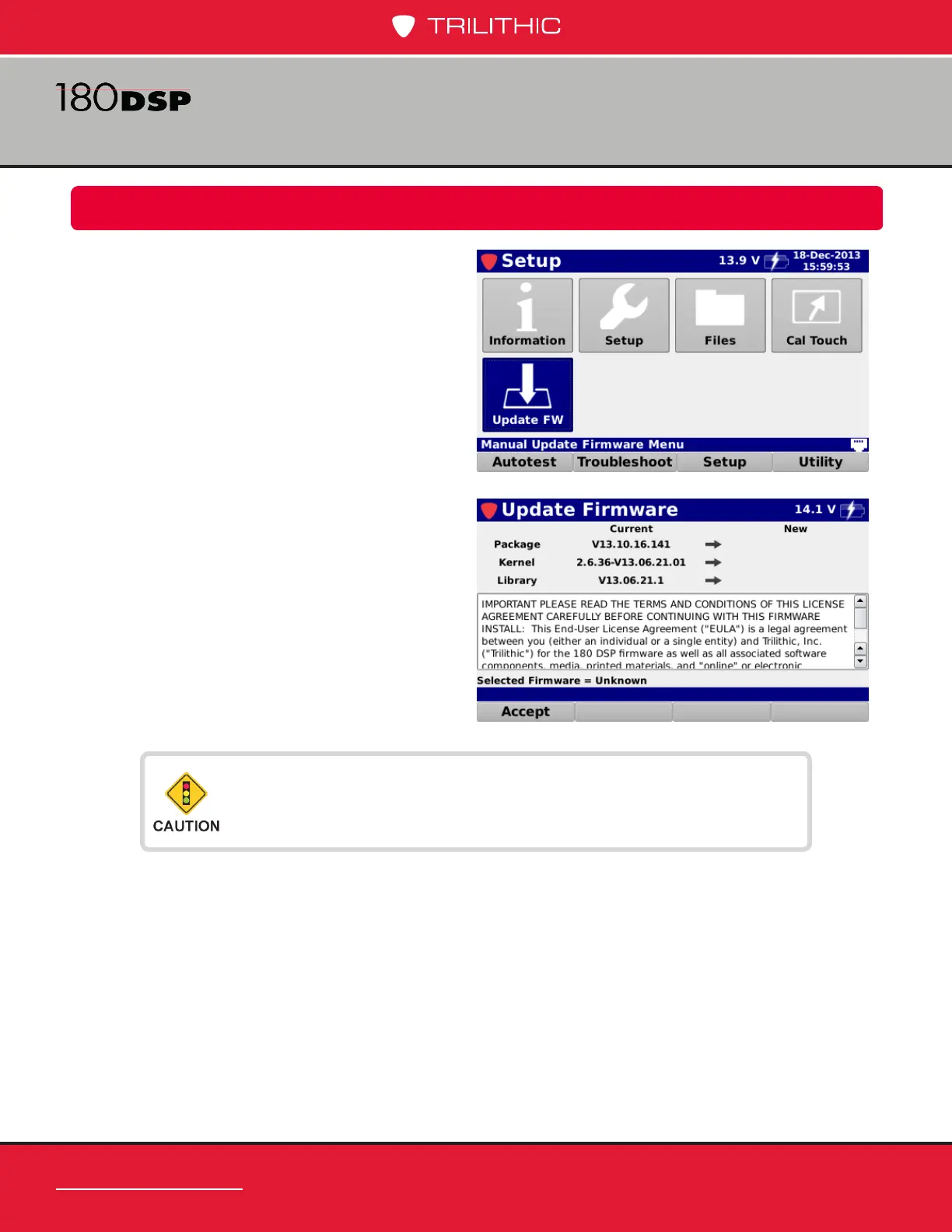
The Update Firmware screen will be
displayed as shown in the image to the right.
This screen allows you to perform a rmware
update. Before performing a rmware update,
you must accept the End User License
Agreement (EULA) by selecting the Accept
softkey.
Firmware Updates
Chapter 6
Overview
Select the Update FW icon as shown in the
image to the right to update the rmware of
the 180 DSP.
Before updating the rmware, make sure the battery is fully
charged or the meter is powered via the AC to DC Power
Adapter & Battery Charger.


 To Next Page
 Loading...
