www.trilithic.com
Page IV-22
180 DSP Operation Manual
Signal Level Meter
Digital Video Frequency Adjustment
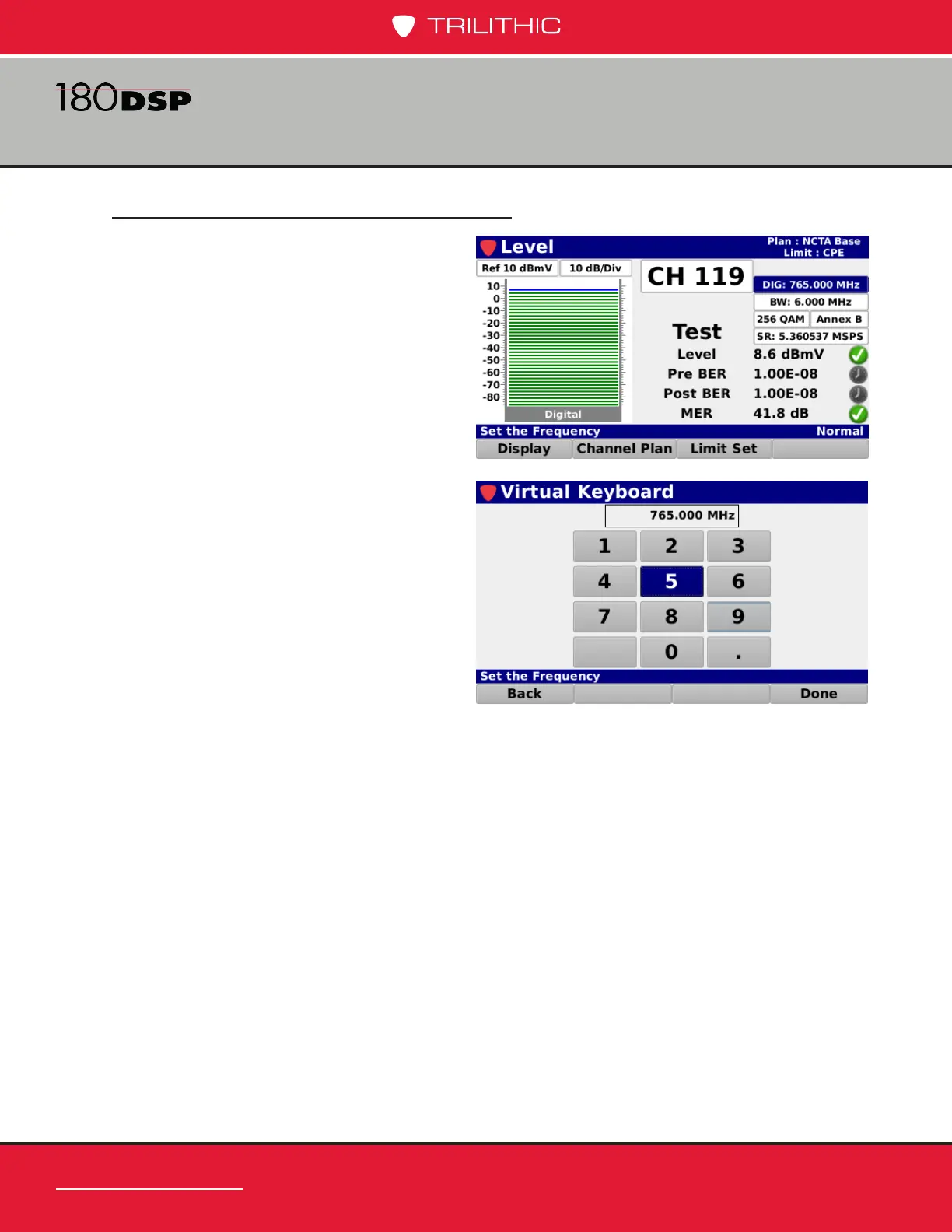
Highlight the digital video frequency eld
as shown in the image to the right and
then use either of the following methods to
change the video frequency:
• Use the up/down arrow buttons to
change the digital video frequency
in 0.050 MHz increments.
• Press the Enter button and use
the Virtual Keyboard to directly
enter the digital video frequency as
shown in the image to the right.


 To Next Page
 Loading...

