www.trilithic.com
Page IV-6
180 DSP Operation Manual
Signal Level Meter
Opening a Channel Plan
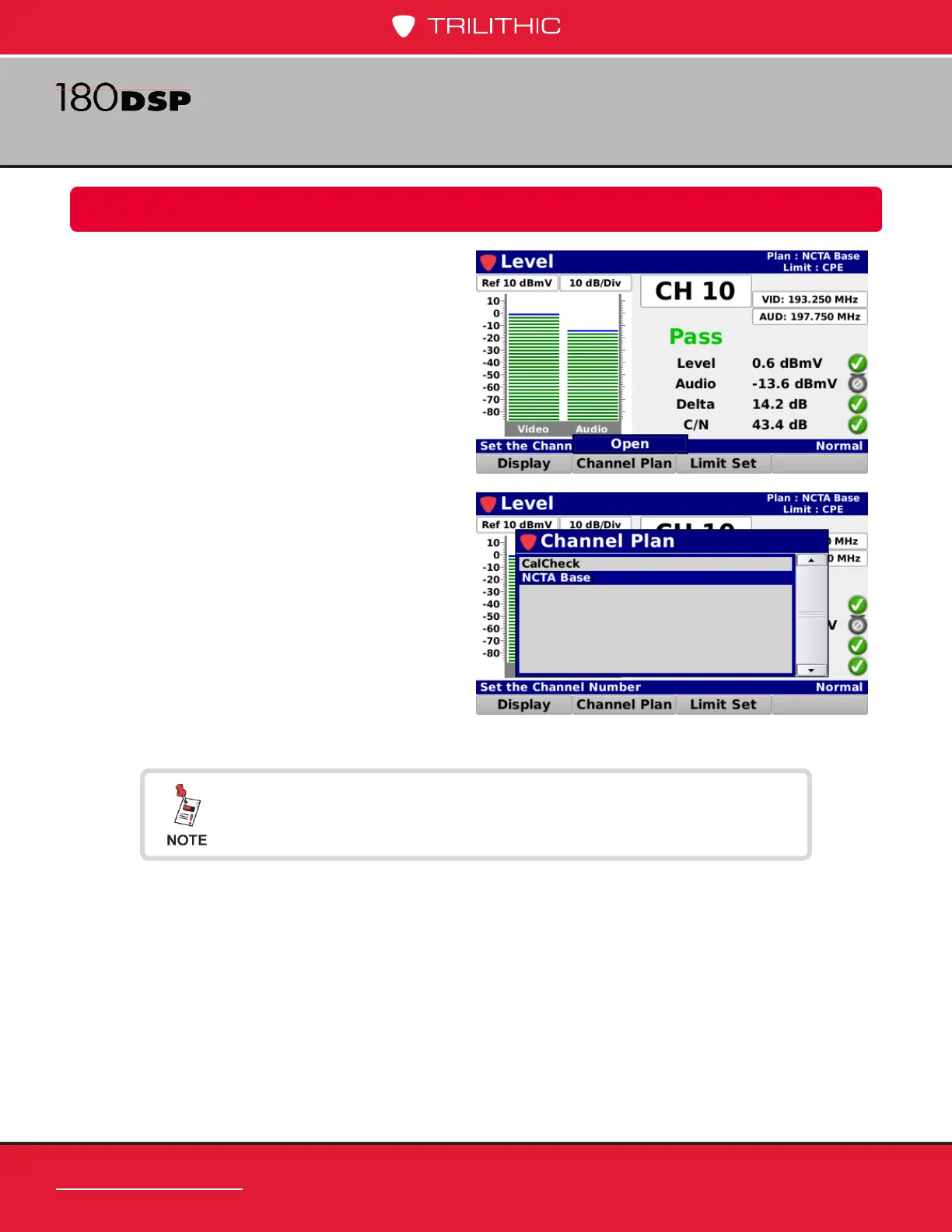
Select the Channel Plan softkey as shown
in the image to the right to select the channel
plan to use for the level measurement.
Select the Open button from the Channel
Plan pop-up menu and the Channel Plan
window will be displayed as shown in the
image to the right.
From the Channel Plan window, select the
name of the channel plan to use for the level
measurement.
After selecting the channel plan, the Level
screen will be displayed again.
The Channel Plan window will be bypassed if there is only one
channel plan to choose from.


 To Next Page
 Loading...
