www.trilithic.com
Page IV-97
180 DSP Operation Manual
Signal Level Meter
Vertical Scale Adjustment
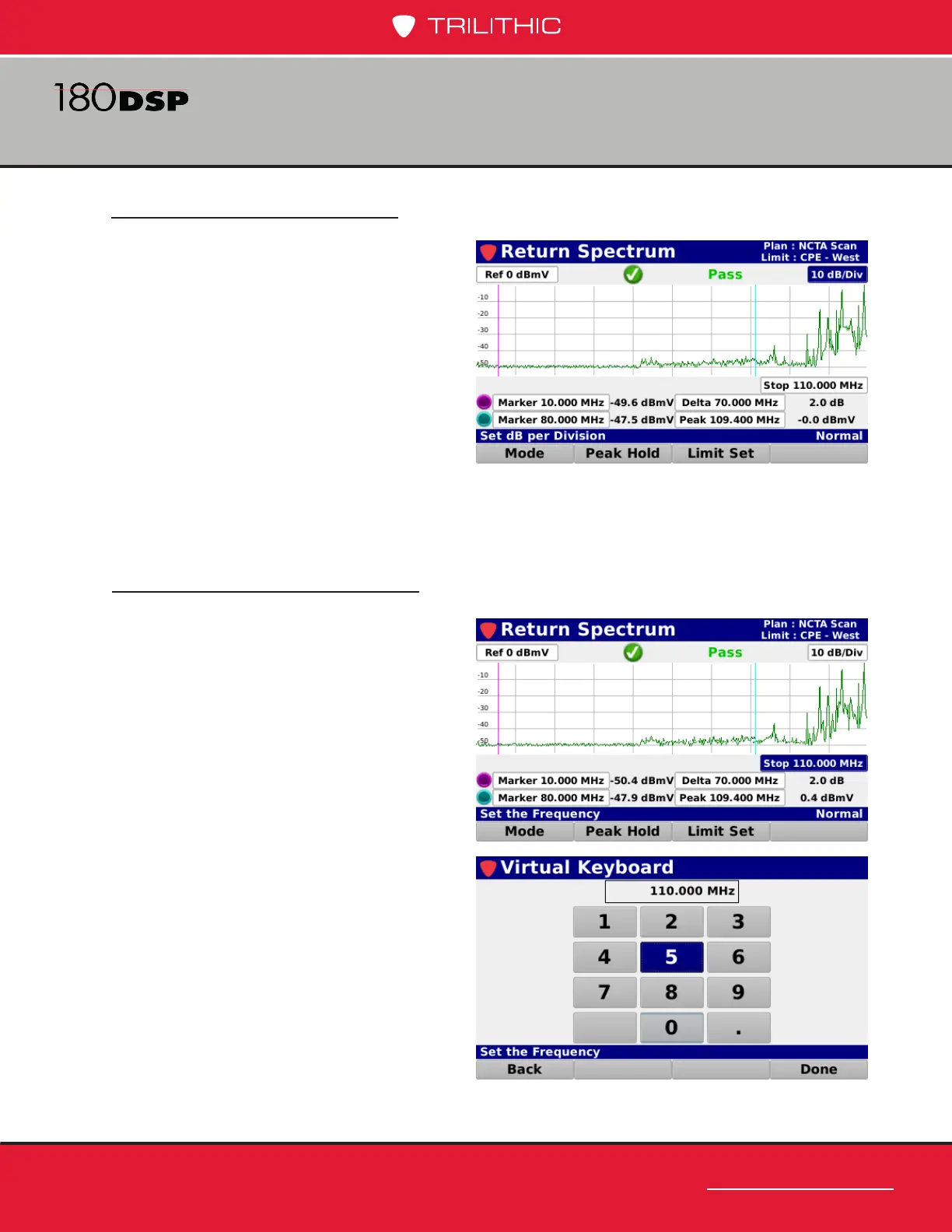
Highlight the vertical scale eld as shown
in the image to the right. Then, use the
up/down arrow buttons to select from a
vertical scale of 1, 2, 5, 7.5, or 10 dB/div.
Stop Frequency Adjustment
Highlight the stop frequency eld as
shown in the image to the right and then
use either of the following methods to
change the stop frequency:
• Use the up/down arrow buttons to
select from a stop frequency of 42,
65, 85 or 110 MHz.
• Press the Enter button and use the
Virtual Keyboard to directly enter
the stop frequency as shown in the
image to the right.



 To Next Page