www.trilithic.com
Page IV-148
180 DSP Operation Manual
Signal Level Meter
Function Menu Options
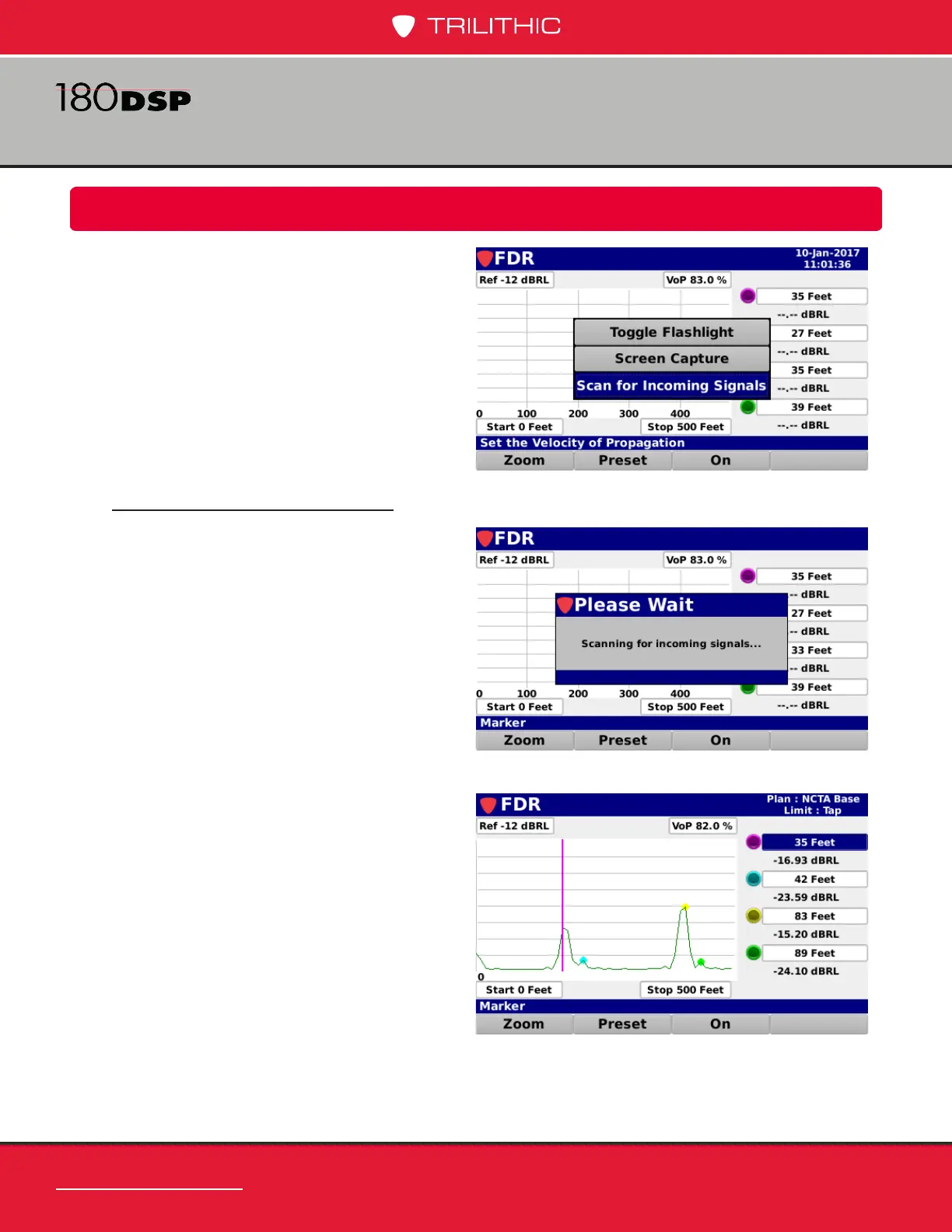
Additional functions can be accessed from
within the FDR screen by pressing the
Function button. The Function menu will
be displayed as shown in the image to the
right and includes the following functions
specically for the FDR screen.
Scan for Incoming Signals
Select the Scan for Incoming Signals
button from the Function menu to scan
for relections on the attached cable.
This is just another option to using the
On/Off softkeys.
When the source is activated and a
reection is found, the measurement
screen will appear as shown here.


 To Next Page
 Loading...
