www.trilithic.com
Page II-108
180 DSP Operation Manual
Signal Level Meter
Update Firmware from a USB Flash Drive
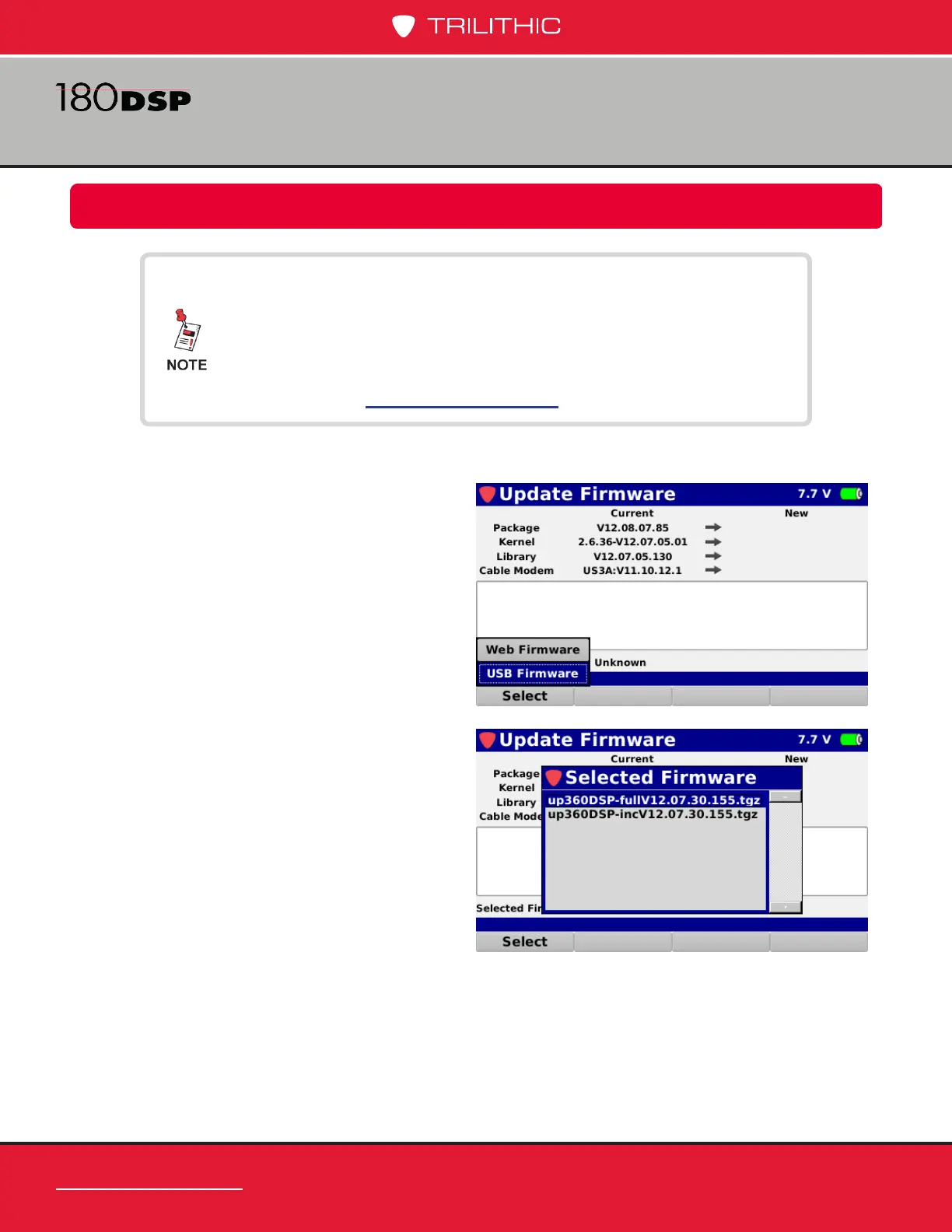
4. The Selected Firmware window will
be displayed as shown to the right.
Press the Enter button to select the
rmware le that you would like to use.
Perform the following steps to update the 180 DSP rmware from a USB ash drive:
1. Insert a USB ash drive into the USB
port of the 180 DSP.
2. Select the Accept softkey.
3. From the Accept pop-up menu, select
the USB Firmware button as shown in
the image to the right.
Please ensure you have a USB ash drive that is formatted
using the FAT or FAT32 le system and contains no other
data.
For the latest rmware, contact Trilithic Applications
Engineering at support@trilithic.com.


 To Next Page
 Loading...

