www.trilithic.com
Page III-5
180 DSP Operation Manual
Signal Level Meter
ViewPoint Data Connection
Chapter 2
Connecting to ViewPoint for the First Time
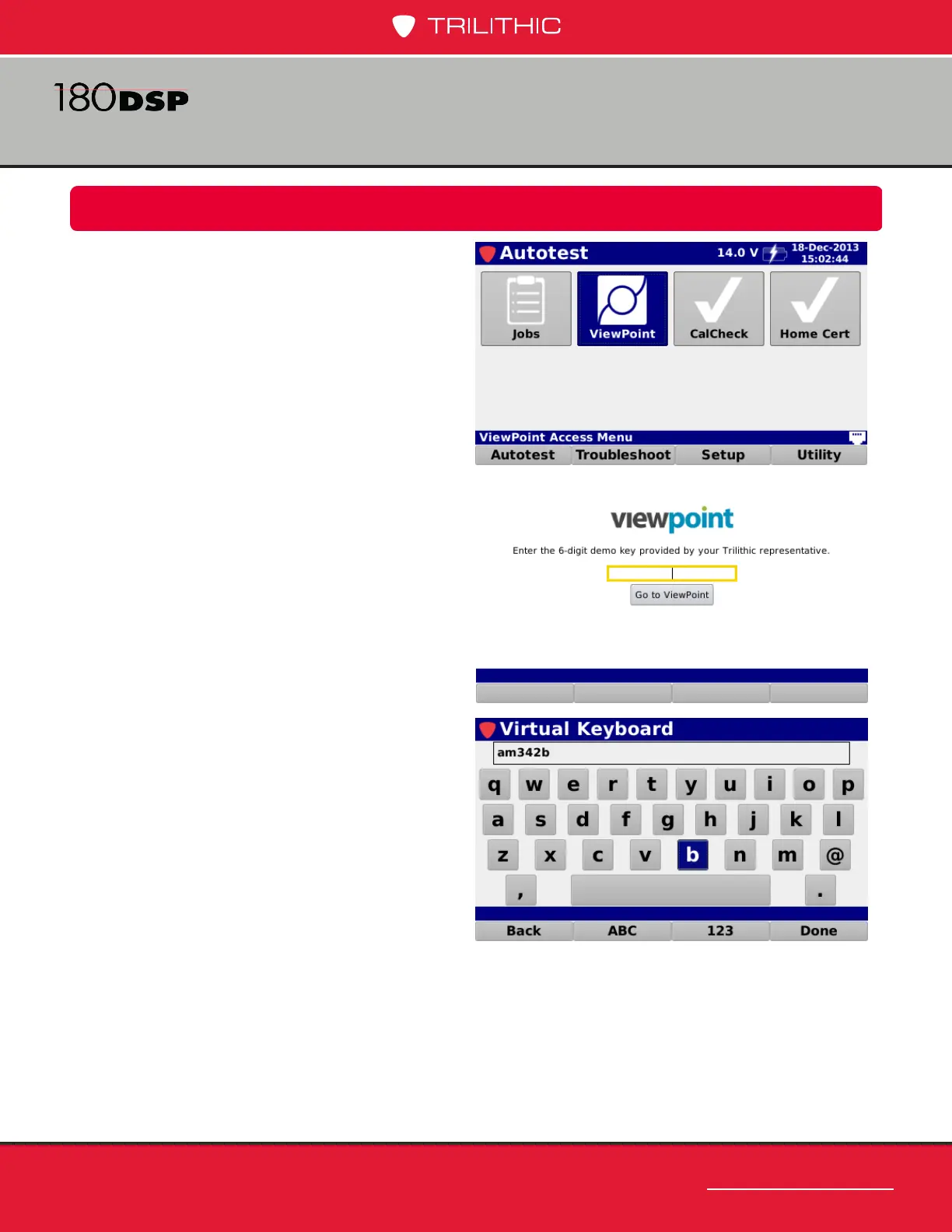
Select the ViewPoint icon as shown in the
image to the right to connect to the ViewPoint
WFM Module.
Upon rst use of the ViewPoint icon, the
ViewPoint re-direct portal will be displayed
as shown in the image to the right. This
screen allows you to enter a secure key that
is provided to your company upon successful
registration and setup of your ViewPoint
WFM Module.
After you select the key entry eld, use the
Virtual Keyboard to enter the secure key as
shown in the image to the right.


 To Next Page
 Loading...
