www.trilithic.com
Page II-97
180 DSP Operation Manual
Signal Level Meter
Delete Web Browser Cookies & Cache
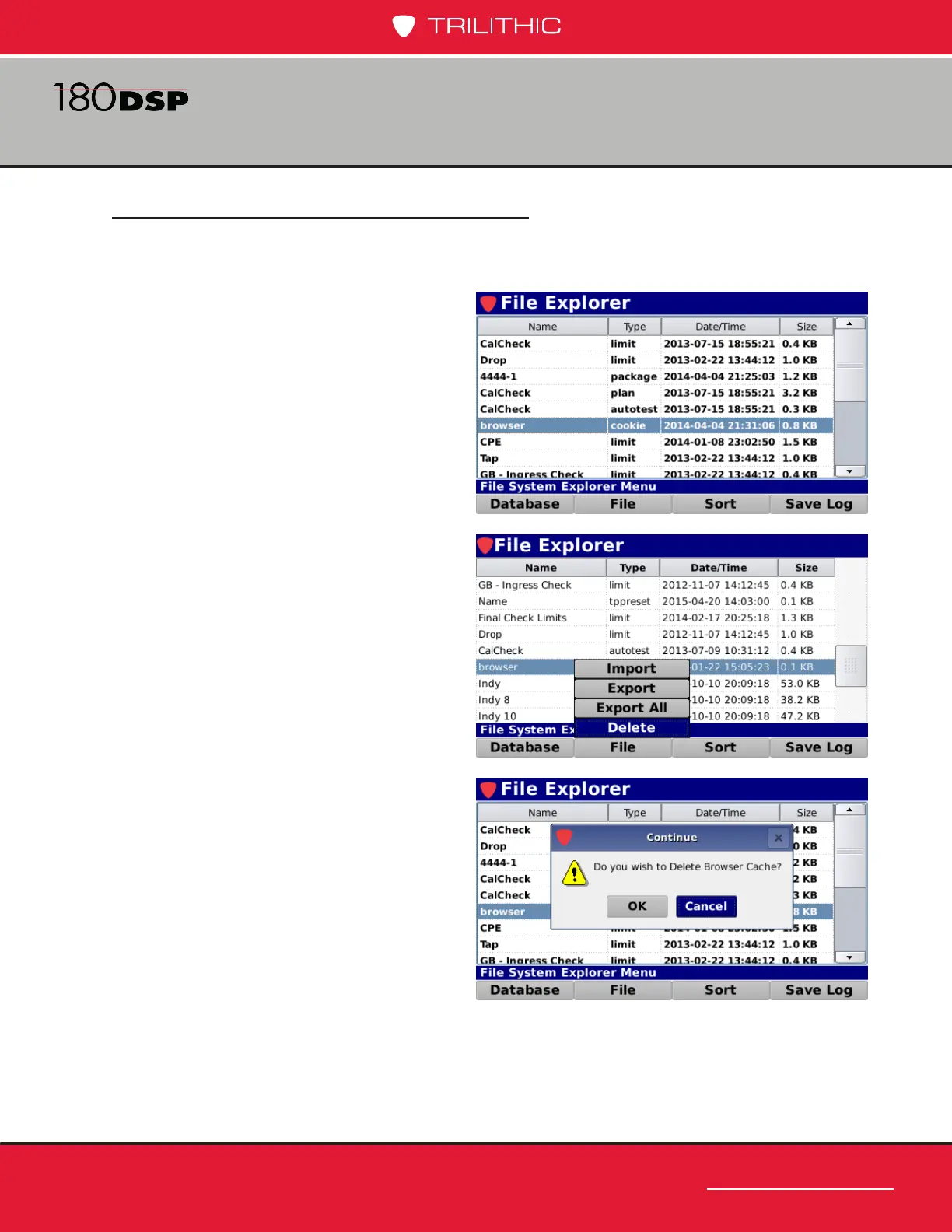
Perform the following steps to delete the web browser cache le from the internal memory
of the 180 DSP:
1. To select the browser cache le,
use the arrow buttons to highlight
the le named “browser” with the
type of “cookie”.
2. Select the File softkey.
3. From the File pop-up menu, select
the Delete button as shown in the
image to the right.
4. The Continue window will be
displayed as shown in the image to
the right.
5. Select the OK button to delete the
browser cache or select the Cancel
button to exit without deleting the
browser cache le.



 To Next Page