www.trilithic.com
Page II-92
180 DSP Operation Manual
Signal Level Meter
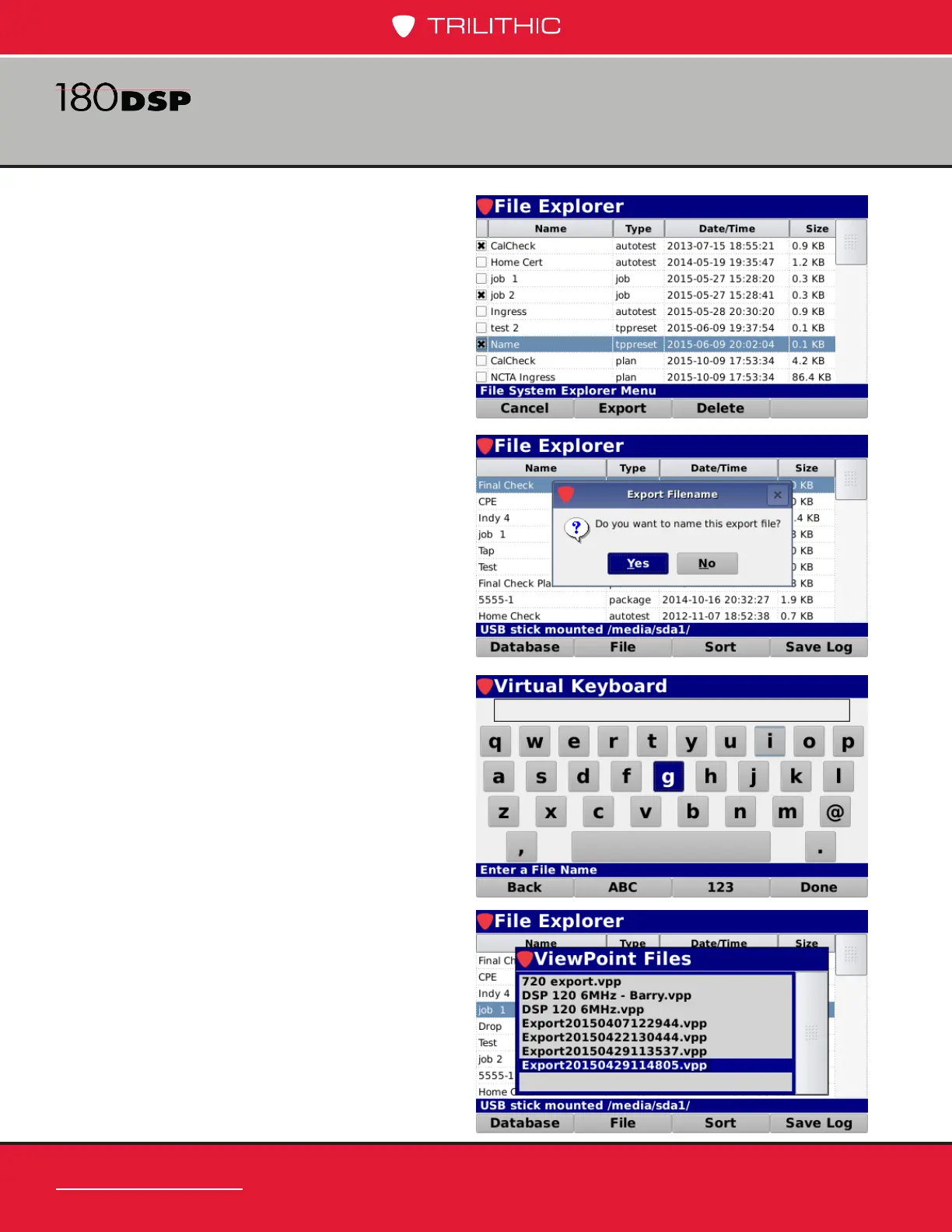
6. Use the arrow buttons to highlight
the les that you would like to
export.
7. Select the Enter button to select
each one. An “X” will display next
to each le.
8. Select the Export softkey to export
the les to the USB ash drive as
shown in the image to the right.
9. The Export Filename window will
be displayed.
10. Select the Yes button to name the
export le or select No to use the
date for the lename.
11. Use the Virtual Keyboard to enter
the name of the new export le as
shown in the image to the right.
12. Later when you are ready to
import, you will see the le listed
in the ViewPoint les on the USB
ash drive, as shown here.


 To Next Page
 Loading...

