10
Reset
counter
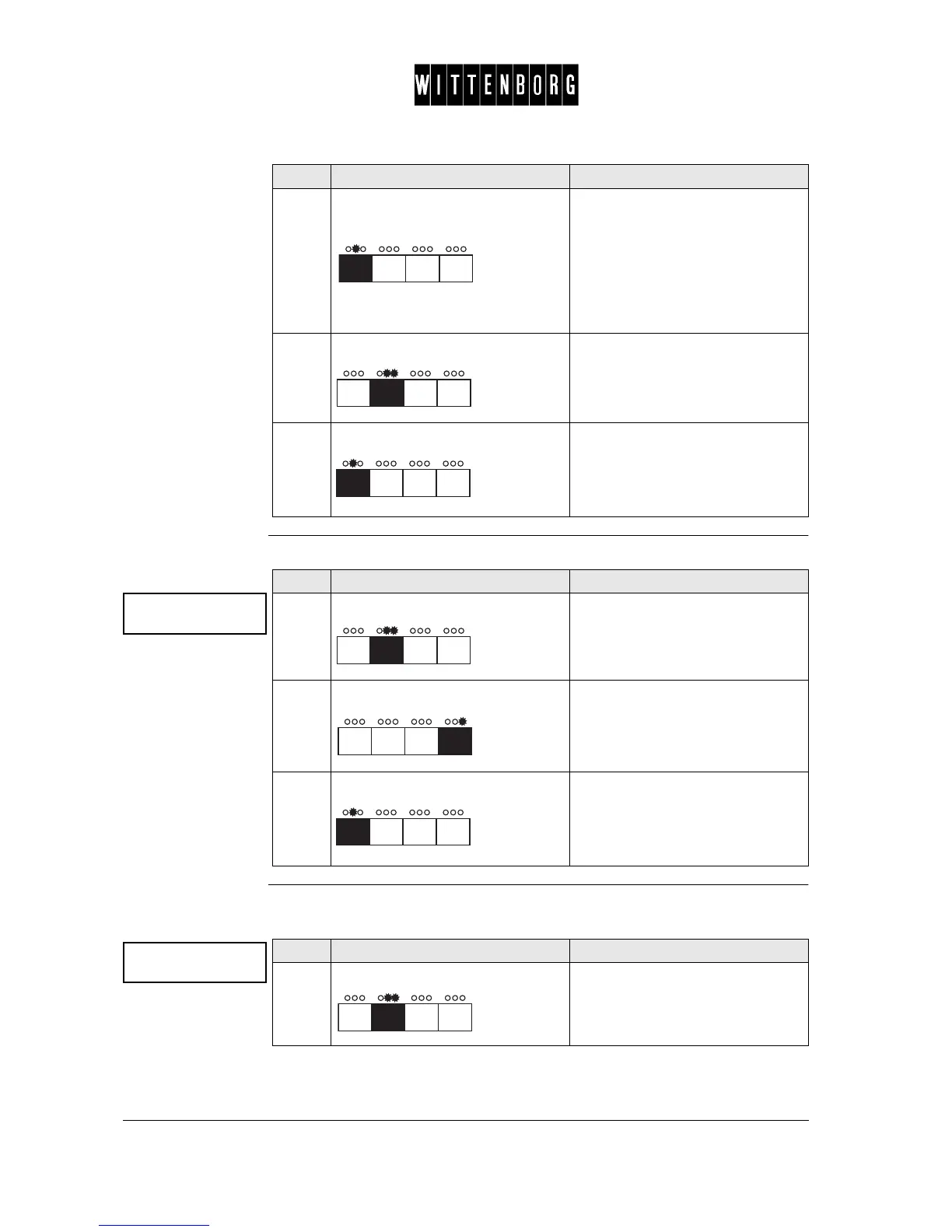
This option is used to reset the product counters.
System setting
options
The System Setting option is used to set the language and display machine
type.
2.
Press:
This button switches between all
products in succession.
Accesses powder quantities and
water quantity for the remaining
ingredients
NB: The water quantity will be dis-
played in millilitres.
3.
Press: Returns to the Product Counter
Option.
4.
Press: Accesses the next function "Reset
product counters".
Step Action Function
Reset product
counters ->
Step Action Function
1.
Press: Activates Reset Counter option.
2.
Press: Resets all counters.
Returns to Reset Counter Option.
3.
Press: Accesses the next function "Sys-
tem Settings".
System Settings
->
Step Action Function
1.
Press: Activates Language setting.
Showing the actual language



 To Next Page