33
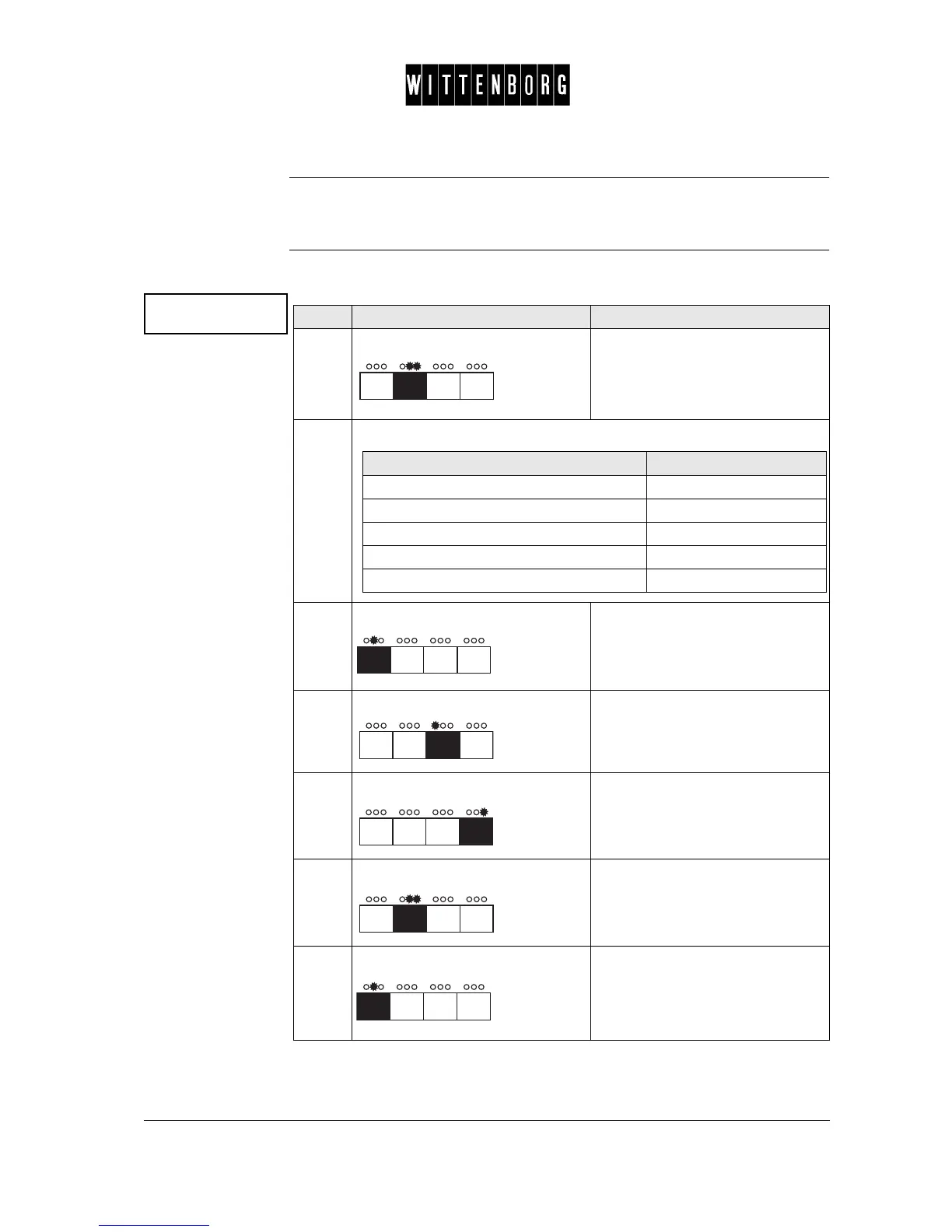
Coin Inhibit
Setting
Sets the coin unit to reject coins which it normally accepts. The lowest-
value coin is coin No 1. The option goes from coin No 1 to coin No 16.
Coin Inhibit This option is used to set the Coin Inhibit status for the various coin values
in the coin unit:
Coin inhibit
->
Step Action Function
1.
Press: Activates the Coin inhibit setting
option.
2.
From the above menu you have the following options:
3.
Press: Switches between the various coin
values
(1-16).
4.
Press: Turns the status to "off".
5.
Press: Turns the status to "on".
6.
Press: Returns to the Coin inhibit option.
7.
Press: Accesses the next function "Low
change inh.".
If you want to then go to step
select a specific coin value 3
set the status to "off" 4
set the status to "on" 5
return to the coin inhibit option 6
access the next function 6-7



 To Next Page