21
Multi-brew panel
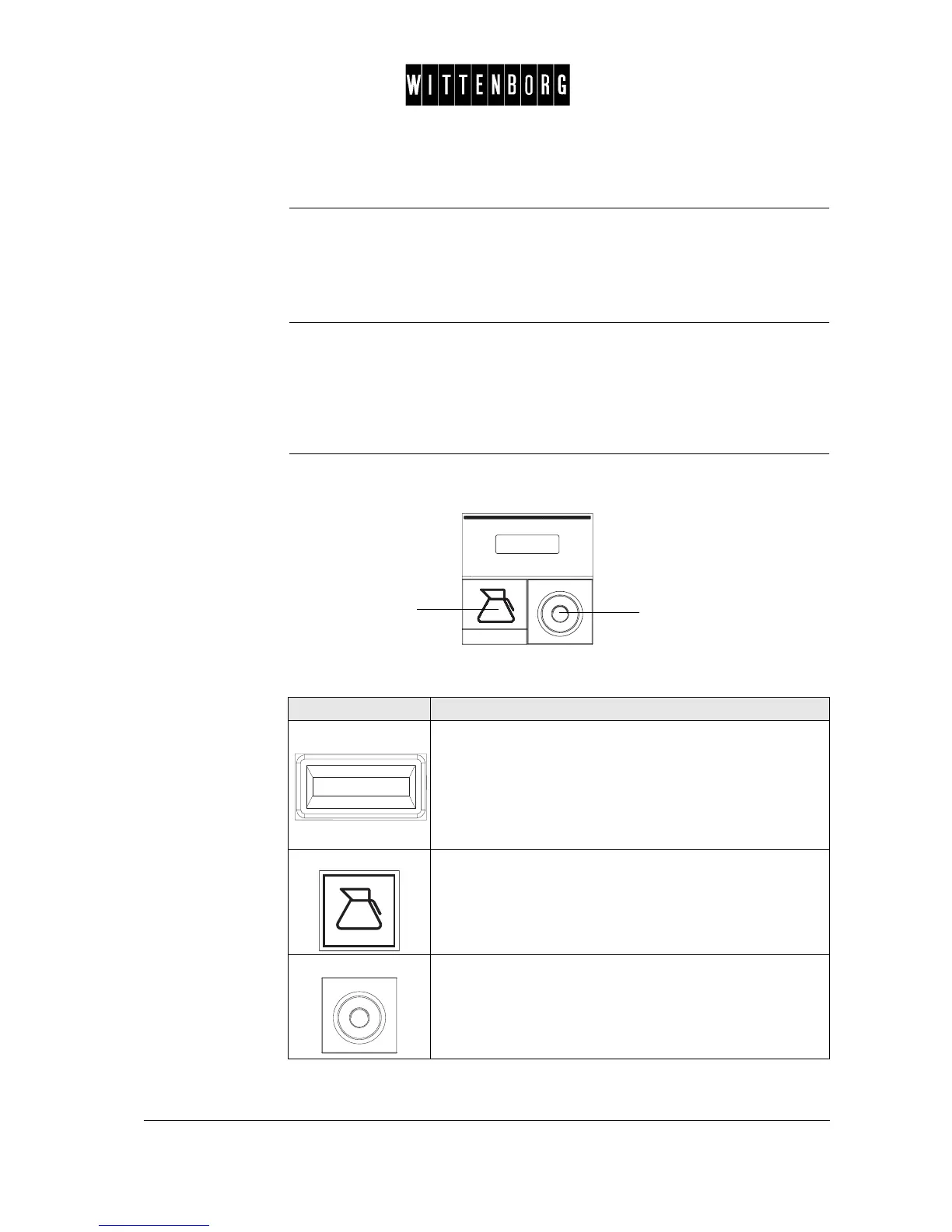
Introduction The main function of the Multi-brew Panel is to offer the multi-brew op-
tion. This selection gives you the opportunity to have more than one drink
dispensed at a time. In other words, you can buy eg a pot of coffee for a
group of people in only one procedure.
Description The Multi-brew Panel consists of the following parts:
• Multi-brew Button
• Discount Lock
This panel is situated at the bottom of the Selection Module.
Illustration This is an illustration of the Multi-brew Panel:
These are the parts and functions of the Multi-brew Panel.
Multi-brew
Button
Discount
Lock
Part Function
Display • The display shows the preset number of cups to be dis-
pensed in the pot.
• The number in the display steps up one number each
time the Multi-brew Button is pushed (max. 15 dispens-
ings - after 15 the counter returns to 1)
• The number at the display steps down one number each
time a cup is dispensed.
Multi-brew Button • Pre-selection button; that is, before you push a Selection
Button, you press the Multi-brew Button the number of
times that you want dispensings in the pot.
Discount Lock The keyhole for the Discount key.
• When the key is in the lock, beverages, both Multi-brew
and single vend, are dispensed at a preset discount
(0-100).



 To Next Page