8
Dismounting the SPC circuit board
Procedure Follow this procedure to dismount the SPC circuit board:
Warning To avoid damage to the SPC circuit board, the button rows and but-
tons must be dismounted from the bottom row upwards and remount-
ed from the top row downwards.
Step Action Illustration
1.
Open the door and dismount the door cover.
2.
Dismount the colour panel.
3.
Disconnect the plugs from the SPC board.
4.
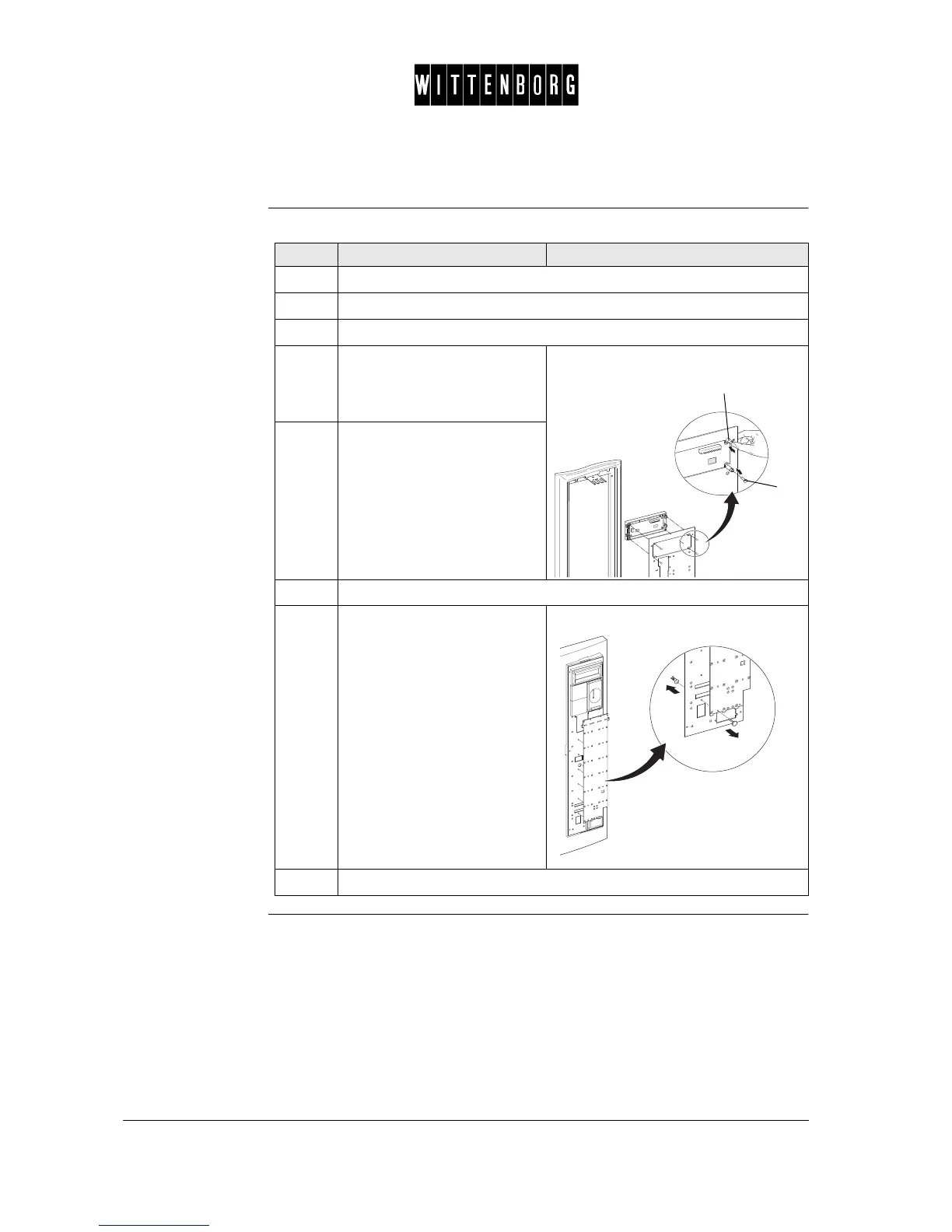
Loosen the buttons by
removing the rivets on the
back side of the reinforcement
plate (1).
5.
Dismount the buttons by
pushing the buttons from the
back side of the reinforcement
plate (2).
6.
Dismount all button rows and buttons from the bottom row upwards.
7.
Remove all the plastic rivets
by first pushing forward from
the back side of the SPC
board and then removing from
the front side.
8.
Dismount the SPC circuit board.
2
1



 To Next Page