13
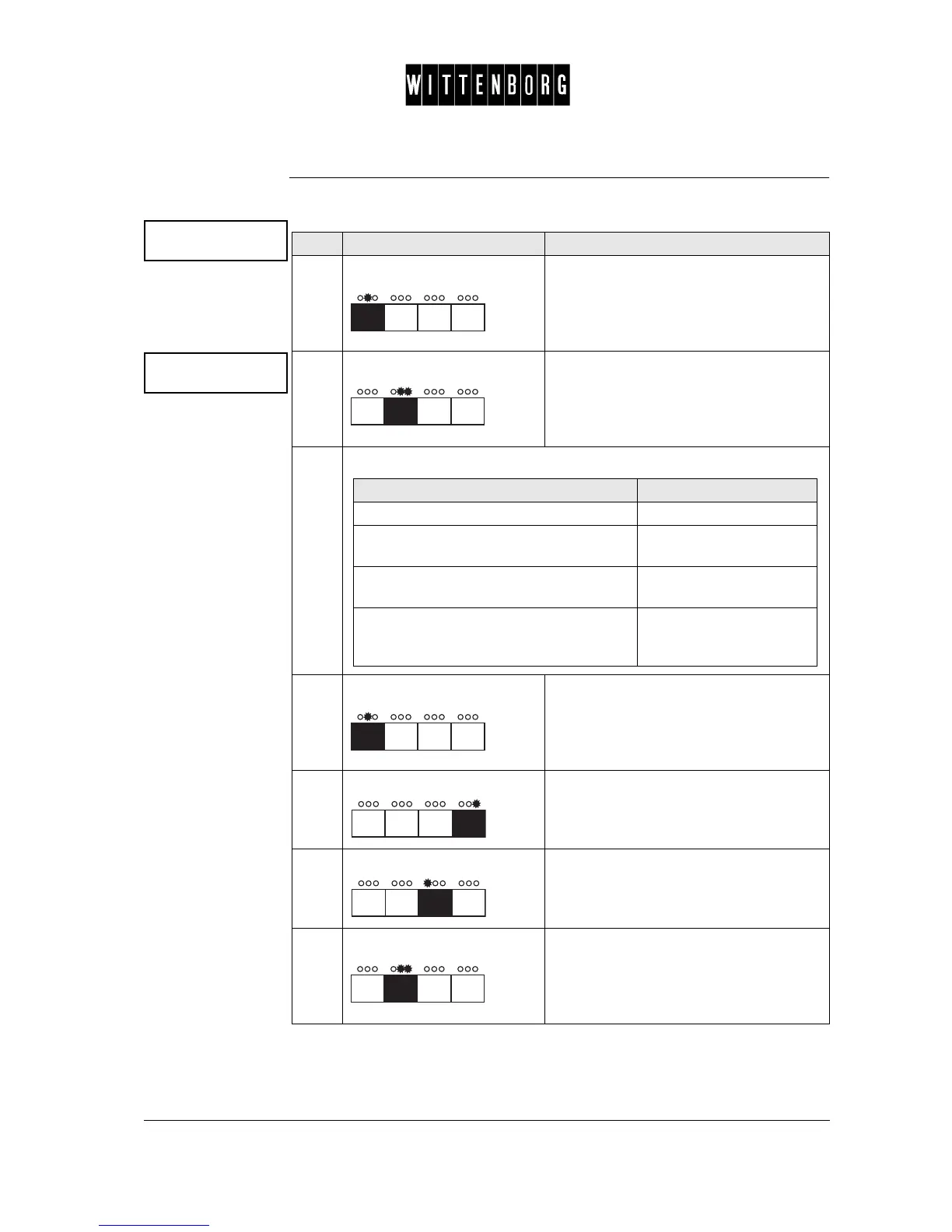
Dispense Coins The Dispense Coins option is used to manually pay out a number of coins
from the coin numbers/tubes (1-16) of the coin unit
Dispense coins
->
Coin: Number:
x 0 go
Step Action Function
1.
Press Accesses the Dispense coins option
2.
Press Activates the Dispense Coins option
3.
From the above menu you have the following options:
4.
Press Switches between the various coin
numbers/tubes of the coin unit.
5.
Press Increases the number of coins from the
chosen coin number/tube of the coin unit.
6.
Press Decreases the number of coins from the
chosen coin number/tube of the coin unit.
7.
Press The specified coin number, number of
coins to be paid out are accepted. The
program automatically returns to
Dispense coins option.
If you want to then go to step
select a specific coin number (1-16) 4
increase the number of coins to be paid
out
5
decrease the number of coins to be paid
out
6
accept specified coin number, number of
coins to be paid out and to return to Dis-
pense coins option
7



 To Next Page