11
Canister setting
facility
Each ingredient canister is provided with an empty feeler facility.
To activate this facility the following have to be set:
• an ingredient limit in the container in question (1-99), expressed in per-
cent, and
• the total weight of the contents of the full canister.
Note: The limit and total weight of the ingredient in a canister should be
checked and adjusted each time you change the brand or type of the
ingredient in question.
Each ingredient is set separately.
When the ingredient level in the canister reaches the minimum level, set in
this facility, the display will show "sold out", if the relevant selection but-
ton is pushed.
A limit set to "0" will deactivate this option, and the corresponding menus
in "operator setting menus" will not be displayed.
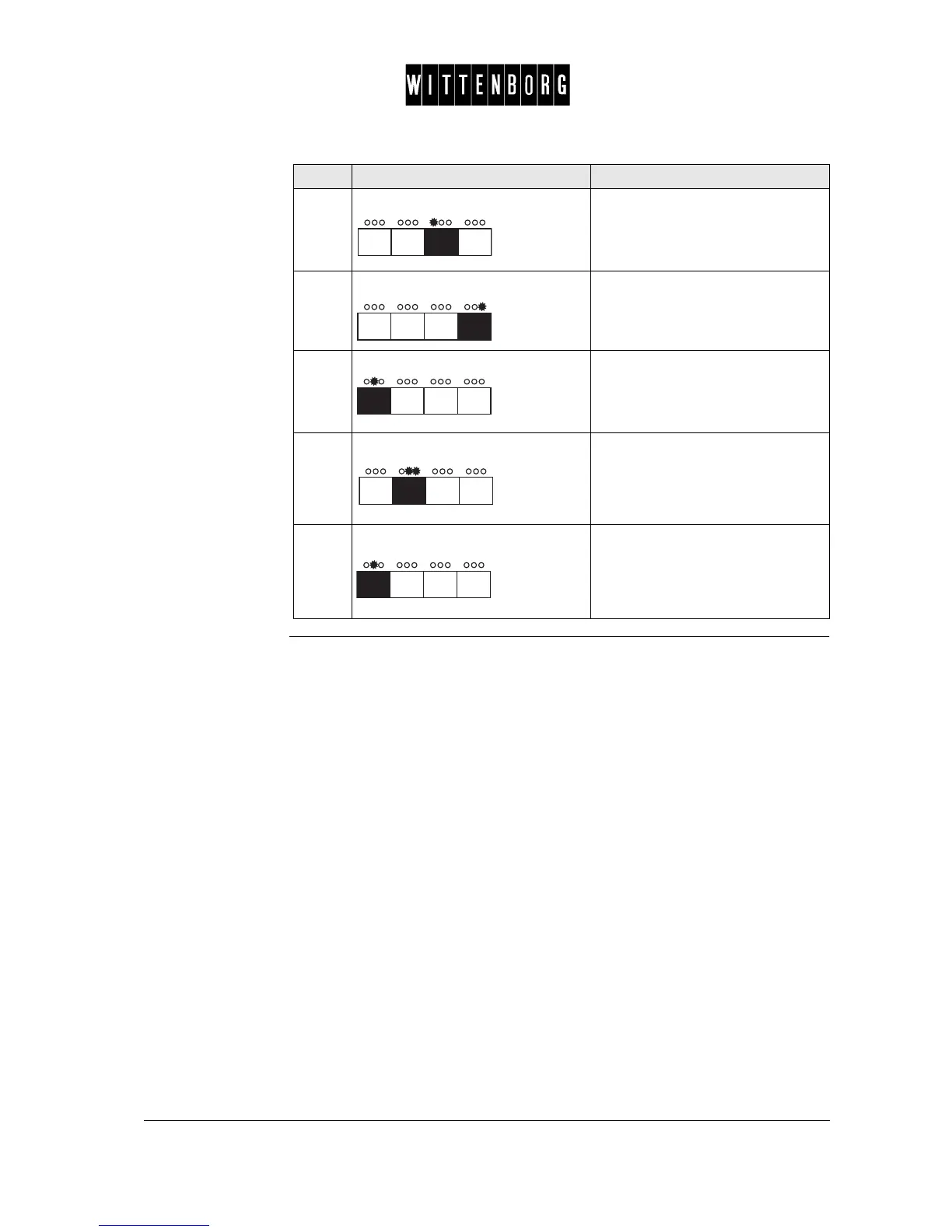
2.
Press: Moves backward among the lan-
guage options.
NL Å UK
3.
Press: Moves forward among the lan-
guage options.
UK ÅNL
4.
Press: Switches between Language Set-
ting or Machine Type Display.
5.
Press: Returns to the System Setting
option.
6.
Press: Accesses the next function "Canis-
ter setting".
Step Action Function



 To Next Page