26
3.
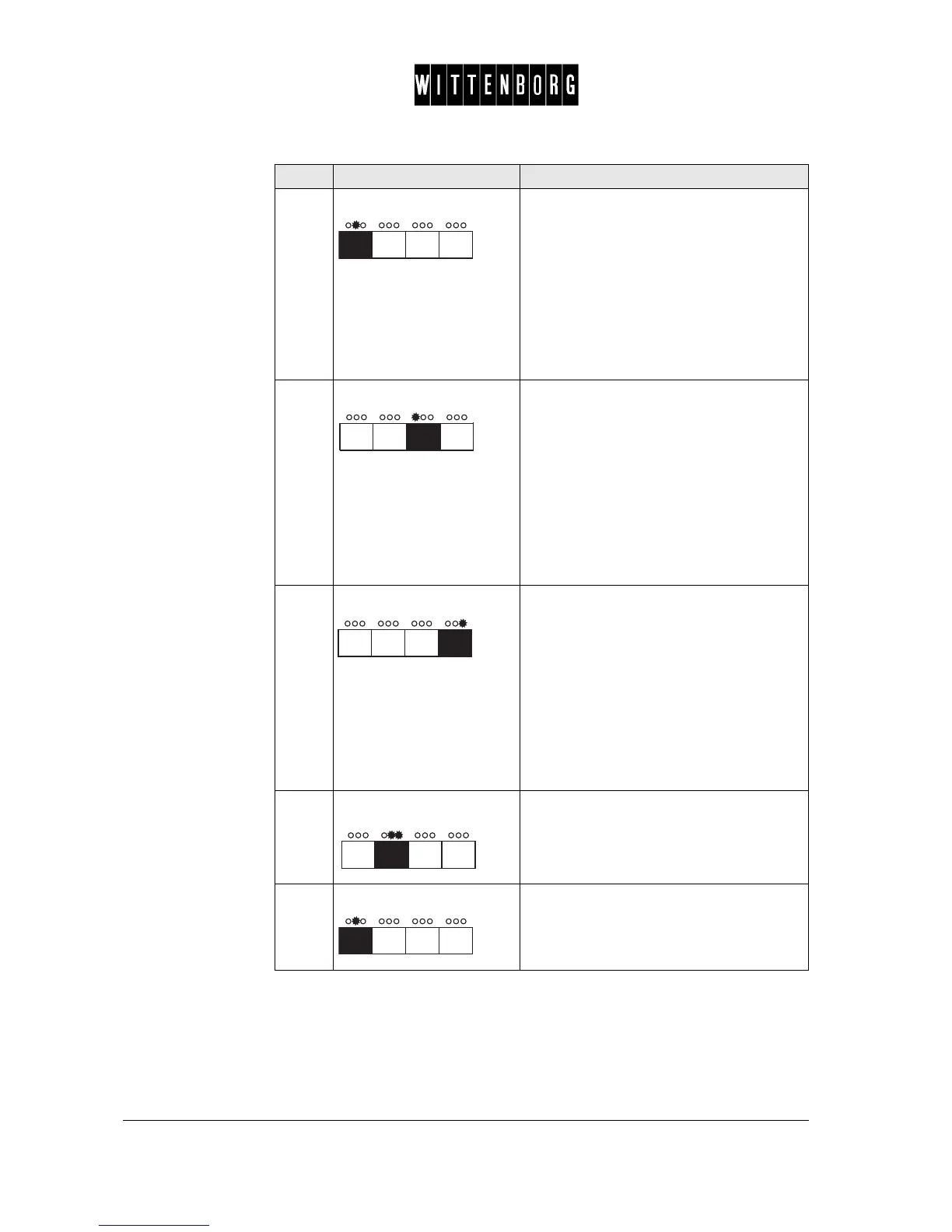
Press: Switches between
"payment type",
"MDB ZKA mode",
"Show MDB texts"
"Price Mode" or
"Audit Unit"
NB. "MDB ZKA Mode" and "Show MDB
Texts" are only available, if MDB has been
chosen under "Payment Type".
4.
Press: Moves backward among the options in
"payment type": MDB ->2-price -> BDV ->
Exec. -> None,
among the options in "price mode": real or
index,
among the options in "audit unit": internal
or external,
among the options in "MDB ZKA mode":
on or off
or among the options in "Show MDB texts":
on or off.
5.
Press: Moves forward among the options in "pay-
ment type": MDB -> 2-price -> BDV ->
Exec. -> None,
among the options in "price mode": real or
index,
among the options in "audit unit": internal
or external,
among the options in "MDB ZKA mode":
on or off
or among the options in "Show MDB texts":
on or off.
6.
Press: Returns to the Set payment option.
7.
Press: Accesses the next function "Vend mode".
Step Action Function



 To Next Page