Gen II User Manual
10-3 – Fan/Turbine Balance Chapter 10 Revision 2.10, Apr 2020
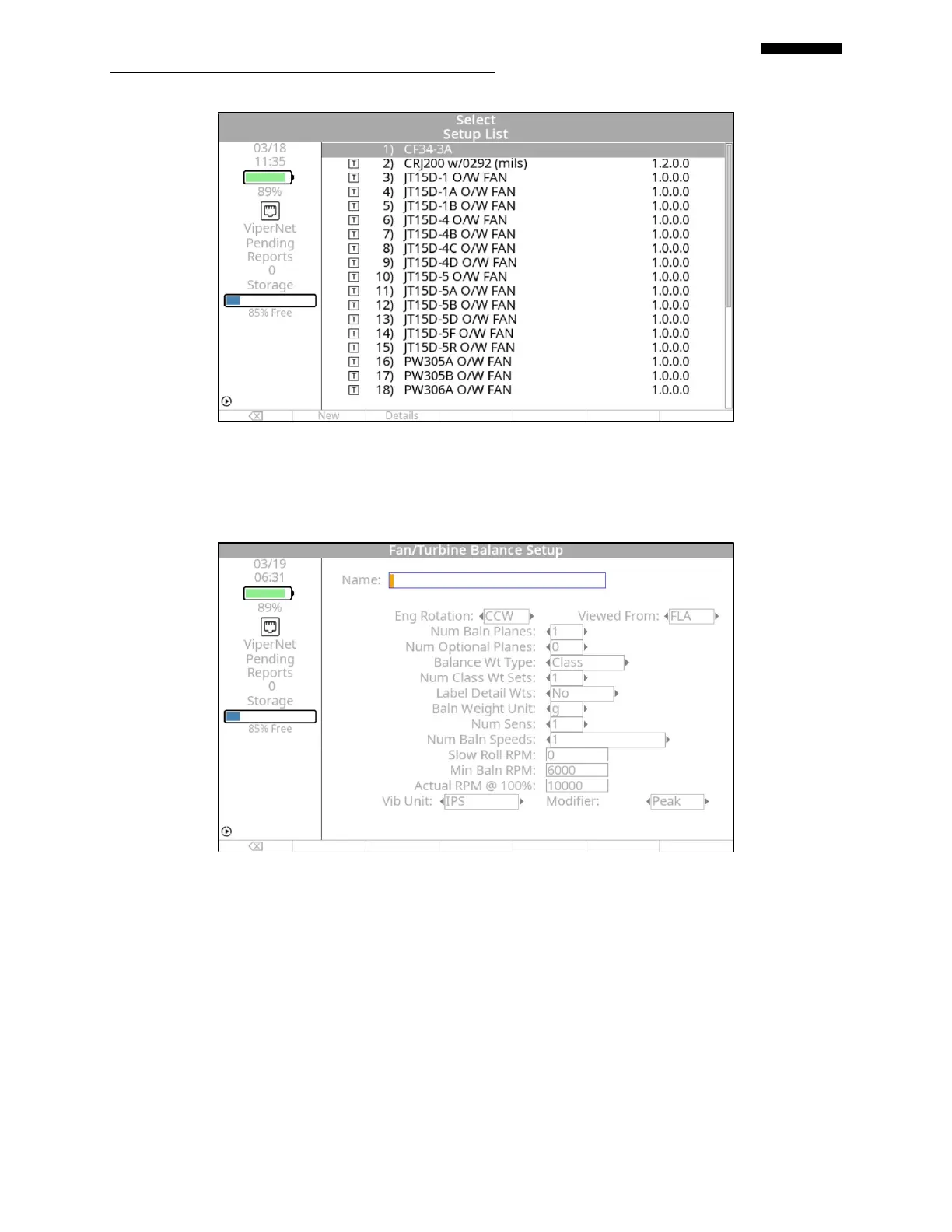
“Fan/Turbine Balance Setup” Screen. If you are starting a new job with no setups previously
defined in the analyzer’s memory, the screen will automatically display the “Fan/Turbine
Balance Setup” banner screen shown below.
10.1.1. – Fan/Turbine Balance Setup Screen
The “Fan/Turbine Balance Setup” banner screen allows you to define and store a Fan/Turbine
Balance Setup in both fill-in and selection fields. The fill-in fields have squared off ends ([ ]).
These fields are filled in using inputs from the analyzer keypad. The selection fields have pointed
ends (< >). These fields have two or more preset values that are selected by using the [] and
[] keys. Navigate between the fields on this screen using the [] and [] keys. (Refer to
Chapter 3, “Using the Gen II Analyzer” if you are unfamiliar with using the keypad or inputting
data.)


 To Next Page
 Loading...
