Gen II User Manual
4-26 – Propeller Balance Chapter 4 Revision 2.2, Apr 2020
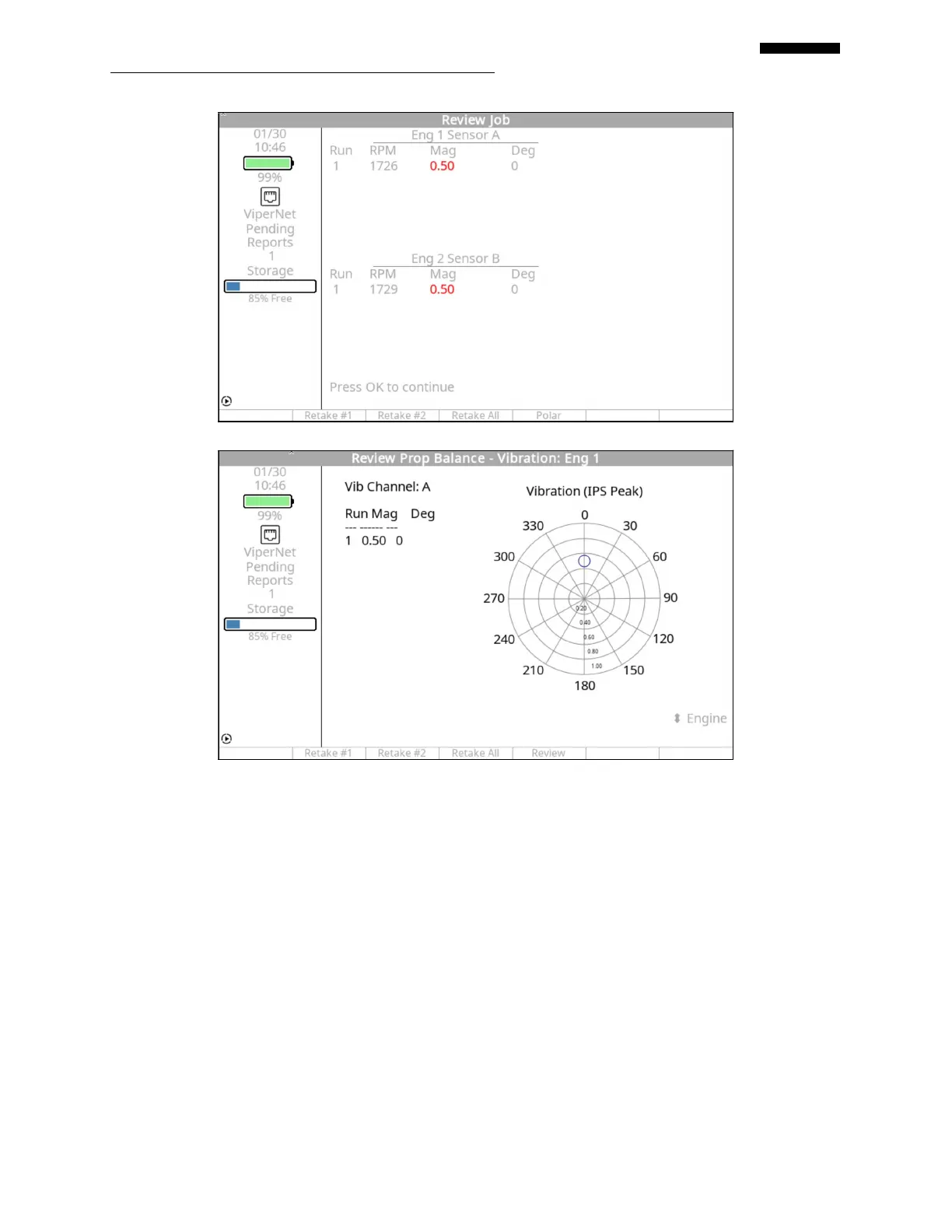
If you are satisfied with the results of the run and are ready for a solution, press [OK] to accept
the data and continue.
If you want to retake data for this run, press the [F1] “Retake #1” key, [F2] “Retake #2”, or [F3]
“Retake All” key (if balancing two engines). This option returns you to the “Set Engine Speed”
banner screen (see paragraph 4.1.6 above).
The data can be viewed in a polar chart format by pressing the [F4] “Polar” key. Pressing the
[F4] “Review” key will return you to the “Review Job” screen.
An information screen will appear prompting you to “Shut down the engine(s) per manual
instructions.” Press the [F5] “Continue” key to progress to the “Balance Solution” process as
shown in paragraph 4.1.8 below.


 To Next Page
 Loading...
