Chapter 2. Outdoor Installations
Vol. III-2-10 Alcatel-Lucent
10. To remove an ODU, reverse this procedure.
Remote-Mounted ODUs
Refer to:
• Remote-Mount Overview on page 2-10
• Waveguide Flange Data on page 2-11
• Remote-Mount Installation Procedure on page 2-12
Remote-Mount Overview
An ODU can be installed separate from its antenna, using a remote-mount to
support the ODU, and a flexible-waveguide to connect the ODU to its antenna:
A remote mount allows use of standard, single or dual polarization antennas.
The mount can also be used to remotely support a protected ODU pairing
installed on a coupler. The coupler connects to the remote mount assembly in the
same way as an ODU.
The remote mount clamps to a standard 114.3 mm (4.5 ”) pole-mount, and is
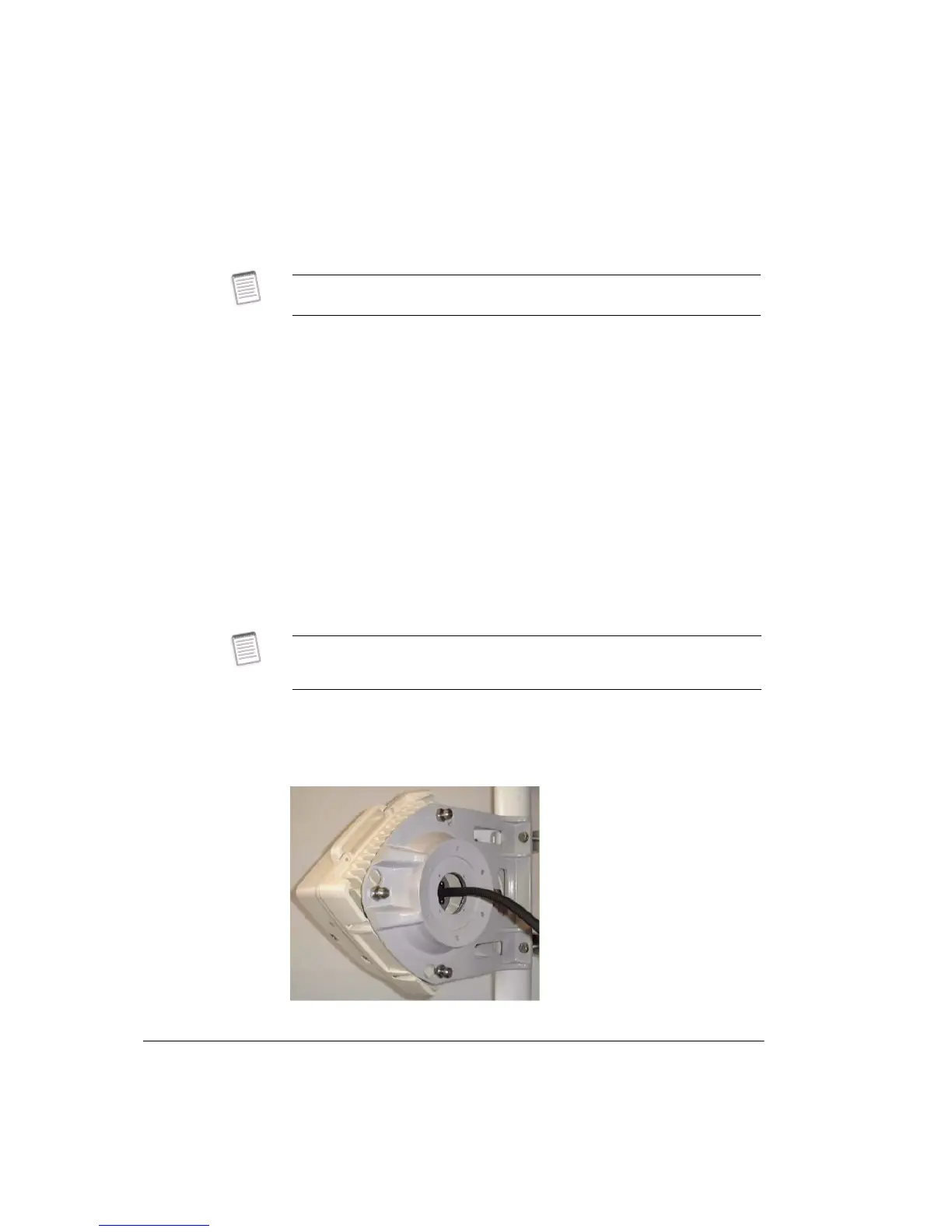
common to all frequency bands. Figure 2-9 shows an ODU installed on a remote
mount.
Figure 2-9. Remote Mount
When removing an ODU from its mount, ensure the ODU fastening nuts are fully
released.
When co-channel XPIC, single antenna link operation is required, the two ODUs
must each be connected to their respective V and H antenna ports using remote
mounts.



 To Next Page