Chapter 3. Installing the INU and INUe
Vol. III-3-8 Alcatel-Lucent
Plug-in Slot Configuration
The IDC has four universal slots and two dedicated slots. The IDCe has six
universal slots, three restricted slots and 4 dedicated slots. Refer to Figure 3-3 for
slot loading details. A populated IDC/IDCe is called an INU/INUe.
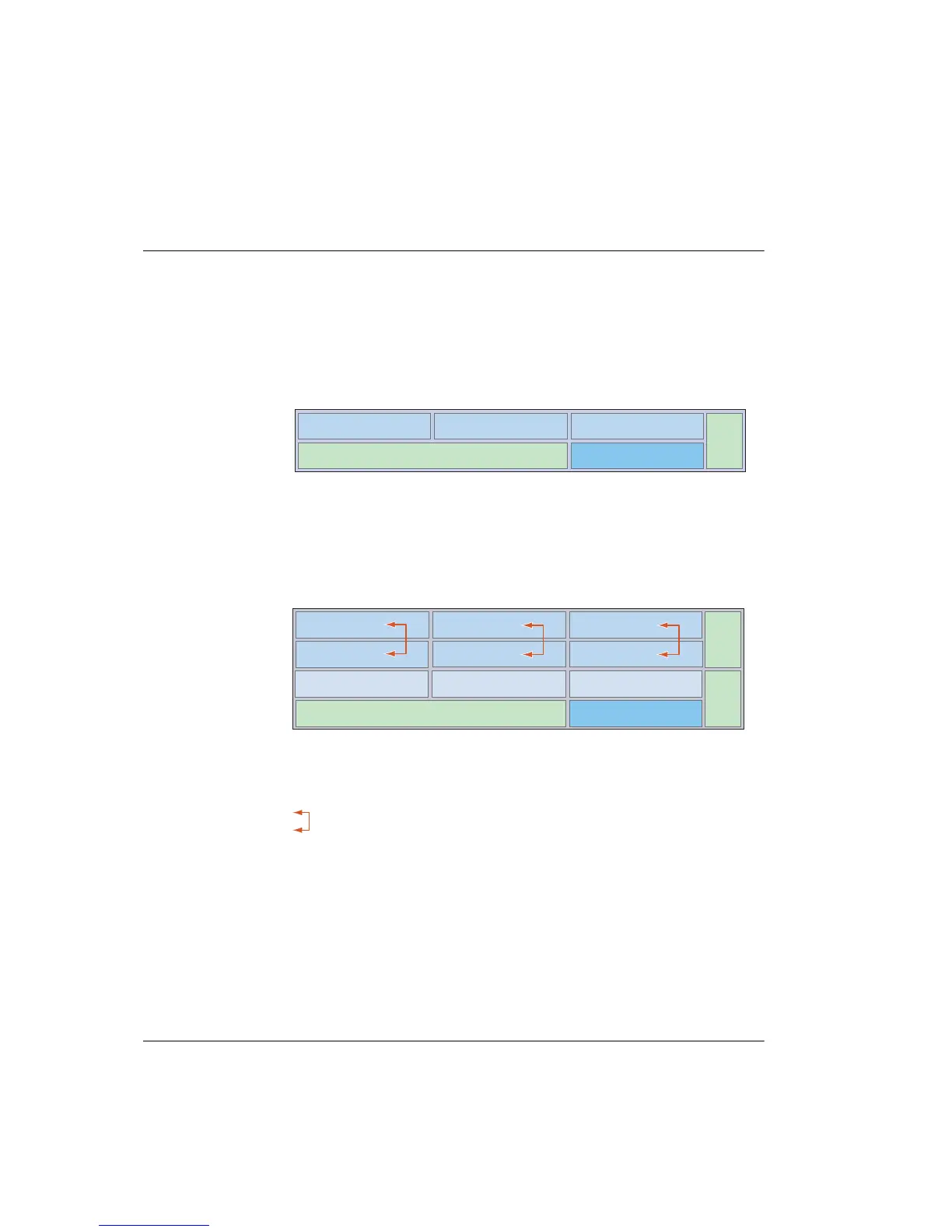
Figure 3-3. Slot Numbering for INU and INUe
Installing or changing out a plug-in is a straightforward process. The
INU
INUe
Fan
Slot 1 Slot 2 Slot 3
NCC Slot 4
Fan
Slot 1 Slot 2 Slot 3
Slot 4
Fan
Slot 7
Slot 5 Slot 6
Slot 9
Slot 8
NCC
Slot 10
Slots 1, 2, 3, 4 are universal: any RAC, DAC or AUX plug-in
Slot 4 is NPC or universal: NPC or any RAC, DAC, AUX
NCC and FAN slots are dedicated
For protected operation the RAC, or RAC/DAC 155oM pairings can be installed in any
of the universal slots
Slots 1, 2, 3, 4, 5, 6 are universal: any RAC, DAC or AUX plug-in
Slots 7, 8, 9 are restricted: any DAC or AUX (except DAC 155oM and AUX*)
Slot 10 is restricted: NPC option only
NCC and FAN slots are dedicated
For protected operation the RAC, or RAC/DAC 155oM pairings must be installed in
the positions indicated by the arrows
* Internal (backplane) NMS access is only provided for slots 1 to 6. Do not install
DAC 155oM or AUX in slots 7 to 9 if an NMS connection is required in their configuration



 To Next Page